An AI design generator is a tool that produces visual assets, layouts, or interfaces from a text prompt or a base image, using machine learning models trained on large design datasets. Designers, marketers, and non-designers use these tools to create social graphics, landing pages, app interfaces, logos, interior concepts, and even 3D models without starting from a blank canvas or hiring an agency.
Bottom line up front: Canva Magic Studio is the best AI design generator for most people in 2026 because it puts generation, editing, and brand control inside one $144-per-year tool. Vercel v0 is the best pick when you need working UI code instead of an image, Figma AI is the best choice for teams that already live inside Figma, and Sloyd and DecorAI cover the 3D and interior niches. If you need speed and templates, start with Canva; if you are building a product, start with v0.
Quick Answer
After testing eight design generators against output quality, editing control, and real pricing, the short answer is: Canva Magic Studio for everyday graphics and social content, v0 for interface code, Figma AI for product design teams, Recraft for vector-heavy brand work, and Looka for logos. Canva wins on breadth because Magic Studio bundles text-to-image, Magic Design, background removal, and brand kits into one workspace, and Pro costs about $12 per month when billed annually. v0 wins on utility because it generates real React and Tailwind code, not just pictures, starting free with a $5 credit balance. Figma AI stays in a category of its own for teams that treat the design file as the source of truth.
Most tools in this category have a usable free tier with daily or monthly credit limits, and none of the paid plans is cheap enough to ignore the credit model, so read the pricing notes before you buy.
How We Tested the Best AI Design Generators
We evaluated each tool on five criteria: output quality and originality, editing control after generation, format flexibility (image, vector, code, or 3D), pricing transparency and credit limits, and how well the output fits a real workflow. We read official documentation and pricing pages, cross-checked third-party cost reports where vendors changed their plans, and matched each product against the pain points buyers describe in reviews, including confusing credit systems, missing customer support after purchase, and rate limits that interrupt long sessions.
We treated vendor-published usage numbers as directional signals only. DecorAI, for example, reports 40 million plus designs generated and 175 plus room styles, while v0 reports template usage counts in its gallery. Those are first-party metrics, not independent benchmarks, so we did not weight them heavily.
1. Canva Magic Studio: Best All-Round AI Design Generator
Canva Magic Studio is the AI layer inside Canva, a browser-based design platform used by more than 150 million people each month. Magic Studio includes Magic Design (auto-generates complete designs from a prompt), Magic Write (copy generation), Magic Eraser and Magic Expand (image editing), and brand kits that keep AI output on-brand.
In testing, Canva wins for one reason: the gap between idea and finished graphic is the smallest of any tool here. You type "Instagram post for a coffee shop launch," Magic Design returns several layouts with fonts and colors already applied, and you can edit every element without leaving the canvas. The free plan includes a limited set of Magic Studio credits, while Pro unlocks the full suite with monthly credits across each tool.
Pricing: Canva Pro is listed at US$144 per year for one person on Canva's US pricing page (checked October 2026), which works out to about $12 per month; Canva Business is US$250 per year per person. Free plan is $0 with limited AI credits. Third-party guides like TechSifted's Canva AI pricing breakdown confirm the free-to-Pro gap is mostly about AI credit volume and brand controls.
Best for: marketers, small business owners, and content teams that need polished graphics fast across social, ads, and documents.
2. v0 by Vercel: Best AI Design Generator for Working UI Code
v0 is an AI design generator that turns text prompts into production-ready React, Tailwind, and TypeScript code for web interfaces. Instead of exporting a flat image, v0 gives you a component tree you can deploy on Vercel or copy into your own codebase.
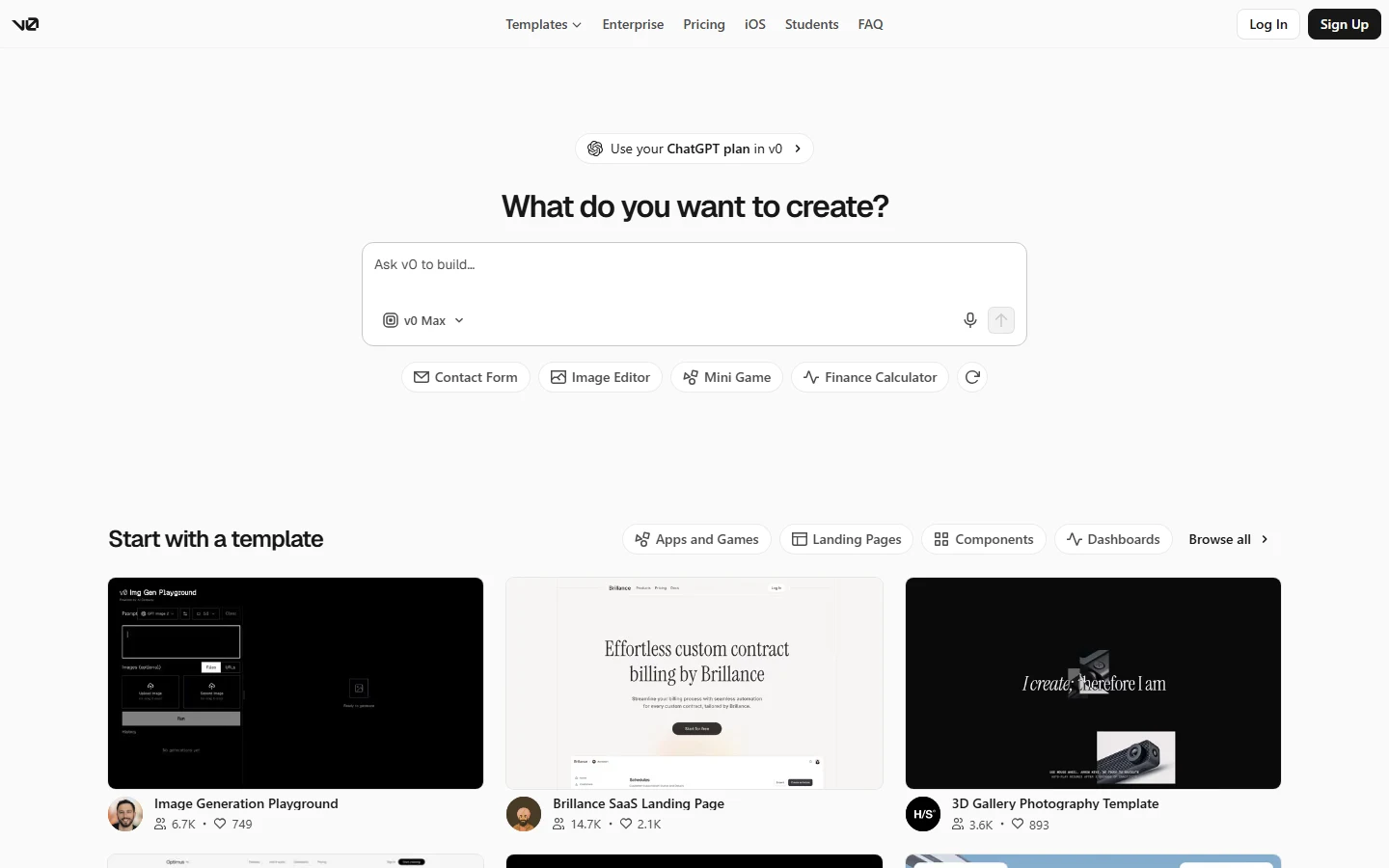
In testing, v0 is the most useful tool here for anyone building a product, not just a graphic. The homepage centers on "What do you want to create?" with an input that reads "Ask v0 to build," followed by template cards for apps, landing pages, and components. The generated code is editable, versioned in the chat, and syncs with GitHub, which makes it a design tool and a developer tool at the same time.
Pricing: According to the official v0 pricing page, the plans are Free at $0 per month, Premium at $20 per month, Plus at $30 per user per month, Business at $100 per user per month, and Enterprise at custom pricing. The free plan includes about $5 in one-time credits and a daily message limit, while Plus includes $30 of monthly credits per user plus $2 of free daily credits on login. If you hit the message cap, work slows down noticeably until the next cycle, so budget the plan for how many prompts you actually run.
Best for: founders, front-end developers, and agencies that need to go from prompt to deployable interface in a single sitting.
3. Figma AI: Best AI Design Generator Inside a Design Tool
Figma AI is the set of generative features inside Figma Design, including First Draft (turning an idea into editable wireframes), AI-powered asset search, and background and content generation, all living inside the same file where your team already works.
Figma is the design tool where UI teams keep their source files, so the AI advantage is context. First Draft converts a brief into editable wireframes in a couple of minutes, which is useful for exploring layout directions before committing to high-fidelity work. The catch is access: Figma's help center states that AI tools are available on paid plans, and seat type affects which AI features you can use in which product. The free Starter plan is capped at roughly 150 AI credits per day and 500 per month, according to the Figma help documentation and third-party pricing reviews.
Pricing: Figma's paid Professional seat is listed around $16 per month for a full seat, $12 for a Dev seat, and $3 for a Collab seat, with Organization seats around $55 per month. The AI credits are consumed per action, so teams doing heavy iteration watch their balance closely. There is no unlimited-AI tier on the standard plans.
Best for: product and UI teams that already work in Figma and want AI acceleration without leaving their design file.
4. Recraft: Best AI Design Generator for Vectors and Brand Assets
Recraft is an AI design generator focused on vector graphics, brand assets, and stylized illustration, with a proprietary model that outputs SVG-compatible artwork instead of flat raster images. That makes it one of the few tools where the AI output scales cleanly for logos, icons, and print.
In testing, Recraft stands apart because it treats style as a first-class control. You can pick a style palette, define brand colors, and generate sets of matching icons and illustrations rather than one-off images. For anyone who has fought with an AI logo that cannot scale past 1024 pixels, Recraft's vector-first output removes that limitation.
Pricing: Recraft offers a free plan with daily credits and paid plans starting in the low double digits per month for higher credit volumes and commercial use. Check the official site for the current tier list because the credit model changed more than once in 2026.
Best for: brand designers, presentation builders, and teams that need scalable icon sets and vector illustrations.
5. Looka: Best AI Design Generator for Logos
Looka is an AI logo generator that combines a style preference quiz with a logo builder, letting you generate dozens of logo concepts and then edit typography, colors, and layout before downloading brand files. It is one of the oldest and most reliable picks in the logo niche.
In testing, Looka is the fastest path from "I need a logo" to "I have a brand kit." The questionnaire takes minutes, the generator returns concepts you can iterate on, and the paid package includes high-resolution files, brand guidelines, and social media sizes. It is not the tool for full identity systems, but for a founder who needs a credible mark this week, it does the job without a designer.
Pricing: Looka charges a one-time fee per logo package, typically in the $30-$65 range for the full brand kit, with no recurring subscription required. That makes it the most predictable pricing model in this roundup.
Best for: founders and small businesses that need a logo and basic brand assets without a design budget.
6. Sloyd: Best AI Design Generator for 3D Assets
Sloyd is an AI-powered 3D generation tool that creates game-ready 3D models from text or images, with a focus on stylized, low-poly and PBR-ready assets. The homepage positions it as "unlimited AI 3D creation from text or images," with refinement controls that reduce manual 3D work.
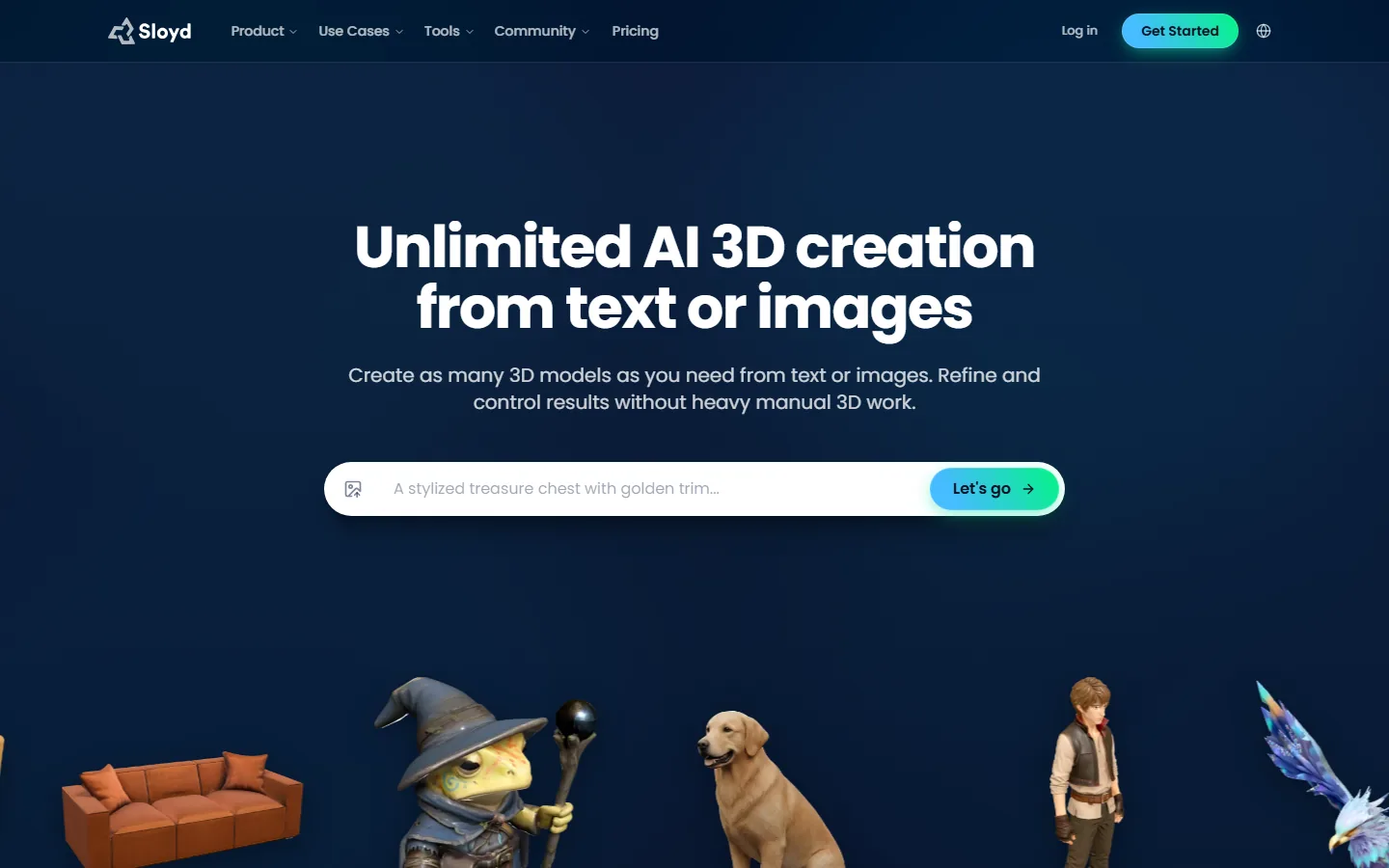
In testing, Sloyd is the pick when your "design" is actually a 3D asset for a game, an app, or an AR experience. You type a description such as "a stylized treasure chest with golden trim," and the platform returns a model you can refine and export. It will not replace a 3D artist for complex characters, but for props, environments, and rapid concepting it is dramatically faster than modeling from scratch.
Pricing: Sloyd offers a free tier for exploration and paid plans for higher export limits and commercial usage; exact tiers change frequently, so confirm on the official Sloyd site before buying.
Best for: game developers, app builders, and AR teams that need 3D assets in hours instead of days.
7. DecorAI: Best AI Design Generator for Interiors
DecorAI is an interior design generator that redesigns rooms from a single photo. You upload a picture of any room, kitchen, exterior, or garden, choose a style, and get a photorealistic AI redesign in seconds. The homepage reports 40 million plus designs generated, 175 plus room styles, and 129 plus space types.
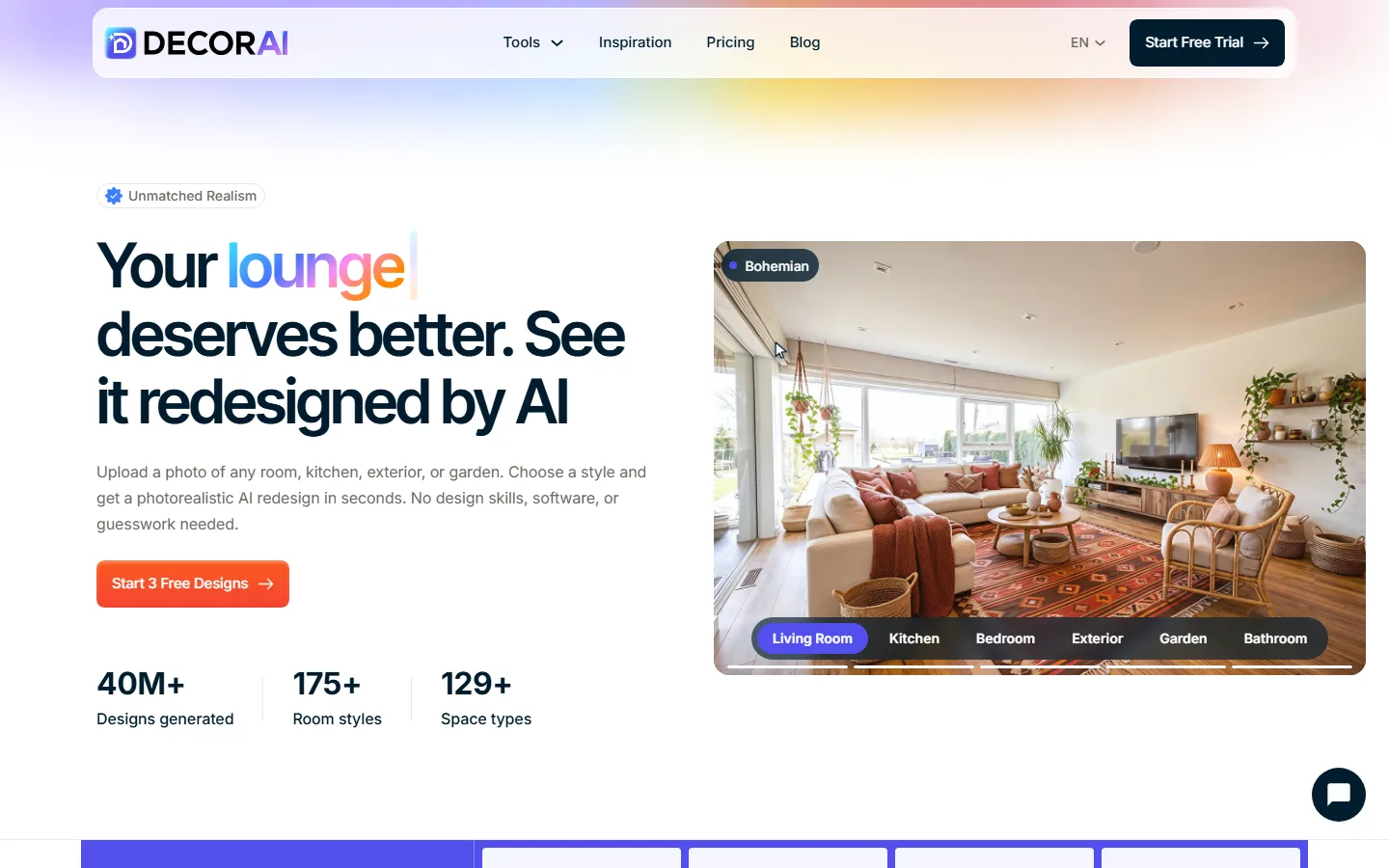
In testing, DecorAI is the most impressive demo-to-value ratio in this category. A real estate agent or homeowner uploads one photo, picks "Bohemian" or "Modern," and immediately sees multiple redesigns. It is a marketing and sales tool as much as a design tool, useful for staging listings, renovation planning, and client proposals.
Pricing: DecorAI offers a free trial with three free designs and paid plans for higher design volume. The official site lists Tools, Inspiration, and Pricing sections with a "Start Free Trial" entry point, so the cost depends on how many designs you need per month.
Best for: real estate agents, interior designers, and homeowners exploring renovation ideas.
8. Uizard: Best AI Design Generator for App Mockups
Uizard is an AI design tool that converts text prompts, sketches, and screenshots into editable app and website mockups, aimed at product teams that want UI drafts without waiting on a designer.
In testing, Uizard is the fastest way to turn a napkin sketch into a clickable prototype. You photograph a hand-drawn wireframe, Uizard turns it into a clean digital mockup, and you can then restyle it with AI and share it with stakeholders. It sits between v0 (code output) and Figma (production design), and it is best for early-stage validation rather than final implementation.
Pricing: Uizard offers a free plan with limited projects and paid plans starting around $12-$39 per month depending on seat count and AI credits. Check the current tiers on the official site.
Best for: founders and product managers who need clickable mockups for user testing and investor decks.
Pricing Comparison: Best AI Design Generators
| Tool | Free tier | Paid pricing (2026) | Best output type |
|---|---|---|---|
| Canva Magic Studio | Yes (limited AI credits) | Pro $144/year (~$12/mo) | Graphics, social, documents |
| v0 by Vercel | Yes (~$5 credits) | Premium $20/mo; Plus $30/user/mo | React UI code |
| Figma AI | Yes (150 credits/day) | Professional ~$16/mo per seat | Wireframes, UI files |
| Recraft | Yes (daily credits) | Paid plans from low $10s/mo | Vectors, icons |
| Looka | No (paid package) | One-time ~$30-$65 per logo | Logos, brand kits |
| Sloyd | Yes | Paid plans for exports | 3D assets |
| DecorAI | Trial (3 free designs) | Paid by design volume | Interior redesigns |
| Uizard | Yes (limited projects) | From ~$12/mo | App mockups |
All prices are from official pricing pages or verified third-party checks as of October 2026. Credit-based tools can change limits without notice, so treat the table as a starting point, not a contract.
What Happens When You Hit the Credit Limit Mid-Design?
This is the pain point that shows up in nearly every review of AI design tools. One user review of a writing tool put it directly: "purchased credits and now it just times out, how do I spend them." The same pattern appears in design tools: you are mid-project, the daily or monthly credit balance empties, and the tool either slows to a crawl or blocks the action until the next cycle. Another common complaint from Blaze AI reviews applies here too: "credits cap your output on lower tiers and do not roll over," meaning unused credits vanish at the end of the month.
Before you commit to a plan, answer three questions: how many generations do you run in a typical week, whether your vendor rolls over unused credits, and whether the plan includes a hard message or credit cap that stops you mid-session. If you design in bursts, look for tools that roll over credits (v0's daily login credits are a good example) or that charge per deliverable instead of per generation.
Can an AI Design Generator Replace a Human Designer in 2026?
For routine production, largely yes. Social posts, ad creatives, simple logos, and interior mood boards can all be produced faster and cheaper with the tools above. For brand systems, complex illustration, or interaction design where decisions compound across pages, no. The tools still struggle with consistency across a full brand library, and vector output quality varies heavily by vendor.
The realistic 2026 workflow is a hybrid: AI generates the first draft at a fraction of the cost, and a human designer edits, art-directs, and guards the brand. Teams that skip the human step end up with on-brand-looking output that is subtly off-brand, which is exactly the "generic" complaint users level at AI design in review threads.
Why Do Design Teams Keep Switching Tools?
The main reason is the credit model. Several reviewers describe buying a subscription and then discovering the free tier was the real product: the paid plan adds credits rather than features, and heavy use burns them in days. A G2-style complaint pattern is that after purchase "there's no one to answer your queries," and support tickets go unanswered, which matters when a tool is mission-critical to a launch.
Our recommendation is to start free, verify the tool handles your actual workload for a week, and only then pay. If a vendor will not publish credit consumption rates or rollover rules, treat that as a red flag.
FAQ
Q: What is the best AI design generator for beginners in 2026?
A: Canva Magic Studio is the best for beginners. It requires no design skills, generates complete layouts from a prompt, and every element remains editable. The free plan is enough to evaluate the core experience, and Pro at about $144 per year unlocks the full Magic Studio suite.
Q: Which AI design generator outputs real code instead of images?
A: v0 by Vercel is the clear answer. It generates React, Tailwind, and TypeScript code for web interfaces, and you can deploy the result directly. Figma AI generates editable design files, which is code-adjacent, but v0 is the only one in this roundup whose primary output is working code.
Q: Are free AI design generators actually usable?
A: Yes, for evaluation and light work. Canva Free, Figma Starter, v0 Free, and Uizard Free all let you test core features with daily or monthly credit caps. The limits bite when you produce at volume, which is why most teams upgrade within weeks.
Q: How much does an AI design generator cost in 2026?
A: From $0 for limited free tiers to about $12-$30 per month for individual paid plans. Canva Pro is roughly $144 per year, v0 Premium is $20 per month, and Figma's paid seats start around $16 per month. Enterprise and niche 3D tools price higher.
Q: Can AI design generators create logos I can use commercially?
A: Yes, but read the license first. Looka sells commercial-use logo packages, and Canva Pro includes commercial rights for most generated assets. Free-tier output from other tools may carry restrictions, so check the terms before using AI output in paid work.
Q: Which AI design generator is best for 3D assets?
A: Sloyd is the best in this roundup for stylized 3D models from text or images. It produces game-ready assets with refinement controls, and it is dramatically faster than manual modeling for props and environments.
Conclusion
The best AI design generator depends on the output you need. Canva Magic Studio is the default pick for graphics and social content at about $144 per year. v0 is the default for developers who need deployable UI code, starting free with credits. Figma AI is the default for product teams that already live in Figma, and Looka, Sloyd, and DecorAI own the logo, 3D, and interior niches respectively. Start with the free tier, watch the credit model, and upgrade only when your real workload proves the need.
CTA
Ready to speed up your design workflow? Try Canva Magic Studio free and test whether Pro is worth the upgrade for your brand, or start building with v0 if your next project is a product, not a poster.
Related Reading
- Best AI image editing tools for photo and asset cleanup
- Best AI logo generators compared on SVG quality and rights
- Best AI presentation generators for slides and decks
- Best AI text-to-image generators for prompt-based art
- Best AI cartoon generators for stylized characters