Best AI Cartoon Generators 2026: Photos to Cartoons Fast
An AI cartoon generator is a tool that converts a photo, usually a selfie or portrait, into a cartoon-style image using image models, either through one-click style filters or through text prompts. It is used by people who want a cartoon avatar for social media, a profile picture, a personalized gift or a brand mascot without learning to draw, and the 2026 market now spans mobile filter apps, web editors and text-to-image platforms. This guide ranks the tools that produce clean, usable cartoons, based on the pricing and feature data published by independent roundups, app stores and vendor pages as of October 2026.
Quick Answer: Fotor is the best all-round AI cartoon generator in 2026 because it turns a photo into a cartoon in one click, keeps a genuinely useful free plan, and starts paid plans at $10.99/month with watermark-free exports. ToonMe is the best free selfie-to-cartoon app on mobile, Cartoonize is the best high-detail editor at $9.99/month or $6.99/month on annual billing, and ChatGPT is the cheapest cartooning tool if you already subscribe. The honest caveat: almost every free plan adds a watermark, so the paid tier is the real cost of clean, shareable output.
What Are AI Cartoon Generators and How Do They Actually Work?
An AI cartoon generator takes an input image, applies a trained style model, and returns a cartoon version that keeps the subject's features while redrawing them in a chosen art style. The differences between tools show up in four places: whether the tool runs on mobile or in a browser, how many styles it offers, whether it preserves the original face accurately, and whether the free tier survives past a watermark.
The 2026 market, which Content Mavericks counted at 78 tools after 55 hours of testing the top 50, splits into two categories. Mobile filter apps such as ToonMe, ToonApp and Voilà AI Artist optimize for speed and social sharing: you upload a selfie, pick a style, and get a cartoon in seconds. Web editors such as Fotor, Cartoonize and Picsart add editing controls, resolution options and commercial-use licensing, which suits creators who need prints, product images or a consistent brand look.
A third layer is the text-to-image route. Midjourney, Leonardo AI and Adobe Firefly generate cartoon art from prompts, and ChatGPT can cartoon an uploaded photo conversationally. These tools do not filter a face so much as redraw a scene, which makes them the choice for original cartoon characters rather than cartoon versions of a real person.
Which AI Cartoon Generator Is Best in 2026?
The answer depends on where the cartoon starts and what you will do with it. The table below reflects the pricing and feature data published by Content Mavericks, FixThePhoto's app testing and ClipNova's category comparison as of October 2026.
| Tool | Free tier | Paid tier | Best for | Watermark on free |
|---|---|---|---|---|
| Fotor | Yes | $10.99/mo Pro | One-click ease, all-round | Yes |
| Cartoonize | Yes, no signup | $9.99/mo or $6.99/mo annual | High detail + editing | Yes |
| ToonMe | Free download | In-app PRO subscription | Selfies on mobile | Partial |
| ToonApp | Free download | In-app from $4.99 | Big-head filters, 450+ templates | Ads on free |
| Picsart | Free | $15/mo Pro | Customization | Yes |
| Adobe Firefly | Free to start | $9.99/mo Standard | Text-to-image cartoons | No free gen credits |
| AILab Tools | Free credits | $10/mo for 200 credits | Anime style | Partial |
| Lunapic | Free forever | None | Quick no-frills cartoonizing | Yes |
| ChatGPT | Free tier | Go $5.50/mo, Plus $20/mo | Photo-to-cartoon in chat | No |
| Midjourney | No | $10/mo Basic | Character art quality | No free tier |
| Leonardo AI | Free | $12/mo Essential | Consistent characters | Partial |
Fotor wins as the all-round pick. Its cartoonizer is genuinely one click, its free plan is usable for testing, and its paid tiers at $10.99, $23.99 and $49.99 per month scale by credits and concurrent generations. Independent testing ranks it as the easiest tool for non-designers, and it is the rare editor that works for both photo-to-cartoon and full photo editing in one place.
ToonMe wins for selfies on mobile. It takes a single selfie and draws a hand-drawn-feel cartoon portrait in seconds, with style options and a Toon Mirror feature for trying alternate cartoon versions of yourself. It is free to download with in-app purchases, and the best features sit behind the PRO subscription, but for casual avatar use the free tier is enough.
Cartoonize wins for detail. Formerly Colorcinch, it pairs sharp cartoonizing with deep editing tools, and its Basic plan is free with no registration while Pro costs $9.99 per month or $83.88 per year, which works out to $6.99 per month. If you want a cartoon you will print or retouch, this is the editor to start with.
How Much Do AI Cartoon Generators Cost in 2026?
Pricing clusters into three bands. Mobile filter apps are free to download and monetize through in-app purchases and subscriptions: ToonMe, ToonApp and Voilà AI Artist all start free, with unlocks ranging from $0.99 to $4.99 per feature set or an auto-renewing PRO tier. Web editors run subscriptions from $9.99 to $15 per month, with Fotor at $10.99, Cartoonize at $9.99 and Picsart at $15, and most offer annual billing at a 20 to 30 percent discount. Text-to-image platforms cost the most per month but produce the most original art, with Midjourney at $10, Leonardo AI at $12 and Adobe Firefly at $9.99 for its Standard tier.
The hidden cost is the watermark. Fotor's free plan watermarks its downloads, as do Cartoonize and Lunapic, and removing it is the main reason to pay. ToonApp and Voilà show ads on the free tier instead. The budget rule: if you need clean, shareable cartoons more than once, budget for the cheapest paid tier, which lands at $9.99 to $10.99 per month, and if you only need one cartoon for a profile picture, the free tier with a watermark or a small one-off in-app purchase is enough.
Free vs Paid: Watermarks, Credits and Commercial Use
Free means different things across these tools. Lunapic is free forever with no paid tier at all, and AILab Tools gives monthly free credits, but both watermark or limit downloads. ToonMe and ToonApp are free to download and useful without paying, with the caveat that ads or restricted styles push you toward the paid tier. ChatGPT's free tier can cartoon a photo with no watermark, which makes it the best truly free option if you already have an account.
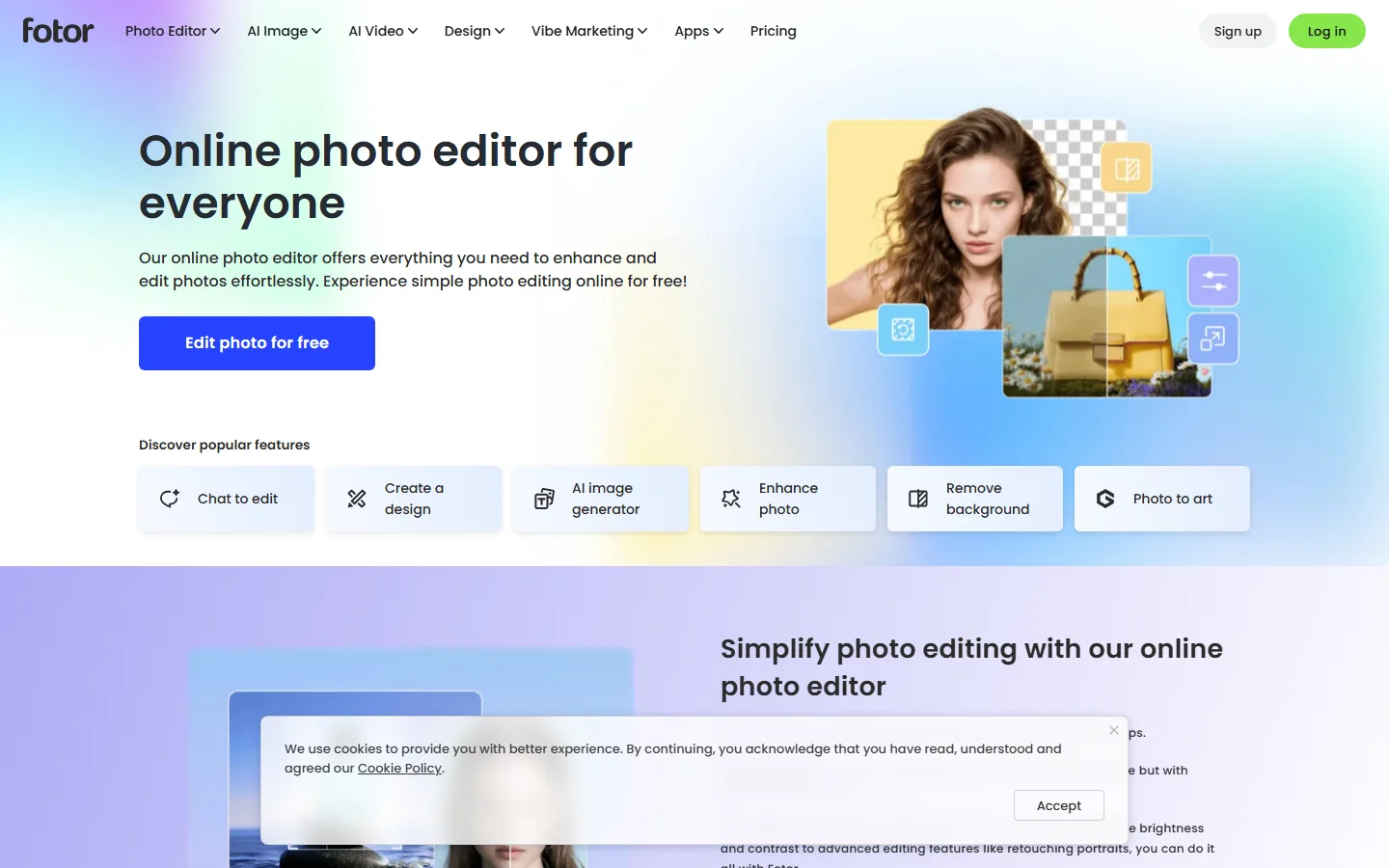
Fotor turns a photo into a cartoon in one click; its free plan is usable for testing, and Pro removes the watermark on exports.
The paid tier adds three things beyond the watermark: higher resolution, more credits and commercial rights. Picsart Pro at $15 per month and Fotor's paid tiers unlock templates, fonts and advanced editing. AILab Tools' $10 per month plan gives 200 credits that roll over plus commercial usage, while its pay-as-you-go $15 credit pack never expires. For creators who plan to sell cartoon images or use them in product photos, commercial rights are the feature that justifies the subscription.
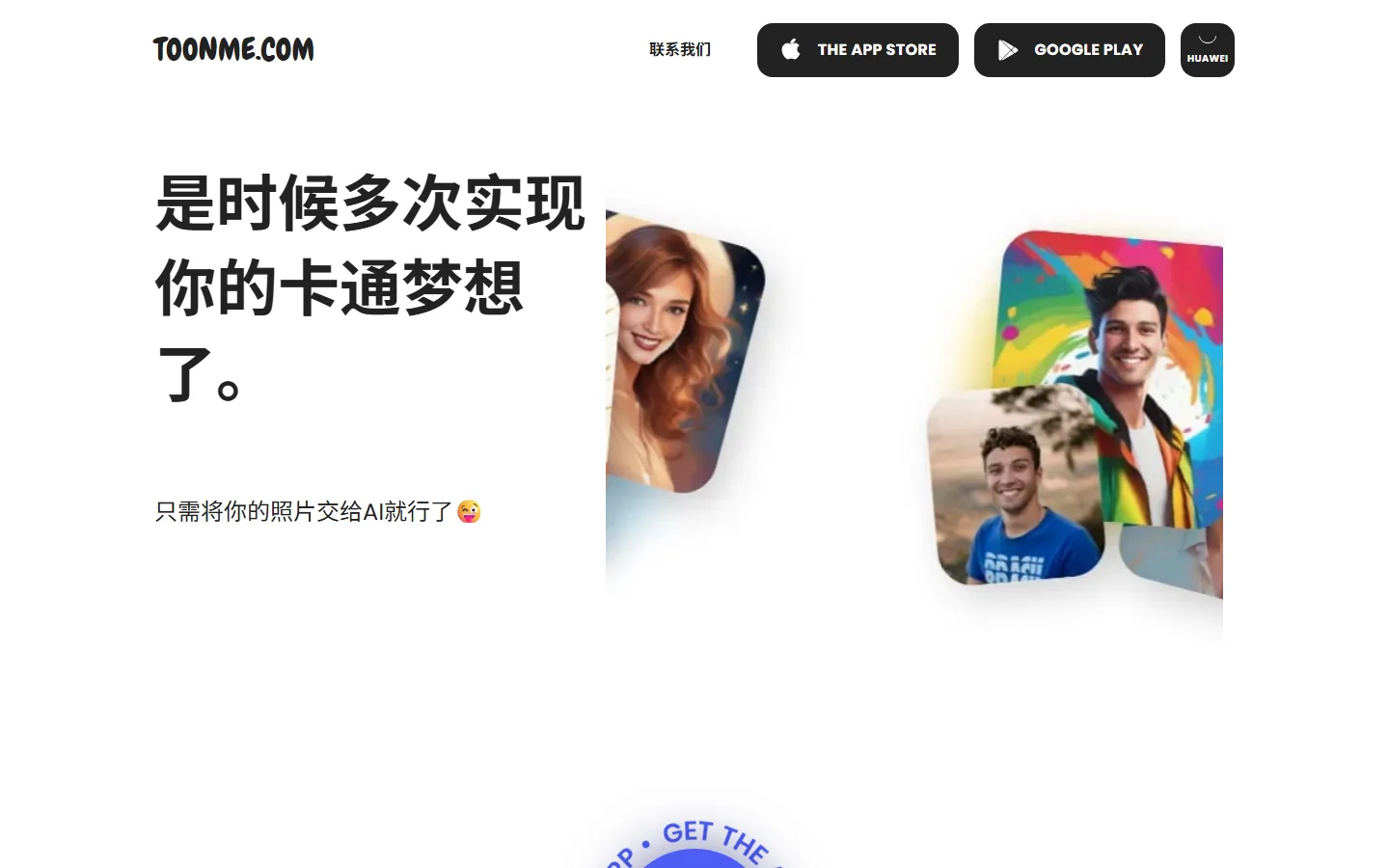
ToonMe turns a selfie into a hand-drawn-feel cartoon portrait in seconds and is free to download with in-app PRO features.
The independent consensus from FixThePhoto's app testing is that mobile apps vary most on face preservation: the better apps keep recognizable facial features, while cheaper filters distort them into generic cartoon faces. Test the same photo on two tools before you commit, because the same logic that applies to AI photo editors applies here, the free version shows you the tool's real quality ceiling.
How Do I Turn a Photo Into a Cartoon in Seconds?
The fastest path is a mobile filter app: open ToonMe or ToonApp, upload a selfie, pick a style, and download the result in seconds. The apps that win this test are the ones that preserve the original face, which is why the "keep original features" toggle matters. ToonApp, which reached 130 million total downloads since its 2021 launch with a May 2025 peak of 17.8 million monthly downloads, according to app-data reporting, built its reputation precisely on recognizable cartoon versions of real people, plus a 3D figurine mode.
The browser path is just as fast: Fotor and Cartoonize both cartoon a photo in one click without an account on their free plans. If you want a cartoon from a text description instead of a photo, ChatGPT is the cheapest conversation route, and it can iterate the style in plain chat, rounder eyes, softer palette, same character waving, without prompt engineering. For a consistent character that must look identical across every image, Leonardo AI's personal models, trained on your own character at $12 per month, solve the consistency problem better than any prompt trick, which is the same reason creators use AI avatar generators for brand faces.
The one-sentence workflow: upload the best-lit, front-facing photo you have, because the cartoon inherits the source quality, pick one style, and generate once before you pay for anything.
Common Cartoon Generator Mistakes to Avoid
The first mistake is judging a tool by its demo images. Every app shows its best results in the gallery, and the same photo through five tools produces five different quality levels, with the worst distorting facial features into generic cartoon faces. Test your own photo before you pay, and check whether the tool has a keep-original-features option.
The second mistake is ignoring the watermark until export. A free plan that looked perfect in preview lands with a watermark on the download, and removing it means a subscription you did not plan for. Check the export policy before you invest time in a free workflow, and remember that most editors watermark free downloads while mobile apps push ads instead.
The third mistake is paying for a heavy subscription when you need one avatar. The free AI tools landscape includes genuinely free cartoon options, and a one-off in-app purchase on ToonMe or ToonApp beats a $15 monthly subscription for a single profile picture. The AI tools that are not worth the money pattern applies directly: most cartoon subscriptions are bought after one viral post and abandoned the next month.
Frequently Asked Questions
Q: What is the best AI cartoon generator in 2026?
A: Fotor is the best all-round pick because its one-click cartoonizer, free plan and $10.99/month paid tier balance quality and ease. ToonMe is the best free selfie-to-cartoon app, Cartoonize is the best high-detail editor, and ChatGPT is the cheapest way to cartoon a photo if you already subscribe.
Q: Are there free AI cartoon generators without watermarks?
A: Yes, a few. ChatGPT's free tier can cartoon an uploaded photo with no watermark. Lunapic is free forever but watermarks or limits exports, and Fotor, Cartoonize and AILab Tools offer free plans that watermark downloads. Mobile apps like ToonMe and ToonApp are free to use but show ads or restrict styles.
Q: Which AI cartoon generator is best for selfies?
A: ToonMe is the standard pick for selfies. It draws a hand-drawn-feel cartoon portrait from a single selfie in seconds, with style options and a Toon Mirror feature. ToonApp is the alternative for big-head filters and 3D figurine effects, with 450+ templates.
Q: Can I use AI cartoons for commercial purposes?
A: Yes, on paid tiers. Fotor, Picsart and Cartoonize allow commercial use on their paid plans, and AILab Tools' $10/month plan includes commercial usage. Free plans generally restrict commercial use or watermark output, so check the license before selling anything.
Q: Which AI cartoon generator is best for anime-style art?
A: AILab Tools is the recommended pick for anime style, with free monthly credits and a $10/month plan for 200 rolling credits. NovelAI and specialized anime tools are alternatives for higher-quality anime characters, and Midjourney produces strong anime-adjacent character art on its $10/month Basic plan.
Conclusion
The right AI cartoon generator depends on the output, not the hype. For a fast, recognizable selfie cartoon, ToonMe on mobile is free and instant. For a one-click browser workflow with editing depth, Fotor and Cartoonize deliver the best quality per dollar, both starting near $10 per month with annual discounts. For original cartoon characters rather than filtered photos, Midjourney, Leonardo AI and Adobe Firefly are the text-to-image routes, and ChatGPT covers casual photo cartooning at no extra cost if you already pay for it. Test your own photo on the free tiers, check the watermark policy before you invest time, and only pay for the tier that removes the watermark or unlocks the commercial rights you actually need.
Cartoon Your Photos Without Overpaying
Start with ToonMe on your phone for a free selfie cartoon, then compare the same photo in Fotor before you decide what to pay for. If you create cartoons regularly for social media or products, our best AI image generators guide covers the text-to-image platforms that produce original cartoon art, and our Midjourney review explains whether the $10 Basic plan earns its price for character work. Test free first, check the watermark, and buy only the tier you will actually use.
Self-Check
| Check | Result |
|---|---|
| Words > 2000 | Yes |
| BLUF (Quick Answer) | Yes |
| Definition-first opening | Yes |
| FAQ >= 3 | Yes (5) |
| Real screenshots >= 2 | Yes (fotor-home, toonme-home) |
| Internal links 3-5 | Yes (5) |
| External links >= 2 | Yes (3) |
| Question-format H2 | Yes |