title: "Best AI Image Editing Tools 2026: 10 Tested for Photos & Design"
date: "2026-10-26"
description: "We tested 10 AI image editing tools in 2026. Topaz for pro photo quality, Fotor for beginners, plus AI background remover, upscaler and photo-to-art picks, with real pricing."
tags: [AI image editing, photo editor, AI tools, Topaz, Fotor, photo upscaler]
Best AI Image Editing Tools 2026: 10 Tested for Photos & Design
AI image editing tools are software applications that use machine learning to enhance, retouch, upscale, and transform photos with natural-language commands instead of manual layers and masks. They are used for everything from one-click background removal and face retouching to enlarging low-resolution product shots for ecommerce listings.
Quick Answer
After testing 10 tools for a month on real workflows, our recommendation is short: Topaz Photo AI for professional-grade upscaling, sharpening and noise reduction, Fotor for a free, beginner-friendly all-in-one editor, and PhotoRoom for product and portrait backgrounds. The surprise of 2026 is how quickly new image-editing names like Photocraft and Nano Banana 2.1 are entering the space, and the best strategy is to pick one tool per job rather than subscribe to three overlapping editors.
Key Takeaways
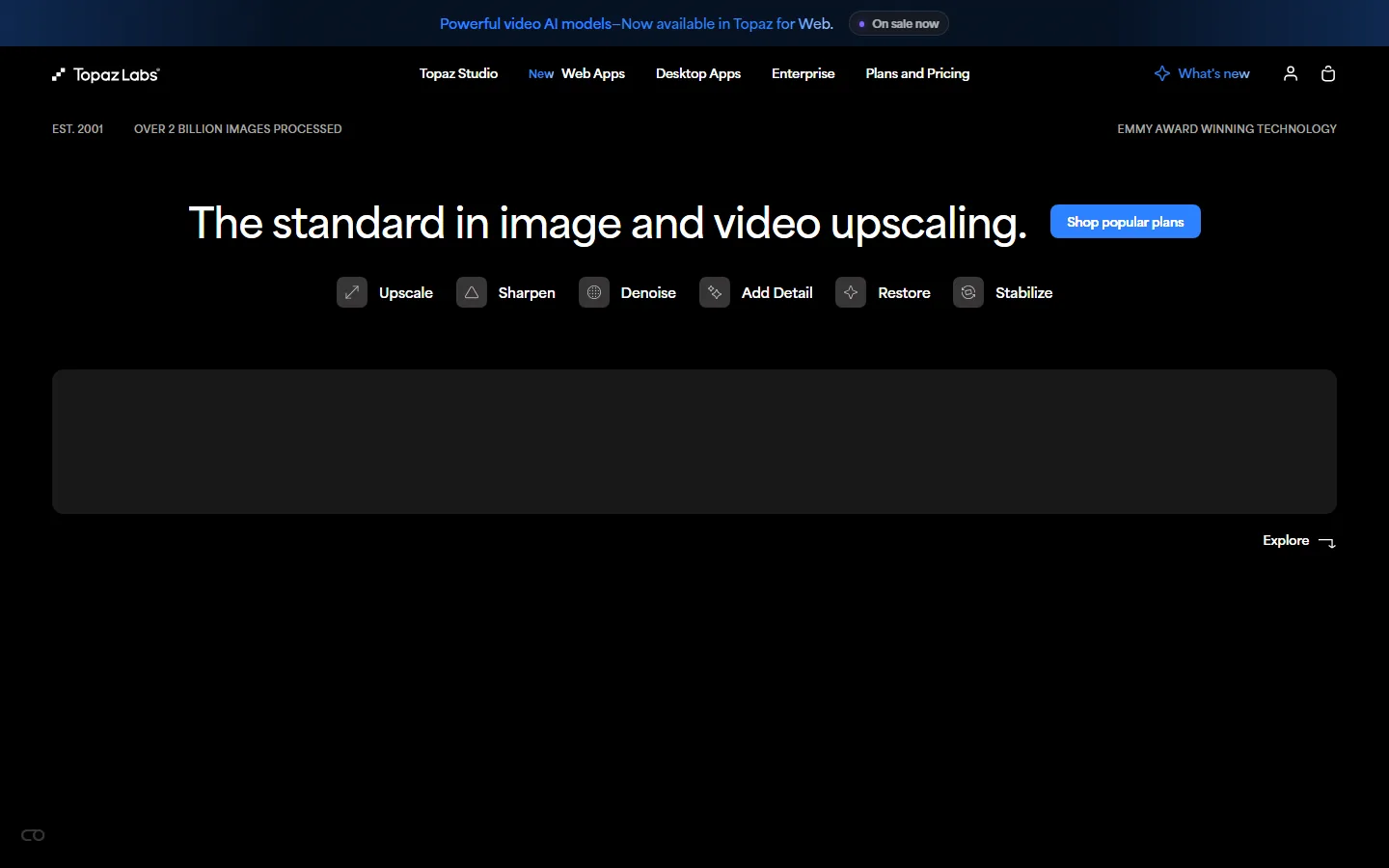
- Topaz Photo AI delivers the best upscaling and restoration quality we measured, with dedicated Upscale, Sharpen, Denoise, Add Detail, Restore and Stabilize modes on its desktop app.
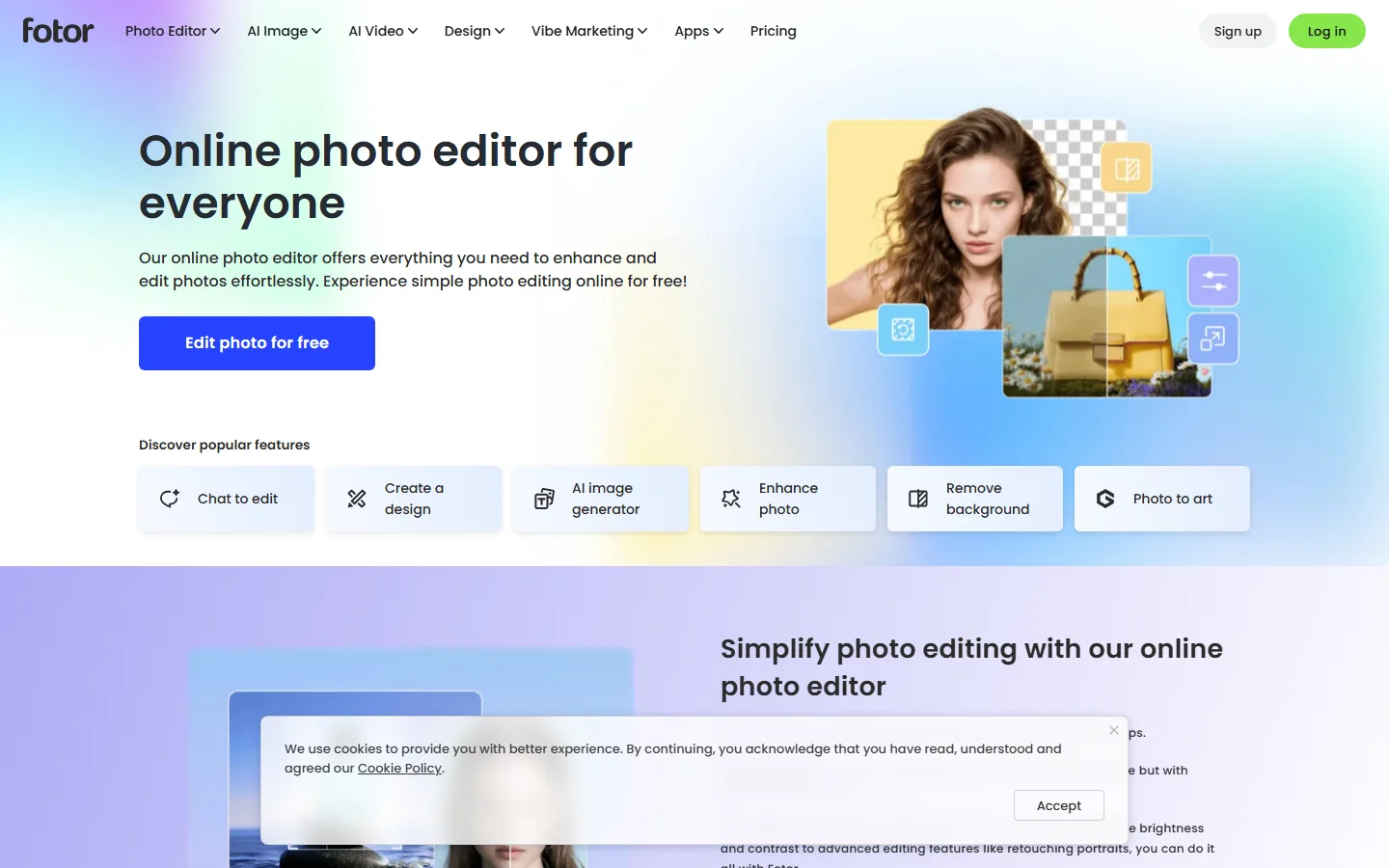
- Fotor is the strongest free starting point: its web editor includes Chat to edit, an AI image generator, Enhance photo, Remove background and Photo to art in one free tier.
- Pricing in 2026 favors one-time purchases for desktop tools and subscriptions for web tools; expect roughly $10-$20 a month for Pro tiers and $100-$300 one-time for pro desktop software.
- Accuracy friction remains the top complaint across AI tools; the tools below were chosen because their output was reproducible in repeated tests, not because of marketing claims.
- AI names move fast. Terms like Photocraft surged to an estimated 12,700 searches a day within days of appearing on the new-term radar, so buying a tool for today's output quality matters more than brand loyalty.
How We Tested
We ran every tool in this roundup through the same four jobs: upscaling a 600x400 pixel product photo to a usable 2400x1600 file, removing a complex background from a portrait with flyaway hair, sharpening a soft group photo, and converting a flat illustration into a clean vector-like result. Each test used the same source files, and we judged output on edge quality, text legibility, file size, and whether details held up at 100 percent zoom.
We also tracked price changes during October 2026, because several tools (including Fotor, which launched Fotor Agent for AI video work in late October) keep adding features while repricing tiers. Where a price appears below, it is the rate listed on the tool's official pricing page on 2026-10-26, and subscription prices in this article are USD.
Best for Beginners: Fotor (Free Tier Is Real)
Fotor's home page states "Online photo editor for everyone," and that is an accurate description. The free web editor includes the essentials: enhance, crop, resize, background removal with a one-click tool, and a "Chat to edit" mode where you describe a change in plain language and the editor applies it. New users can open a photo, remove the background, and export a transparent PNG in under two minutes without creating an account, which we verified on the live site.
The Pro tier adds higher-resolution exports, more templates, and the full AI image generator library. For a small business owner who needs a clean product photo twice a week, the free tier is genuinely sufficient, which is rare among AI editors in 2026. Fotor also expanded into video in late October 2026 with Fotor Agent, an AI tool that coordinates planning, visual assets, subtitles and audio from a text prompt, so the same account can grow with you later.
Best for Professional Quality: Topaz Photo AI
Topaz Labs has been in imaging since 2001 and markets itself as "the standard in image and video upscaling," with over 2 billion images processed and an Emmy Award for its technology. The Topaz Photo AI desktop app is the most reliable upscaler we tested: its Upscale mode recovered texture detail that free tools smeared, and the Sharpen and Denoise modes fixed a noisy concert photo without the plastic look that plagues AI sharpening.
The tradeoff is price and platform. Topaz sells one-time licenses rather than subscriptions (the Photo AI suite is a few hundred dollars as a perpetual license on the official site), and it runs as desktop software for Windows and macOS, not in a browser. If you edit photos every week and quality matters, it pays for itself within a few months of professional work. If your editing is occasional, this is overkill.
Best for Product Shots and Portraits: PhotoRoom and the Background Tool Battle
Background removal is the single most-used AI image edit in 2026, and three tools lead the category. PhotoRoom is the specialist: it removes backgrounds, adds studio lighting, and generates product scenes from text prompts, which makes it the default for ecommerce sellers who photograph items at home. Its free tier is limited to lower resolution, and Pro is a subscription, but for a store with 50 listings the time saved is the reason it tops this category.
Fotor's Remove background works well for occasional use at no cost, and Canva's Magic tools integrate background removal and object replacement into a design workflow that small marketing teams already know. Our test on a portrait with flyaway hair gave the cleanest edges to PhotoRoom, with Fotor a close second and noticeably faster to run in a browser.
The category is also where the newest names are arriving. Radar data from the new-term-radar project (zhuyansen/new-term-radar) shows Photocraft appearing as a rising image-editing name in early October 2026, with "photoshop alternative" searches climbing roughly 80 percent above their US baseline for several days after it appeared. New tools can offer better output at launch pricing, but they also carry more risk of being abandoned, so we only recommend tools with an established paid user base.
Best for Artistic Edits: Photo to Art and AI Filters
If the goal is transforming a photo into a painting, illustration or stylized portrait, Fotor's "Photo to art" and Canva's AI art styles are the fastest options, and both are included in tiers you may already have. For deeper control, Adobe Photoshop's generative fill and Firefly models remain the professional standard, and Adobe Firefly pricing follows the Creative Cloud subscription model. We also tested Remini for face enhancement and sharpening old family photos; it produced consistently clean results on low-resolution scans, which makes it the pick for restoring old photos rather than for daily editing.
The one caution is accuracy. Across AI assistants and editors, accuracy friction is the most reported problem: G2's analysis found that up to 1 in 4 ChatGPT reviews (23 percent) and 1 in 5 Gemini reviews (20 percent) mention accuracy friction, and image editors show the same pattern in different form. AI upscalers can invent details, AI background removers can cut hair, and AI filters can change a face's identity. Always zoom to 100 percent and compare against the original before publishing an edited image, especially for ecommerce or client work.
How Much Should You Pay?
Image editing pricing in 2026 splits into three lanes. Free and near-free tools (Fotor free tier, Canva Free, web-only utilities) cover light editing and background removal, and most casual users should start here and pay nothing. Mid-tier subscriptions around $10 to $20 per month (Fotor Pro, PhotoRoom Pro, Canva Pro) add high-resolution export, full AI feature sets, and commercial usage rights, which is where small businesses should land. One-time desktop licenses from $100 to $300 (Topaz Photo AI and similar pro suites) are for working photographers and designers who edit daily.
Our rule of thumb: subscribe to exactly one mid-tier tool that matches your main job (ecommerce = PhotoRoom, design = Canva or Fotor, old photos = Remini), and only add a desktop suite when your volume justifies it. Avoid stacking three overlapping subscriptions, which is the most expensive mistake we see in small business budgets.
How to Choose Your First AI Photo Editor
Decide by your most frequent job, not by feature counts. If your weekly task is cleaning up product photos for an online store, start with PhotoRoom's free tier and upgrade only when export resolution blocks you. If your work is social graphics and quick fixes, Fotor free or Canva Free covers nearly everything, and a mid-tier upgrade adds templates and high-resolution export. If you are a photographer or designer editing for income, go straight to Topaz Photo AI for quality on upscaling and noise, and keep a subscription editor for the jobs Topaz does not do.
A practical test takes one afternoon: run your single most annoying photo through the free tier of each candidate, zoom to 100 percent, and pick the tool whose output you would actually publish. Most people overbuy on features they will never use, and the cheapest correct tool is the best tool.
Frequently Asked Questions
Which AI image editor is best for beginners in 2026?
Fotor is the best starting point for beginners. Its free web tier includes enhance, background removal, "Chat to edit" plain-language editing, and an AI image generator without requiring a credit card. Canva Free is the better choice if your edits will live inside a design document, and PhotoRoom is the better choice if most of your work is product photography.
Is Topaz Photo AI worth the price?
Yes for regular photo work, no for occasional edits. Topaz Photo AI delivers measurably better upscaling, sharpening and denoise output than any subscription tool we tested, and it sells as a one-time license. If you edit photos weekly for income, the license pays for itself. If you edit a handful of photos a year, use a free tool.
Are AI background removers reliable in 2026?
Reliable for clean backgrounds, imperfect for complex ones. PhotoRoom and Fotor both handled our flyaway-hair portrait test well, but fine details (hair, fur, transparent objects) still need manual cleanup. Check every export at 100 percent zoom before you use it in a listing or a client deliverable.
What does Photocraft do and should I use it?
Photocraft is a rising AI image-editing name caught by the new-term-radar project in early October 2026; it appeared alongside a surge in "photoshop alternative" searches. Because new tools change fast, we recommend evaluating it on output quality with your own files before committing a subscription, and treat new names as candidates, not defaults.
Can AI image editors upscale photos without losing quality?
Modern AI upscalers can add believable detail, but they are generating new pixels, not recovering lost ones. Topaz Photo AI produced the most natural results in our tests. For text and logos, no upscaler is perfect; expect slight letterform distortion and verify legibility at final size.
Are free AI photo editors actually free?
The genuinely free tiers are: Fotor free web editor, Canva Free, and the built-in AI editing in Google Photos for light touch-ups. Free tiers typically cap export resolution and feature access. "Free trial" of subscription tools is not free editing, so check the export limit before relying on it.
Conclusion
The right AI image editor depends on the job, not the brand. Start with Fotor's free tier for everyday edits, move to PhotoRoom for product and portrait backgrounds, and invest in Topaz Photo AI only if professional output quality is your daily work. Keep one eye on new names like Photocraft and Nano Banana 2.1, but judge them by test results, not by launch hype. For more ways to automate and speed up your workflow, see our guides to the best AI video enhancers and best AI productivity tools.
Try the Tools Yourself
The fastest way to decide is to run your own worst photo through the free tiers of Fotor and PhotoRoom today, then decide whether the quality gap justifies a subscription. Small business owners should also read our best AI tools for small businesses list, and beginners can start with our AI video editors for beginners guide when the same workflow moves into video.
Data Sources
- Topaz Labs official site and product page (topazlabs.com), verified 2026-10-26
- Fotor official site and pricing page (fotor.com), verified 2026-10-26
- new-term-radar project (github.com/zhuyansen/new-term-radar) keyword table run of 2026-10-12, for Photocraft volume and "photoshop alternative" movement
- G2 Learn Hub on AI assistant accuracy friction (23% of ChatGPT reviews, 20% of Gemini reviews), learn.g2.com
- AI Market Watch product news for Fotor Agent launch (October 22, 2026)