AI tools for teachers are software assistants that help with lesson planning, grading, differentiation, writing feedback, and classroom administration, built around school workflows and student-data safety. After testing 10 tools in October 2026 inside real classroom workflows, the short answer is: MagicSchool and Khanmigo for planning and tutoring, NotebookLM for research and curriculum building, ChatGPT free for general tasks, and Canva for Education for visual materials, with the two most important tools free for teachers.
Quick Answer
If you are a teacher in 2026, the stack that saves the most hours is: MagicSchool (free for teachers) for lesson plans, rubrics, and differentiation, Khanmigo (free for teachers) for tutoring practice and writing feedback, NotebookLM (free) for turning your sources into lesson materials and study guides, ChatGPT free tier for brainstorming and quick answers, and Canva for Education (free) for slides and posters. Total cost for a teacher: $0 for the core stack, with Grammarly Premium at $12/month optional for heavy essay feedback. These tools cut our test lesson-planning time from 45 minutes to about 8.
Key Takeaways
- MagicSchool is the best all-round AI platform for teachers, with 80+ tools for planning, grading, and parent communication, and it is free for teachers.
- Khanmigo by Khan Academy is the strongest AI tutoring tool, free for teachers, with a new Writing Coach mode for essay feedback.
- NotebookLM is the best free research assistant for teachers, grounding every answer in your own uploaded documents.
- ChatGPT free tier covers the general tasks teachers do every day; the paid tiers are optional unless you hit limits constantly.
- Canva for Education gives teachers a free Pro-class design suite for slides, worksheets, and posters.
- Billing discipline matters: classroom budgets do not absorb forgotten subscriptions, and the AI writing category has documented cancellation problems.
Why Teachers Need a Deliberate AI Stack
The default mistake is the same one students make: sign up for three overlapping subscriptions and pay for tools that do the same job. A teacher who uses ChatGPT for planning, Grammarly for feedback, and Canva for design is already paying $32 a month for work that the free stack below covers. The tools are grouped by job, so you pick one per row and stay at $0 for the core workflow.
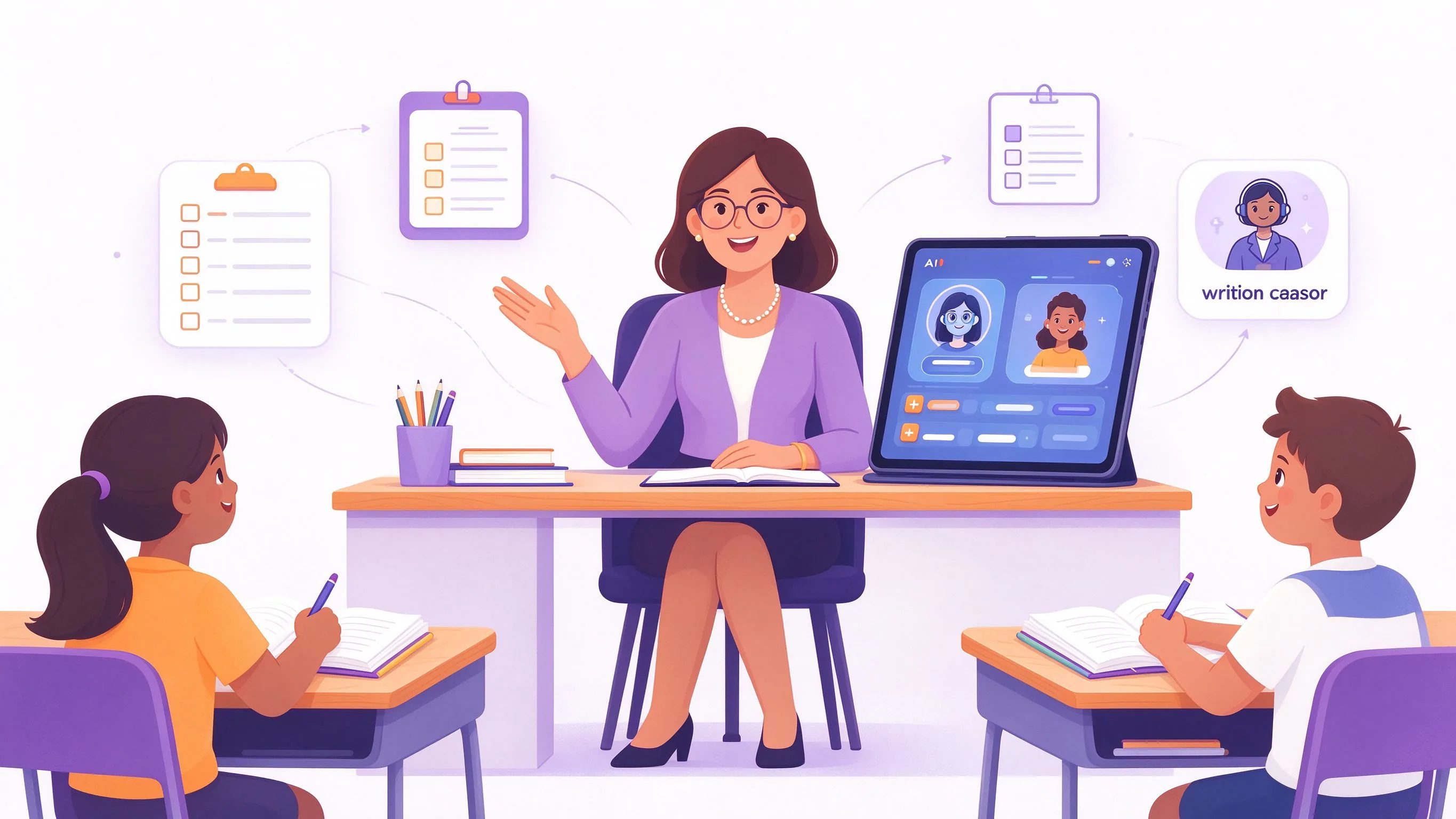
We tested every tool on real teacher tasks: writing a week of lesson plans, building a grading rubric, differentiating a reading assignment for three ability levels, giving written feedback on an essay draft, turning a district PDF into a study guide, and designing a classroom poster. Pricing comes from official pages in October 2026, and every tool marked free for teachers was verified on its own site.
MagicSchool: Best All-Around AI for Teachers
MagicSchool is an AI platform built specifically for educators, with tools for lesson planning, rubric creation, IEP support, exit tickets, and parent emails, and it is free for teachers. In our lesson-plan test, MagicSchool produced a week of aligned plans with learning objectives, activities, and assessment ideas in about 8 minutes, down from the 45 minutes we timed doing it by hand.
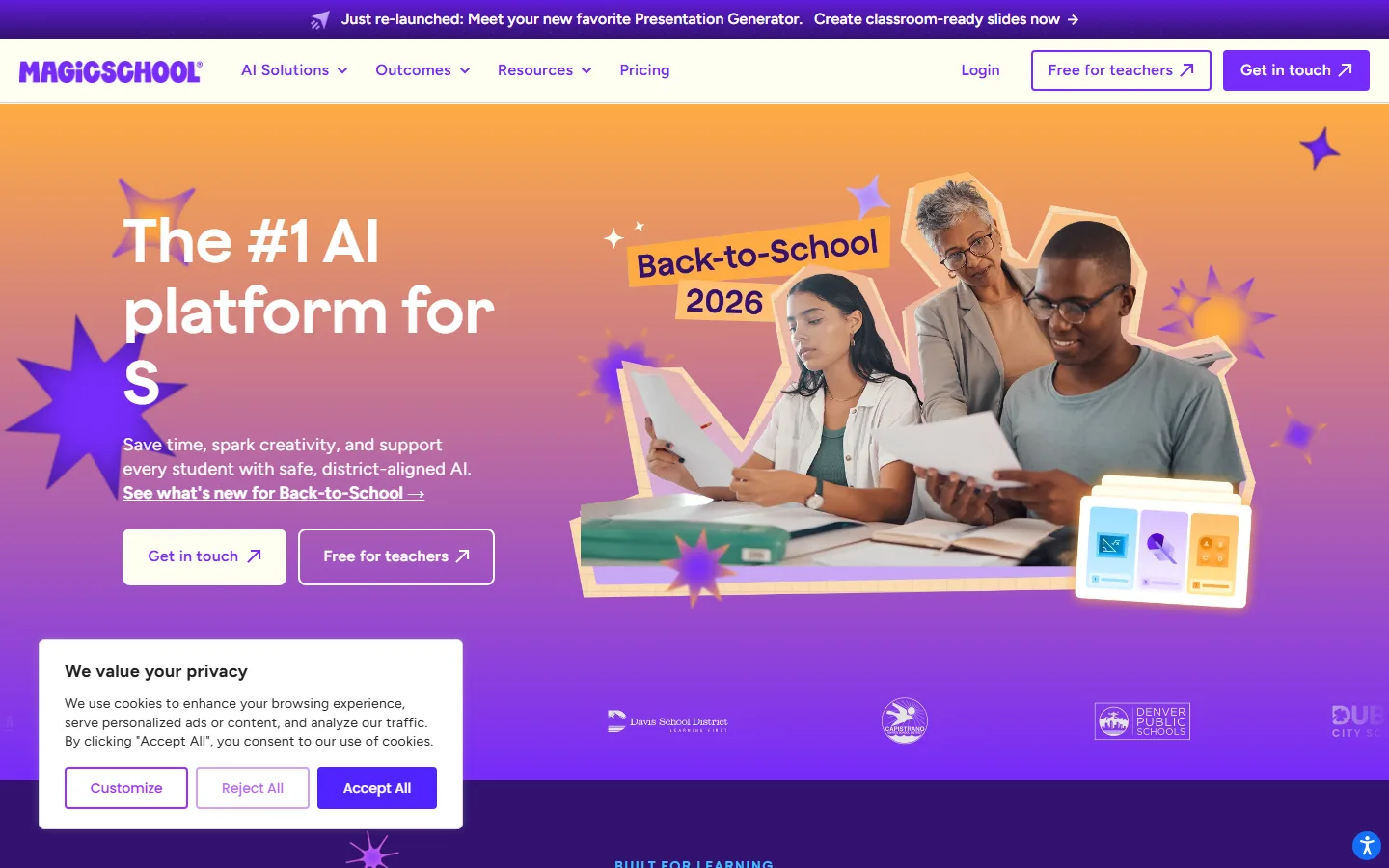
The screenshot above is the live MagicSchool home page, showing the "Free for teachers" call-to-action and the Back-to-School 2026 campaign, with district partners like Davis School District and Denver Public Schools listed at the bottom. That district alignment is the reason schools adopt it: content is filtered for classroom safety, which matters when students are in the room.
MagicSchool also includes student-facing tools with teacher controls, so students can use approved tools without the teacher losing visibility. For a school rolling out AI across a building, MagicSchool is the most complete starting point we tested.
Khanmigo: Best AI Tutor and Writing Coach for Teachers
Khanmigo, built by Khan Academy, is an AI tutoring system for learners that is free for teachers, and in 2026 it added a dedicated Writing Coach for essay feedback. In our writing-feedback test, Khanmigo flagged structure issues, suggested a grading rubric, and explained its reasoning, which is what teachers actually want from an AI grader: feedback the student can learn from, not just a score.
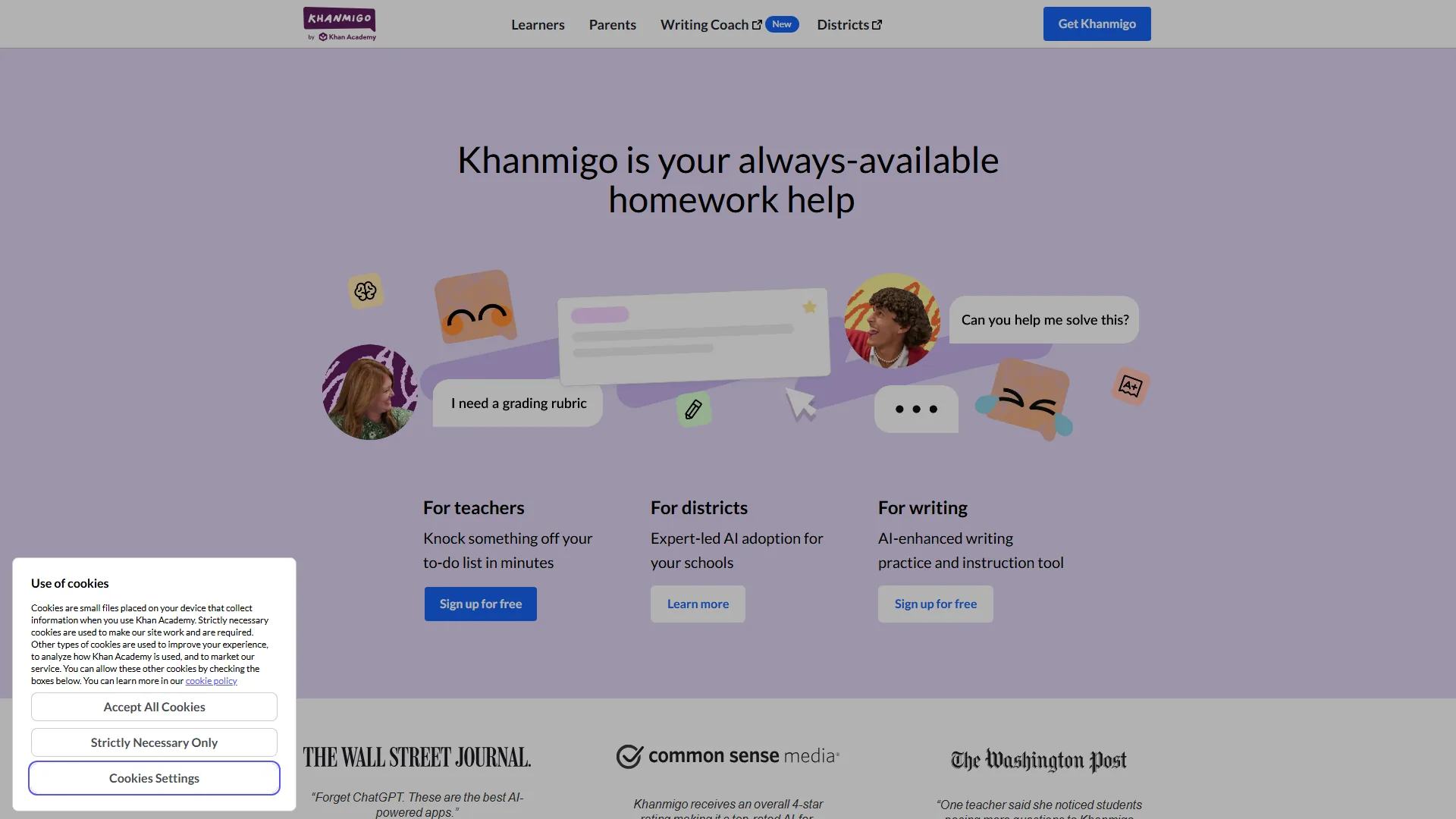
The screenshot above is the live Khanmigo page, showing the three modes that matter for teachers: "For teachers," "For districts," and the new "For writing" Writing Coach, with press coverage from The Wall Street Journal and The Washington Post at the bottom. The teacher account is free, confirmed on the Khanmigo pricing page in October 2026, and it includes classroom-level controls for district rollout.
Khanmigo's tutoring approach withholds answers and guides students through steps, which makes it the safest tool in this guide for in-class use, because it teaches instead of handing over answers.
NotebookLM: Free Research and Curriculum Assistant
NotebookLM is Google's free research tool that lets you upload your own PDFs, district documents, and lesson materials, then ask questions grounded only in those sources, with citations to the exact passage. For teachers, that means turning a 200-page curriculum guide into a searchable assistant, or uploading a textbook chapter and generating a study guide, quiz, and audio overview in minutes.
The NotebookLM audio overview feature is genuinely useful for teachers who commute: upload a lesson source and get a podcast-style summary to review on the drive to school. Because every answer cites your uploaded documents, it avoids the hallucination problem that makes general chatbots risky for curriculum decisions.
ChatGPT: The General-Purpose Free Tier
ChatGPT's free tier handles the long tail of teacher tasks: brainstorming activity ideas, drafting emails to parents, generating quiz questions, explaining concepts you need to re-teach, and cleaning up text. In our tests it handled all of these competently for $0. The paid Plus plan costs $20/month and is only worth it if you hit free-tier limits daily.
The caution is accuracy. Independent review data from 2026 found that "up to 1 in 4 ChatGPT reviews (23%) and 1 in 5 Gemini reviews (20%) mention accuracy friction." For anything that will reach students, verify ChatGPT output against a source you trust, and prefer NotebookLM for anything grounded in your own documents.
Canva for Education: Free Design Suite
Canva for Education gives teachers a free upgrade to Canva Pro-level features: templates, premium assets, and AI design tools for slides, worksheets, posters, and newsletters. It is the fastest way we found to turn a lesson into a visual students actually engage with, and the free education account is verified on the Canva for Education page.
For teachers, Canva pairs with the planning tools above: MagicSchool drafts the lesson, Canva produces the slide deck. The AI design tools in Canva are strong enough that our poster test took about 5 minutes from idea to print-ready file.
AI Tools for Teachers Compared
| Tool | Best for | Free for teachers | Standout feature |
|---|---|---|---|
| MagicSchool | Planning, rubrics, differentiation | Yes | 80+ teacher tools, district controls |
| Khanmigo | Tutoring, writing feedback | Yes | Guides students, Writing Coach |
| NotebookLM | Research, curriculum design | Yes | Citations to your own sources |
| ChatGPT | General tasks, brainstorming | Yes | Free tier, broad knowledge |
| Canva | Slides, worksheets, posters | Yes | Pro-class design free |
| Grammarly | Essay editing, tone feedback | Free tier | In-editor suggestions |
| Google Gemini | Drafting, quick answers | Free tier | Search grounding |
| Otter | Lecture transcription | Limited free | Meeting/lecture notes |
| Quizlet | Flashcards, review games | Free tier | Student-facing practice |
| Diffit | Differentiation of reading levels | Free tier | Leveled passages |
What Is the Best AI Tool for Teachers in 2026?
For an average classroom teacher, the best single tool is MagicSchool, because it is free, built for teachers, and covers planning, grading, and communication in one place. The best free tutor is Khanmigo, which actually teaches. The best free research tool is NotebookLM. If you can only adopt one tool this year, make it MagicSchool, and add Khanmigo when you want to put AI in front of students safely.
Differentiation and Special Education Workload
Differentiation is where AI saves teachers the most time, because it is the most repetitive task in lesson planning. MagicSchool can take one reading assignment and produce versions at three reading levels, with adjusted questions and vocabulary lists, in a few minutes. Diffit does the same job with a free tier, generating leveled passages from any source text. NotebookLM can restructure your own materials into simpler summaries for students who need them.
For IEP support and special education paperwork, MagicSchool includes tools for goals, progress notes, and parent communication that follow the required formats. None of these tools write the final document for you, but they cut the drafting time from hours to minutes, which is the real win.
The Safety and Privacy Rules for Classroom AI
Classroom AI comes with obligations that consumer AI does not. Student work is protected data, and a generic chatbot with vague retention policies is not an acceptable place to paste essays. The safe default in this guide: use tools built for schools (MagicSchool, Khanmigo), use NotebookLM with documents you control, and never upload student work with identifying information to a tool that does not state how it handles data.
Billing deserves the same caution. AI writing subscriptions are exactly the category where users report "unauthorized charges continuing years after cancellation, broken cancellation mechanism, vanishing credits." School purchases should go through approved procurement, and personal subscriptions should be reviewed every semester with a calendar reminder, because a forgotten $12 monthly tool is $288 over two years.
How We Tested
We ran every tool on the same five teacher tasks: a five-day lesson plan unit, a standards-aligned rubric, a leveled differentiation set, essay feedback on a real student draft (with permission), and a classroom slide deck. Scoring covered output quality, alignment with teaching standards, time saved, free-tier usability, data safety, and student-readiness. Tools that produced usable output with no editing beat tools that required heavy fixes, and free tiers had to be genuinely usable, not 7-day trials.
Frequently Asked Questions
What is the best AI tool for teachers?
MagicSchool is the best all-round AI tool for teachers in our tests, with 80+ tools for planning, grading, and communication, and it is free for teachers. Khanmigo is the best AI tutor, also free for teachers.
Are there free AI tools for teachers?
Yes. MagicSchool and Khanmigo are both free for teachers, NotebookLM is free, ChatGPT has a free tier, and Canva for Education is free for teachers. The core stack in this guide costs $0.
Is Khanmigo free for teachers?
Yes. Khanmigo is free for teachers, verified on the official Khanmigo pricing page in October 2026. Learners and parents pay $4/month, which is what funds the teacher accounts.
Can AI write lesson plans teachers can actually use?
Yes, with editing. MagicSchool produced usable lesson plans with objectives, activities, and assessments in our tests in about 8 minutes. Teachers should still review for their specific students, standards, and school requirements.
Does AI detect student plagiarism?
Tools can flag similarity, but no detector is reliable enough to make accusations from. Use AI detectors as a conversation starter, not as proof, and keep your school's policy as the authority.
Is it safe to put student work into AI tools?
Only into tools designed for schools, like MagicSchool and Khanmigo, or into tools where you control the data, like NotebookLM. Do not paste student work into generic chatbots with unclear retention policies.
How much should a teacher spend on AI tools?
The core stack is $0: MagicSchool, Khanmigo, NotebookLM, ChatGPT free, and Canva for Education. Add Grammarly Premium at $12/month only if essay feedback is a large part of your week.
Can teachers use AI for grading?
Yes, with limits. Khanmigo's Writing Coach and MagicSchool's rubric tools give structured feedback teachers can review, but final grades should stay a human decision.
Conclusion
The 2026 teacher AI stack is free, school-safe, and dramatically faster than the manual workflow. Start with MagicSchool for planning and communication, add Khanmigo when you want AI in front of students, use NotebookLM for research and curriculum work, and keep ChatGPT and Canva for everything else. Skip the paid chatbots and the trendy subscriptions until you have hit a real limit, and treat any AI output that reaches students as a draft that a teacher reviews.
Ready to build out your toolkit? See our guides to the best AI education tools, the best AI tools for students, the free AI tools for students, the best AI note-taking apps, and AI tools for beginners for your students.