Replit vs Cursor 2026: Best AI Coding Platform Compared
Quick Answer: Replit is a browser-based cloud IDE that combines the editor, the AI agent, hosting, a database, and authentication in one product, and it wins if you want one workspace that builds, tests, and deploys a full app from a prompt for $20/month. Cursor is a desktop code editor that forks VS Code and layers AI into a familiar local workflow, and it wins if you are a developer with an existing codebase who wants frontier-model choice, deep multi-file agents, and Git-based review, also from $20/month, but with hosting billed separately. Replit is the fastest path from idea to live URL for non-developers and teams; Cursor is the stronger editor for professional engineers who live in a repo all day. Many builders use both in sequence: Replit to prototype and validate, Cursor to productionize.
What Is Replit?
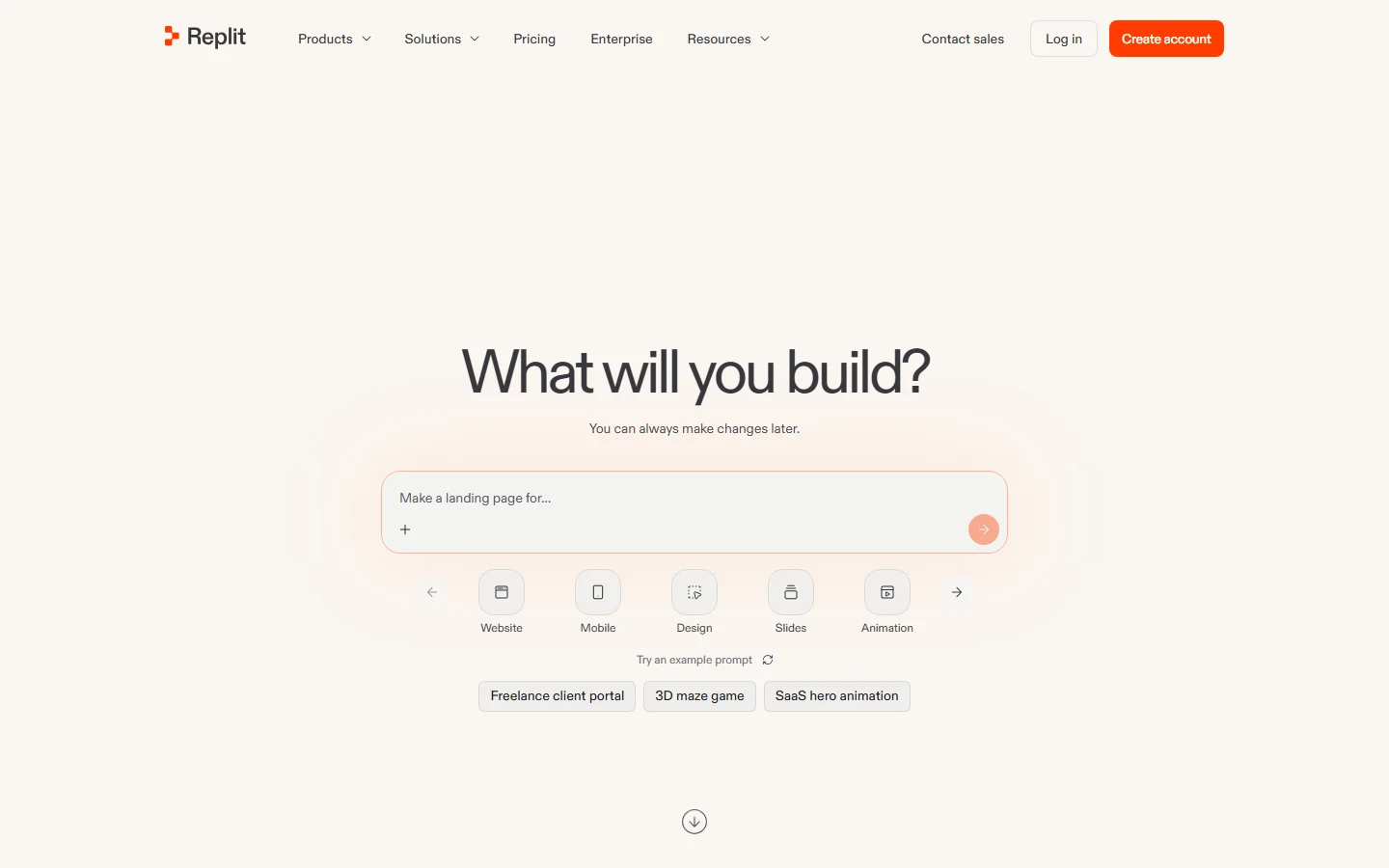
Replit is a browser-based cloud IDE that combines the editor, the AI agent, hosting, a database, and authentication in one product. You describe an app in plain language, and Replit Agent builds, tests, and publishes it from the same workspace, with a replit.app address or your own domain attached. The output covers full web apps, internal tools, dashboards, data pipelines, automations, and slide decks.
The defining feature is that everything ships together. Starter is free with daily credits for the Agent and one live published project; Core starts at $20 per month billed annually and includes the autonomous Agent, hosting, a database, up to five collaborators, and about $20-25 of usage credits. Enterprise plans add SAML SSO, SCIM, audit logs, and private deployments through the Microsoft Azure partnership, which brings SOC 2 Type II compliance to the platform. Replit also exposes more than 450 built-in business connections, from Stripe to Google Workspace, so apps made by non-engineers can talk to the tools the company already runs. Replit's official site is the reference for current plan terms and the effort-based pricing model.
What Is Cursor?
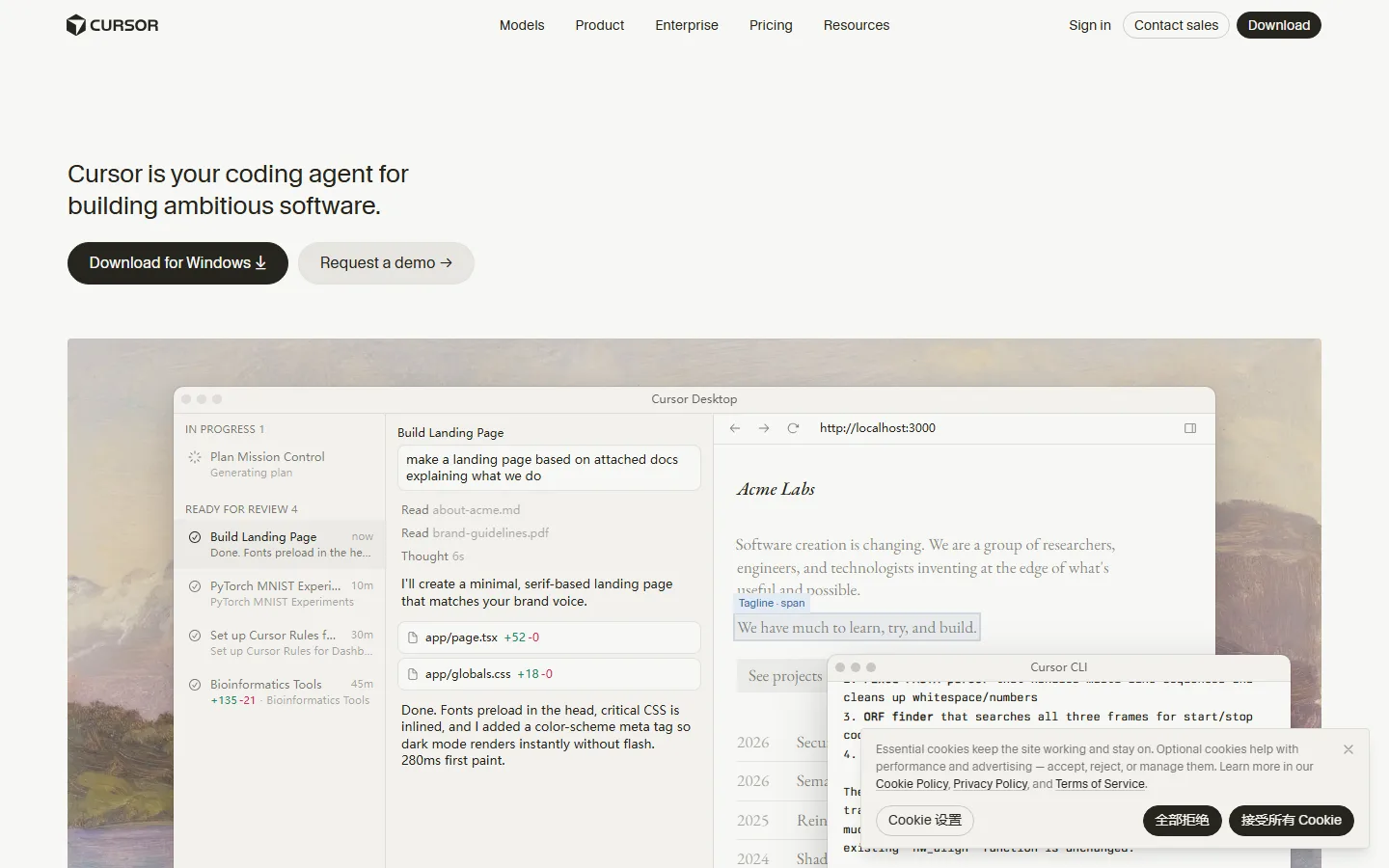
Cursor is a desktop code editor that forks VS Code and layers AI deeply into a familiar local workflow. Your themes, keybindings, and extensions carry over in one import, so nothing is relearned. Its Tab feature provides fast, predictive autocomplete as you type, while Agent mode plans and executes multi-step tasks across files, and Composer runs longer jobs in the background while you keep typing. Cloud agents can pick up work from Slack or the web and return pull requests.
The differentiator is model choice and control. Cursor offers a model picker spanning Anthropic's Claude family, OpenAI's GPT models, Google's Gemini, and Cursor's own in-house Composer model, so you can match the model to the task. Rules files pin project conventions so every edit follows them, and MCP support connects the agent to databases and internal tools. Cursor itself does not host anything: deployment goes through partners such as Vercel and Netlify, and databases and auth are bring-your-own. Hobby is free with limited agent requests; Pro is $20 per month for individual developers, with higher tiers scaling up the credit pool. Cursor's official site publishes the plan ladder and the June 2025 credit-based billing change.
Replit vs Cursor Pricing: What Does $20 Actually Buy?
| Plan | Replit | Cursor |
|---|---|---|
| Free tier | Starter: public projects, daily Agent credits, one published app (expires after 30 days) | Hobby: limited completions and agent requests, no credit card |
| Entry paid | Core $20/mo billed annually ($25 monthly): Agent, hosting, database, up to 5 collaborators, about $20-25 credits | Pro $20/mo (about $16/mo annual): unlimited Tab, Auto mode, $20 credit pool for frontier models |
| Team | Pro $100/mo flat for up to 15 builders (about $6.67/person) | Teams $40/user/mo |
| Enterprise | Custom; SAML SSO, SCIM, audit logs, private cloud | Custom; SCIM, invoice billing, Privacy Mode |
| Hosting included | Yes, one click to a live URL | No; Vercel Pro starts at another $20/mo |
| Database + auth | Included in every app | Bring your own |
The key difference is what the $20 entry price includes. Replit Core is the whole stack: editor, AI agent, hosting, database, and five collaborators. You can go from a one-line description to a deployed URL without opening a terminal. Cursor Pro is the editor plus a credit pool, but hosting is separate. A realistic Cursor-based setup adds Vercel Pro at $20/month, a database service, and deployment infrastructure, so the total cost to ship is higher and harder to predict upfront than the entry price suggests.
There is a second cost layer on both platforms. Cursor introduced credit-based billing in June 2025: Auto mode is unlimited, but manually picking a frontier model such as Claude or GPT for every task draws down the credit pool and can trigger overage charges mid-month. Replit runs on an effort-based model where the Agent's compute and deployments consume credits, and there is no default spending cap on either platform. On both tools, the subscription price is a floor, not a ceiling, and heavy agent use can push the real bill higher.
Which Is Better for a Non-Developer Building an App?
This is the question where Replit and Cursor split hardest. Replit assumes you have none of the traditional developer setup: no local install, no repository, no deployment pipeline. A product manager, designer, or operations person can describe an internal tool, watch the Agent build it in an isolated environment, test it in a real browser, and click Publish. The checkpointing system rolls back broken agent changes, keys stay hidden, and a security scan runs before anything goes live. Zapier's comparison rates Replit five stars for ease of use and four for AI capabilities, against Cursor's three stars for ease of use because it assumes coding knowledge.
Cursor assumes the opposite. It is a desktop application that works best with an existing project and a Git-based workflow, and it requires enough technical fluency to review and direct what the AI produces. A non-developer can start a project without a repository and see a live preview, but they still need an editor mindset, a hosting provider, and a database plan to get to production. If you would not be comfortable reading and reviewing code, Replit is the right starting point; if you can, Cursor might be within reach.
There is a natural workflow that uses both in sequence. A non-technical founder uses Replit to get a working prototype in front of real users and investors in hours, then either builds the technical skill set while developing with Cursor or hires a developer to productionize the last mile. The Zapier analysis frames this as the standard pattern of 2026: Replit to build and validate, Cursor to grow and harden.
What About Support, Credits, and the Hidden Costs Users Report?
Customer support is one of the most common complaints across AI tools. A Slashdot review of another AI tool captures the pattern: "most of the tools doesn't work... after you have bought it there's no one to answer your queries, couldn't find any customer support." The same risk applies to fast-moving coding platforms, so it is worth checking what each vendor actually offers before committing a team.
Replit publishes its pricing and enterprise terms openly, which is one reason independent guides include it: products that hide pricing behind a sales call were cut from at least one major 2026 comparison. The effort-based billing model is transparent about what consumes credits, but it takes a few requests to feel predictable, and heavy agent builds draw more credits. Cursor's usage-based billing is the cost pattern to watch in agent-heavy weeks; several independent guides warn that the tier ladder above Pro takes some reading before you commit. Neither platform has a default spending cap, so set one manually if you share a team account.
Replit vs Cursor: Which Should You Pick?
| Capability | Replit | Cursor |
|---|---|---|
| Environment | Browser-based cloud IDE, zero setup | Desktop app (VS Code fork), install required |
| AI models | Fixed lineup chosen by Replit | Choose Claude, GPT, Gemini, or Composer |
| Agent capability | Autonomous full-stack builds to live deploy | Multi-step agent mode plus Tab autocomplete |
| Hosting / deployment | Built in, one click | None; Vercel, Netlify, or your own stack |
| Collaboration | Real-time multiplayer, Google Docs style | Git-based, no live multi-cursor editing |
| Extension ecosystem | Limited to Replit tooling | Full VS Code marketplace |
| Team billing | Flat $100/mo for up to 15 builders | $40/user/mo per seat |
| Best for | Non-developers, education, rapid prototypes, internal tools | Professional devs, existing codebases, complex refactors |
Choose Replit if you want to build something without knowing how to code, test an idea quickly, or create an internal tool without hiring a developer. The all-in-one platform and zero-setup experience make it the fastest path from idea to working product for non-developers. Keep in mind that hosting has limits: Replit is ideal for prototypes and small-to-medium internal tools, not for ambitious projects that need tight control over infrastructure.
Choose Cursor if you are a developer, or working closely with one, who wants to move faster on real projects. The deep codebase understanding, multi-file agent, and VS Code foundation make it a robust AI-assisted editor, and the model picker means you are never locked to one model family. It assumes you have a stack, a deployment pipeline, and enough technical fluency to review what the AI produces.
For teams, the pricing shape matters as much as the features. Replit Pro at $100/month flat for up to 15 builders works out to about $6.67 per person, which is a meaningfully different cost structure than Cursor Teams at $40 per user per month. If most of your team is non-technical and wants to build, Replit scales cheaply; if you are standardizing a team of engineers, Cursor's per-seat model may fit existing workflows better.
This is one corner of a crowded field. Our best vibe coding tools guide covers prompt-to-app platforms side by side, and the Claude Code vs Cursor comparison shows where terminal-based agents fit. If you are still deciding between editors, the Cursor vs GitHub Copilot test helps, while AI coding tools covers the full landscape and no-code AI tools lists options that require no engineering at all.
FAQ
Q: Is Replit or Cursor better for beginners?
Replit is the better starting point for non-developers because it requires no local setup, no repository, and no deployment pipeline. You describe an app, the Agent builds it, and you click Publish to get a live URL. Cursor assumes coding knowledge and works best with an existing codebase and Git workflow, so beginners without that foundation will hit setup friction quickly.
Q: Does Cursor include hosting?
No. Cursor is a code editor with AI features; hosting and deployment are not included. You deploy through partners such as Vercel and Netlify, or your own infrastructure, and databases and auth are bring-your-own. A realistic Cursor setup adds at least another $20/month for hosting on top of the editor subscription.
Q: Which is cheaper, Replit or Cursor?
Both entry tiers are about $20/month, but Replit Core includes hosting, a database, and up to five collaborators in that price, while Cursor Pro includes only the editor and a credit pool. The total cost to ship is therefore higher on Cursor once hosting and infrastructure are added. At team level, Replit Pro is a flat $100/month for up to 15 builders, while Cursor Teams is $40 per user per month.
Q: Can I use Replit and Cursor together?
Yes, and it is a common 2026 workflow. Use Replit to build and validate a working prototype from a prompt, then move to Cursor to productionize: harden the code, add tests, and manage the real deployment stack. Non-technical founders typically prototype in Replit and hand the last mile to a developer working in Cursor.
Q: Is Replit or Cursor better for existing codebases?
Cursor is better for existing codebases. It is a VS Code fork, so your extensions, keybindings, and themes carry over, and its agent works with deep repository context and Git-based review. Replit is browser-first and designed for greenfield builds, so working on a large pre-existing repository is less comfortable there.
Conclusion
Replit and Cursor both put an AI agent at the center of coding, but they start from opposite assumptions. Replit assumes you have no setup and gives you a complete environment from IDE to hosting in a browser tab; Cursor assumes you already have an editor workflow and makes it smarter. Both entry tiers sit around $20/month, but they buy different things: Replit Core ships the whole stack, while Cursor Pro ships an editor with credits and leaves hosting to you. Choose Replit for zero-setup building and one-click deployment, especially for non-developers and small teams, and choose Cursor for professional development on existing codebases with model choice and deep multi-file agents. For many teams, the winning pattern is both: Replit to build and validate, Cursor to grow and productionize.
CTA
Try Replit's free Starter plan with a simple prompt to see the full build-to-deploy loop in action, and install Cursor Hobby into your existing VS Code setup to test the agent experience. Both are free to start and cancel monthly, so you can measure which layer fits your workflow before spending anything.