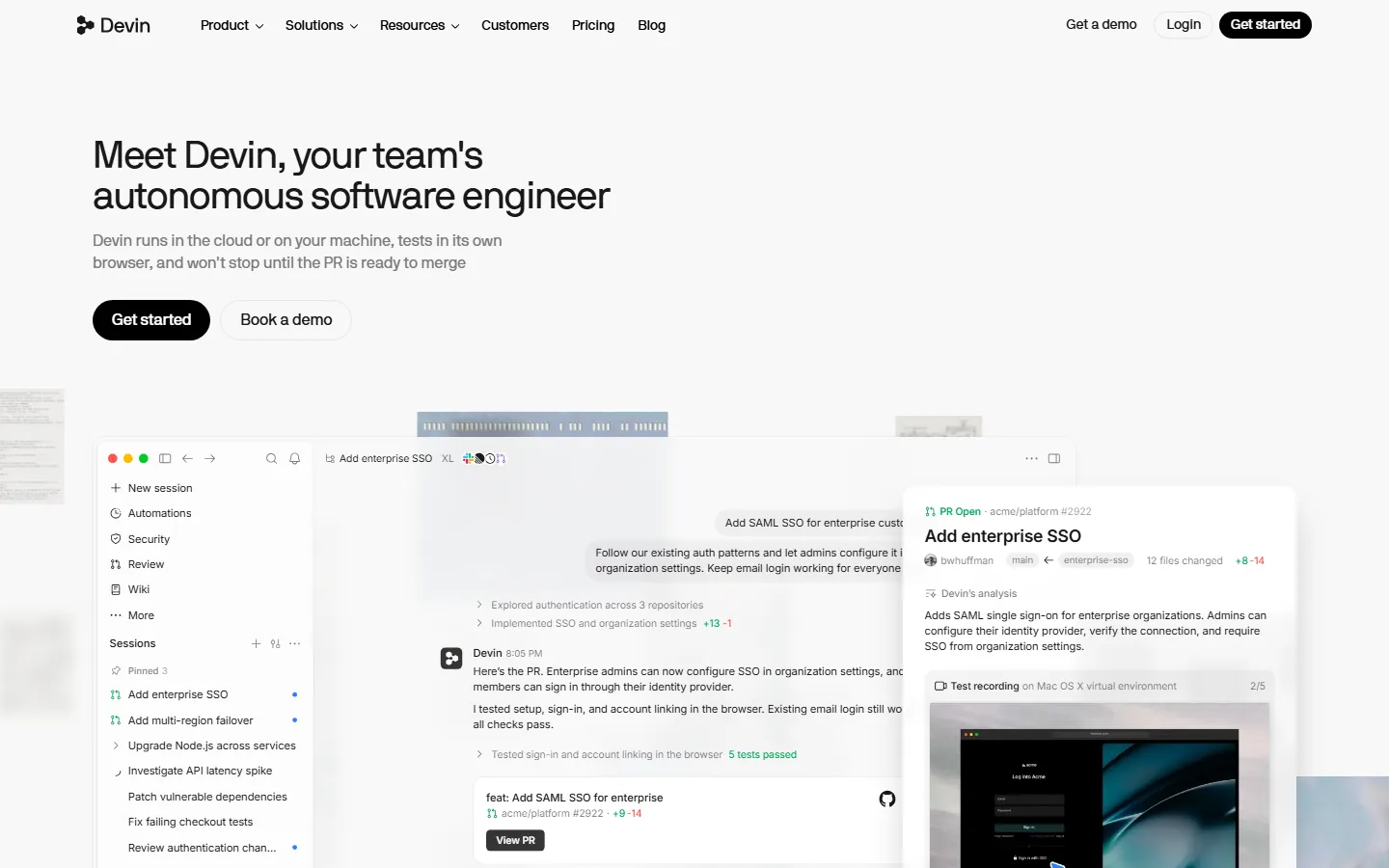
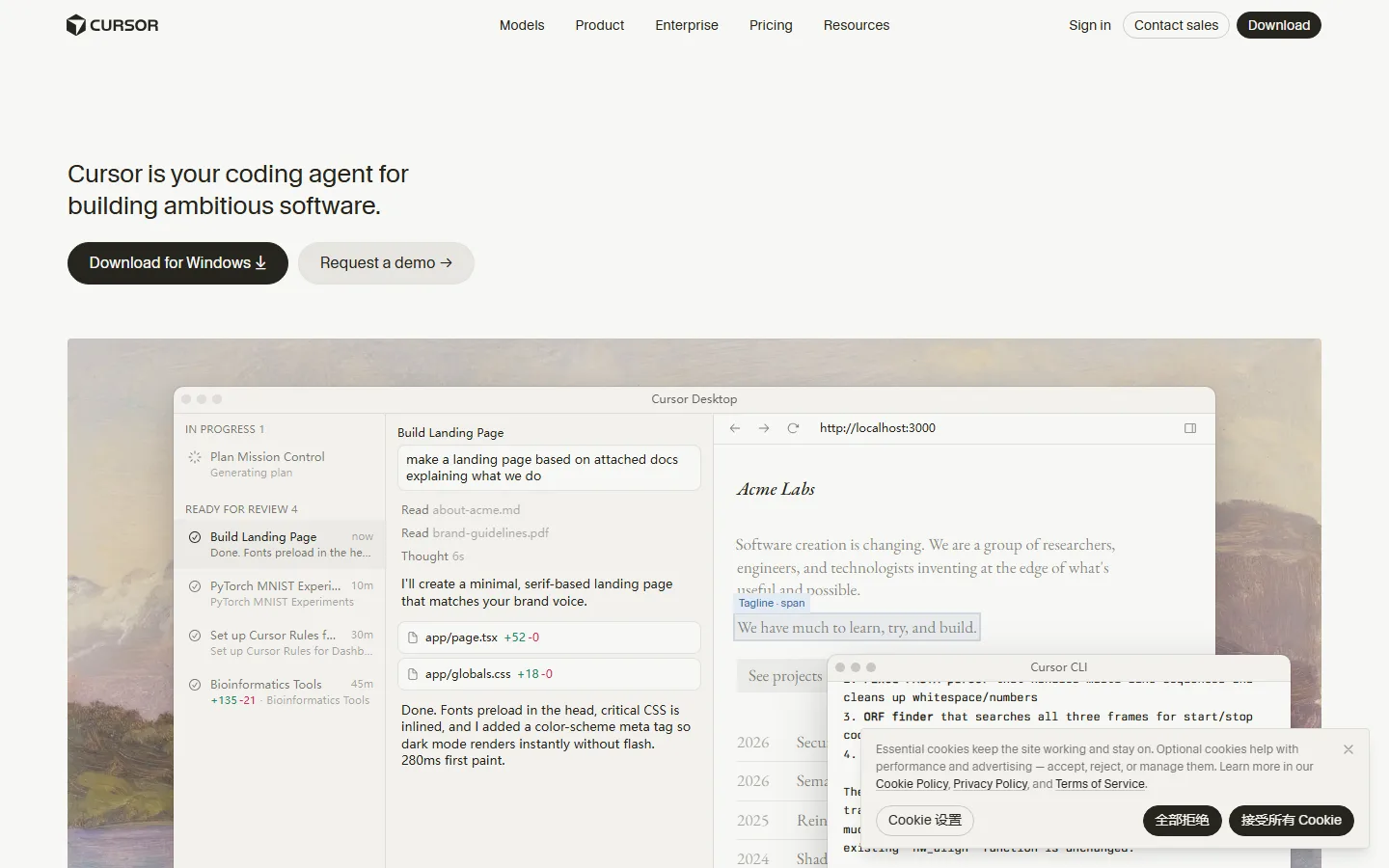
Quick Answer: Cursor is the better choice for developers who spend hours in an editor, because its Tab completions, Agent mode, and MCP ecosystem make it the strongest interactive AI IDE in 2026. Devin is the better choice for teams who want to delegate well-scoped tickets, migrations, and routine engineering to an autonomous software engineer that plans, executes, tests, and opens a pull request on its own. Both tools start at $20 per month, both have free tiers, and the pricing is so close that the decision comes down to workflow philosophy rather than cost.
Devin is an autonomous AI software engineer built by Cognition that works independently in its own cloud environment, while Cursor is an AI-powered code editor (a VS Code fork by Anysphere) where you write code with an AI copilot at your side. In short: with Cursor you are the developer and AI is your assistant; with Devin you are the project manager and AI is the developer. That single difference explains every pricing, feature, and workflow choice below.
Which AI Coding Tool Should You Pick in 2026?
The short answer is that most serious teams use both. A typical 2026 workflow is Cursor for interactive coding sessions and Devin for the backlog tickets nobody wants to touch, such as dependency upgrades, test coverage, and migrations. A comparison from ToolStackerAi (September 2026) sums it up: "Cursor is the better daily driver for hands-on coding. Devin is the better choice for delegating entire tasks. Most serious teams in 2026 use both."
For an individual developer who codes daily, Cursor wins because the editor is the agent surface. Tab completions, inline edits, and Agent mode all run in one window, and the autocomplete quality is widely considered best in class. For a team lead who wants to scale engineering output without scaling headcount, Devin wins because you describe a task, review a plan, and let the agent run for an hour while you do other work.
How Much Does Devin Cost?
Devin self-serve pricing was restructured in June 2026 into flat tiers, replacing the earlier per-ACU rate card. The current plans, verified against devin.ai/pricing by multiple sources in August and October 2026:
| Plan | Price | What you get |
|---|---|---|
| Free | $0 | Limited Devin usage, Devin Review, DeepWiki access |
| Pro | $20/month | Devin usage quota, Windsurf IDE usage included, Slack/Linear/MCP integrations, frontier models (OpenAI, Claude, Gemini), free use of SWE-2 |
| Max | $200/month | Significantly higher quotas for all-day agent use |
| Teams | $80/month + $40 per full developer seat | Centralized billing, admin dashboard, collaboration, unlimited flex members |
| Enterprise | Custom | SAML/OIDC SSO, VPC deployment, dedicated account team |
Devin uses Agent Compute Units (ACUs) as its billing unit for overages. One ACU equals roughly 15 minutes of Devin actively working, including VM time, model inference, and networking. On the pay-as-you-go path an ACU costs about $2.25, and on Team plans about $2.00. That means an hour of active Devin work costs roughly $9 in ACUs, and complex tasks can burn 5 to 10 ACUs easily, so heavy autonomous usage beyond the quota can incur real overage bills.
How Much Does Cursor Cost?
Cursor changed its plans in October 2026. The old $20 Pro tier is now a legacy plan. The current lineup, verified against cursor.com/pricing on October 18, 2026:
| Plan | Price | What you get |
|---|---|---|
| Hobby | Free | Limited agent requests and Tab completions |
| Plus | $8/month | Only Grok models available, limited allowance |
| Premium | $30/month | Frontier models, extended agent limits, MCP, cloud agents, weekly allowance |
| Super | $100/month | 15x Plus usage, priority access |
| Ultra | $200/month | 50x Plus usage, priority access to new features |
| Teams | $30+/user/month | Bugbot agentic code reviews, shared rules marketplace, SAML/OIDC SSO |
Cursor uses a credit pool equal to your plan price. Auto mode, where Cursor picks the model, is unlimited. Manually selecting premium third-party models like Claude or GPT draws from your credit balance and can bill separately at API list prices if you leave agents running. Most developers stay inside the credit pool on normal usage, which makes Cursor more predictable for daily coding.
What Are the Real Differences Between Devin and Cursor?
The pricing overlap is not an accident; both tools target the same buyer. The differences are philosophical. Cursor gives you control: its Composer agent works diff-by-diff, so every file change needs approval before it lands. Devin gives you autonomy: Devin Local and Devin Cloud execute tasks end-to-end with minimal checkpoints and show you the result, including a pull request ready for review.
The feature gap in 2026 breaks down like this:
| Capability | Devin | Cursor |
|---|---|---|
| Form factor | Cloud agent + Devin Desktop IDE client | AI IDE (VS Code fork) |
| Agent philosophy | Autonomous, minimal checkpoints | Controlled, diff-by-diff approval |
| Tab completions | Unlimited on every plan | Best in class |
| Concurrent agents | Up to 10 sessions | Up to 8 Background Agents |
| Third-party agents | Open Agent Client Protocol (run Codex, Claude Agent, Gemini CLI) | Cursor's own agents only |
| Proprietary model | SWE-1.6 consumes zero quota | Cursor Tab model + Composer 2.5 |
| Team pricing | $80/mo base + $40/seat | $30+/user/month |
| Enterprise | VPC deployment, HIPAA/FedRAMP | Custom, SCUIM, audit logs |
One structural change matters here: Cognition acquired Codeium (maker of Windsurf) in December 2025, and on June 2, 2026 the editor was rebranded as Devin Desktop. Devin Pro and Max now include Windsurf IDE usage, so a single $20 subscription gets you an AI editor plus an autonomous cloud agent. Cursor, by contrast, was acquired by SpaceX in a $60 billion all-stock deal that closed August 14, 2026, folding it into a new SpaceXAI division. Pricing did not change for users, but Ultra subscribers now get bundled access to Grok Bot.
How Do Team Costs Compare?
For a five-person team, Cursor is cheaper. Cursor Teams starts at $30 per user per month, so five developers cost at least $150 per month. Devin Desktop Teams is $80 for the base plan plus $40 per full developer seat, which is $280 per month for five seats. That math flips for larger organizations with a mix of heavy and light users, because Devin lets you add unlimited flex members who do not require the full $40 per seat commitment. Devin's structure also makes sense for enterprises that need VPC deployment, dedicated account management, or HIPAA/FedRAMP compliance, which Cursor does not offer.
Devin vs Cursor: Which Should You Choose?
Choose Cursor if you prioritize transparency and control over every AI-generated change, you want the tightest inline plus agent loop, or you rely on the MCP ecosystem and best-in-class Tab completions. Choose Devin if you prefer autonomous execution, you want to run multiple agent vendors through the Agent Client Protocol, you use JetBrains alongside your main editor, or you need enterprise compliance. If you are an individual developer, Cursor Premium at $30 per month is the pragmatic spend. If you have a backlog of well-scoped tickets and routine engineering work, Devin Pro at $20 per month pays for itself quickly.
How Do Devin and Cursor Handle Real-World Workflows?
The difference shows up in how each tool handles a typical engineering task. With Cursor, you open the editor, ask the agent to make a change, and review a diff before it lands. The Composer agent works in the same window as your code, so you keep full visibility and control over every step. That is why Cursor is the safer default for production codebases: the diff-by-diff approval workflow catches AI-generated errors before they touch main, and the MCP ecosystem lets you connect external services directly from the editor.
With Devin, you describe the task in plain language, Devin analyzes the codebase, proposes a plan, and then executes it in its own cloud environment. It writes code, runs tests in its own browser, investigates failures, and opens a pull request when the work is done. Cognition's Devin 2.0 added Interactive Planning in late 2025, so you can collaborate on the plan before execution starts, but the product is designed around async delegation rather than moment-by-moment control. For well-scoped work like "add enterprise SSO" or "upgrade Node.js across services," Devin can run for an hour and come back with a tested PR, which is something Cursor's interactive model is not built for.
The two tools also differ in how they fit into a team. Cursor Teams adds Bugbot for agentic code reviews, a marketplace for sharing internal rules and skills, and SAML/OIDC SSO, which makes it the simpler, cheaper option for most team sizes. Devin Teams is built around fleets of cloud agents with a session management board, and its enterprise tier offers VPC deployment, dedicated account management, and HIPAA/FedRAMP compliance. If your organization needs on-premise deployment or strict compliance, Devin is the only one of the two that offers it.
FAQ
Q: Is Devin worth $20 per month?
A: For individual developers, Devin's value depends on how often you have well-defined tasks to delegate. If you regularly have a backlog of routine tickets, migrations, or test coverage work, Devin pays for itself quickly. For exploratory or creative coding, Cursor is the better spend.
Q: Is Cursor better for beginners?
A: Yes. Cursor is a familiar IDE experience with AI built in, so the learning curve is shallow. Devin requires you to think in terms of task delegation and plan review, which is a different skill than writing code.
Q: Which is cheaper for a five-person team, Cursor or Devin?
A: Cursor Teams starts at $30 per user per month, so five developers start at $150 per month. Devin Desktop Teams is $80 for the base plan plus $200 for five full seats, totaling $280 per month. Cursor is cheaper at this size.
Q: Can I use my own models with Devin or Cursor?
A: Both allow you to bring API keys for additional model access or to extend usage beyond included quotas. Devin's multi-model support is broader by default: Pro includes frontier models from OpenAI, Claude, Gemini, and SpaceXAI, plus open source models without extra configuration. Cursor's lineup covers most cases but requires more setup for non-default models.
Q: What happened to Windsurf?
A: Windsurf was rebranded as Devin Desktop on June 2, 2026 after Cognition acquired Codeium. The legacy Cascade agent reached end-of-life on July 1, 2026 and was replaced by Devin Local. Pricing was held flat through the rebrand: Free, $20 Pro, $200 Max, and Teams.
Q: Does Cursor cost more than $20 now?
A: The $20 Pro tier is now a legacy plan. Current plans are Free, Plus at $8 (Grok models only), Premium at $30, Super at $100, and Ultra at $200 per month. Third-party models on Premium and above bill separately by usage at API list prices.
Q: Can Devin and Cursor work together?
A: Yes, and that is the recommended 2026 setup. Use Cursor for interactive coding sessions and Devin for the tickets you do not want to touch. With Devin's Windsurf inclusion, Cognition is explicitly betting on this hybrid model.
Conclusion
Devin and Cursor are both excellent AI coding tools in 2026, and both start at $20 per month. The right choice depends on how you work: Cursor if you are an individual developer who codes interactively and wants control, Devin if you are a team lead delegating well-scoped engineering work and want autonomy. The smartest move is to use both, with Cursor for your daily editing and Devin for delegated tasks.
CTA
Ready to try them? Start with Cursor's free Hobby plan to test the completions, and check Devin's free tier to see whether autonomous delegation fits your workflow. For more context, read our Cursor vs Windsurf comparison, the best AI coding tools guide, our Cursor vs GitHub Copilot breakdown, the full Cursor review, and the AI coding tools comparison.