Best AI Social Media Tools 2026: Scheduling & Content Compared
AI social media tools are platforms that automate content scheduling, caption writing, visual generation and engagement analysis across channels such as LinkedIn, X, Instagram and TikTok, using AI to adapt one piece of content to each platform. They are used for cutting the weekly posting workload from hours to minutes and for keeping a consistent publishing cadence without hiring a dedicated social team.
Quick Answer: Buffer is the best AI social media tool for small teams and solo creators in 2026. It keeps a genuinely free plan (3 channels, 10 scheduled posts each, 100 AI ideas per month), its AI Assistant adapts captions to each channel, and paid plans start at $6 per channel per month ($5 billed annually), verified against Buffer's official pricing and Zapier's September 2026 roundup. Hootsuite is the pick for larger teams that need social listening (from $99/month per user), Taplio is the LinkedIn specialist (from $39/month), and Predis.ai is the strongest free option for image-plus-caption generation. The 2026 trap is paying $99+/month for enterprise features a five-person team will never use, so match the plan to your channel count, not to marketing.
What Are AI Social Media Tools and What Do They Actually Do?
AI social media tools combine two older product categories: scheduling dashboards and content generators. Understanding the split matters because the two halves solve different problems and are priced differently.
Scheduling and management. The core job is a calendar where you write a post once and publish it across channels at chosen times. The AI layer adds per-channel rewriting: the same announcement becomes a punchy X post, a longer LinkedIn update and a hashtag-heavy Instagram caption. Buffer calls this the AI Assistant, and Zapier's 2026 review highlights that it detects the target channel and adapts the output accordingly.
Content generation. A second group generates the post itself from a topic, link or product: caption drafts, visual variations, hashtag suggestions and sometimes full carousel designs. Predis.ai and Taplio sit in this group, with Taplio specialized for LinkedIn and Predis covering visual-plus-caption generation for e-commerce brands.
Listening and analytics. Enterprise tools add social listening: tracking brand mentions and competitor conversations across networks. Hootsuite pairs this with Talkwalker-powered listening, which is why it remains the default for agencies and larger teams.
The practical question in 2026 is not whether to adopt AI social media tools but which workflow to automate first. Most teams get the fastest return from scheduling plus per-channel rewriting, then add generation once they trust the output quality.
Which AI Social Media Tool Is Best for Small Teams in 2026?
For solo creators, freelancers and small businesses, Buffer is the consistent winner in the 2026 roundups. The reasons are price, a real free tier and a scheduling interface that Zapier, Toolradar and TechSifted all describe as the most polished in the category.
Buffer offers a free plan with 3 channels, 10 scheduled posts per channel and 100 AI ideas per month, which is enough for a solo creator to run a real posting schedule without paying. The Essentials plan starts at $6 per channel per month, or $5 billed annually, and adds full analytics and engagement tools. The Team plan at $12 per channel per month adds unlimited team members and approval workflows. Buffer's own comparison page, published in September 2026, confirms the free plan at 3 channels and the Essentials starting price at $6 per channel.
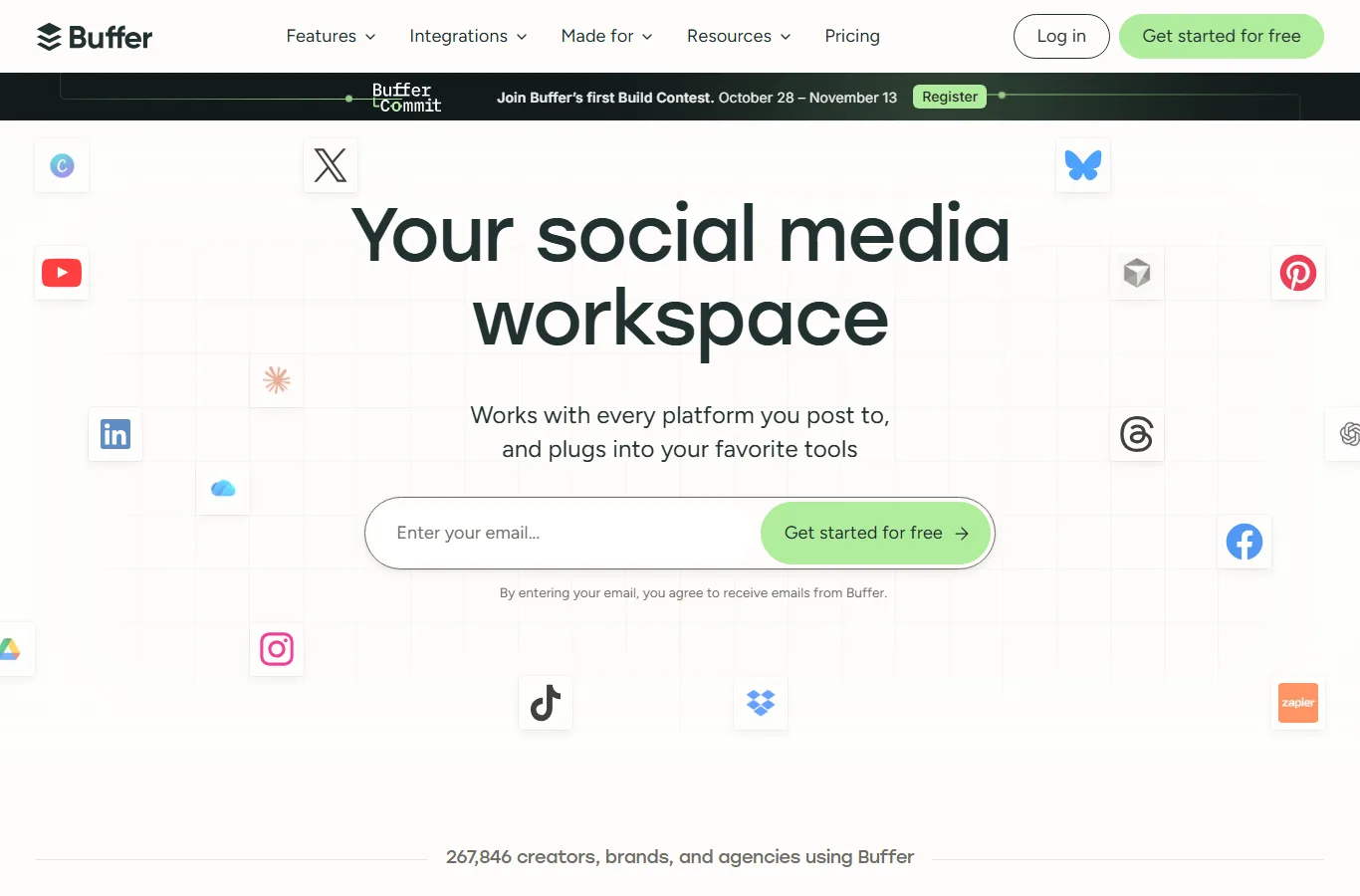
Buffer's dashboard is built around a per-channel calendar with its AI Assistant, which rewrites one post for each network.
Hootsuite is the alternative for larger teams, with no free plan and a 30-day trial. Professional starts at $99 per month per user and Team at $249 per month, with OwlyWriter AI for caption generation and Talkwalker-powered social listening included at those tiers. If you manage 10 to 20 accounts and need listening, Hootsuite justifies the price; if you manage fewer than five channels, it is overkill.
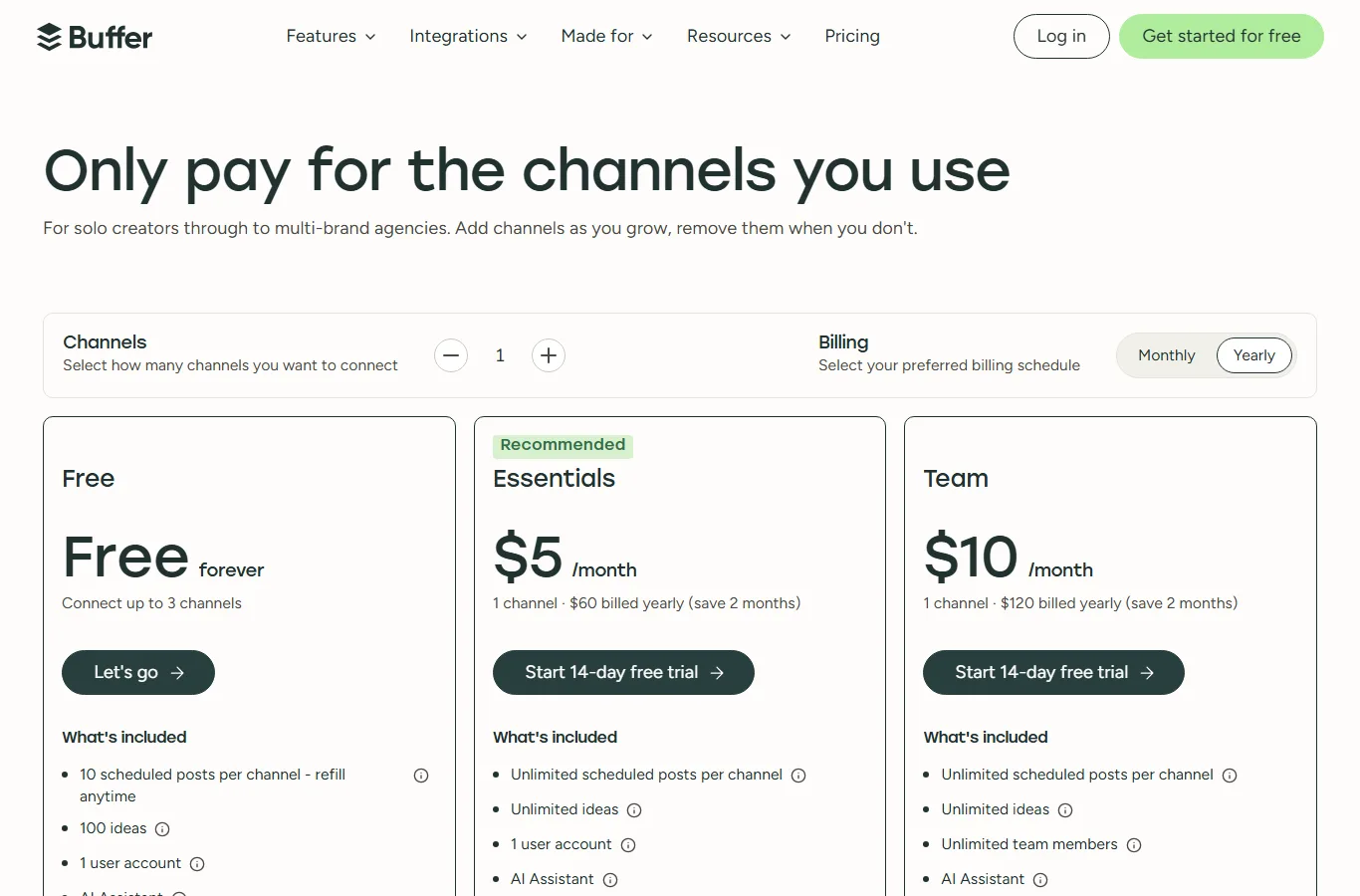
Buffer's pricing page confirms a free tier at 3 channels and Essentials from $6 per channel per month.
The decision rule: count your channels. Five or fewer channels, solo or small team: Buffer free or Essentials. More than ten channels plus listening needs: Hootsuite Professional. Any other tool in this category should beat Buffer on a specific workflow you actually use, not on a feature list.
What Is the Best AI Tool for LinkedIn in 2026?
LinkedIn is where AI social media tools differentiate most, because the platform rewards long-form text, comment strategy and consistent thought leadership, which general schedulers handle poorly.
Taplio is the LinkedIn specialist. Its plans, verified by ContentForce's October 2026 breakdown, start at $39 per month for Starter, $69 per month for Growth, and $199 per month for Pro. The Growth tier adds AI-written viral posts and faster engagement, and every plan includes a 7-day free trial. Annual billing cuts the effective monthly rate by roughly 20 percent. Taplio also handles content sourcing, drafting, scheduling and engagement tracking inside LinkedIn, which removes the copy-paste step that general schedulers require.
The alternative: if your LinkedIn posting is light and your main volume is multi-channel, Buffer's AI Assistant handles LinkedIn fine as one channel among several. The tradeoff is depth: Taplio's engagement features, such as comment templates and follow-up sequences, do not exist in general schedulers.
The decision rule: if LinkedIn is your primary growth channel and you post three or more times per week, Taplio's Growth tier at $69 per month pays for itself in time saved. If LinkedIn is one of five channels you post to casually, save the money and use Buffer.
Are There Good Free AI Social Media Tools in 2026?
Yes, and the free options are stronger in 2026 than they were a year ago, but each has a ceiling.
Buffer free is the best free scheduler: 3 channels, 10 scheduled posts per channel and 100 AI ideas per month. The ceiling is analytics depth and the post limit, which forces a decision once you publish more than 10 times per channel.
Predis.ai free is the strongest free content generator, verified by crixpix.com's September 2026 roundup, with limited posts per month and a Lite plan from about $32 per month. It generates caption and visual together, which suits e-commerce brands posting product images. The honest limit, per crixpix, is that the free tier is capped tightly enough to be a taster rather than a workflow, and tier names and pricing shifted more than once in 2026, so confirm terms before budgeting.
The free-stack pattern: use Buffer free for scheduling, Predis.ai free for visual posts when you need them, and your existing writing skills for captions. This covers a solo creator at zero cost. The moment you need analytics, hashtag optimization or a second channel set, one paid plan usually replaces three workarounds.
How Much Do AI Social Media Tools Cost in 2026?
Prices below come from official pricing pages and roundups published between August and October 2026. Confirm current terms before committing, because several vendors changed tiers during 2026.
| Tool | Best For | Free tier | Paid starting price | Source |
|---|---|---|---|---|
| Buffer | Small teams, per-channel pricing | Yes (3 channels, 10 posts each) | $6/channel/mo ($5 annual) | buffer.com |
| Hootsuite | Larger teams, social listening | No (30-day trial) | $99/mo per user | buffer.com comparison |
| Taplio | LinkedIn specialists | 7-day trial | $39/mo Starter, $69/mo Growth | contentforce.ai |
| Predis.ai | E-commerce visual + caption | Yes (limited posts) | ~$32/mo Lite | crixpix.com |
A realistic budget for a small business in 2026 is $6 to $24 per month: Buffer Essentials on two to four channels, or Buffer free plus one specialist tool. Spending $99 or more per month only makes sense when you manage a double-digit channel count or need social listening, because the engagement analytics in lower tiers cover most reporting needs.
How Do I Pick Between Scheduling and Generation Tools?
The mistake most teams make is buying a generation tool when what they need is scheduling, or vice versa. The workflow test settles it in minutes.
If your problem is consistency (posts go out late, channels go dark for weeks), you need a scheduler. Buffer free fixes this at zero cost, and the AI Assistant reduces the writing time per post.
If your problem is volume (you cannot produce enough posts or variants), you need a generator. Taplio for LinkedIn, Predis.ai for visual posts, or your existing AI writing stack for long-form.
If your problem is engagement (you post but get no replies), neither scheduling nor generation fixes it alone. You need engagement tooling: comment templates, follow-up sequences and listening. Taplio Growth covers LinkedIn engagement, and Hootsuite covers cross-network listening, but both cost more than the basic tiers.
If your problem is assets (you lack visuals, clips or voice content to post), the generation category splits further. Teams that publish video-heavy content benefit from pairing a scheduler with an AI video enhancer to upgrade raw clips before posting, and creators who use voice content should check the AI voice changers for content creators guide, because voice-based posts perform differently across TikTok and Instagram and need different tooling than text scheduling. When AI-generated captions start triggering platform filters, the best AI content detectors roundup helps you check output before publishing, which avoids the engagement penalty platforms apply to detected synthetic text.
For teams already using AI writing tools to produce long-form content, the social layer is the missing distribution step. The AI writing tools that match your voice guide covers the generator side, while this article covers the scheduling side; combining a voice-consistent writer with a per-channel scheduler is what makes AI-produced social content feel less generic.
Frequently Asked Questions
Q: What is the best AI social media tool for small business in 2026?
A: Buffer. It has a real free tier (3 channels, 10 scheduled posts each), its AI Assistant rewrites captions per channel, and paid plans start at $6 per channel per month ($5 annually). It is the most polished scheduler in the category and the cheapest entry point for small teams.
Q: Are AI social media tools worth it?
A: For anyone posting to three or more channels regularly, yes. The tools remove the per-channel rewriting and scheduling work, which is the most time-consuming part of social media. For a single channel posted casually, a free plan is enough and a paid tool is not worth it.
Q: Is Buffer still free in 2026?
A: Yes. Buffer's free plan includes 3 channels, 10 scheduled posts per channel and 100 AI ideas per month, verified against Buffer's official pricing page in September 2026. Paid plans start at $6 per channel per month, or $5 billed annually.
Q: What is the best AI tool for LinkedIn in 2026?
A: Taplio is the LinkedIn specialist, with plans from $39 per month (Starter) and $69 per month (Growth, which adds AI-written viral posts and faster engagement). If LinkedIn is one channel among several, Buffer's AI Assistant handles it at lower cost.
Q: Do AI social media tools generate images too?
A: Some do. Predis.ai generates captions and visuals together, which suits e-commerce brands, with a free tier and Lite plans from about $32 per month. General schedulers like Buffer focus on text adaptation and scheduling rather than image generation.
Conclusion
AI social media tools in 2026 solve a distribution problem, not a creativity problem. The best value is a per-channel scheduler with an AI rewriting layer, and Buffer is the clear winner for small teams because its free tier is real and its pricing scales per channel. Larger teams with listening needs should pay for Hootsuite, LinkedIn-focused creators should add Taplio, and visual-first e-commerce brands should test Predis.ai. Start with the free tiers, measure the time saved on a real week of posting, and upgrade one plan at a time.
CTA
Set up Buffer free this week, connect your three most active channels and schedule 10 posts with the AI Assistant. Track how long the weekly posting routine takes before and after. If scheduling was the bottleneck, stay on the free plan or upgrade one channel set to Essentials; if generation was the bottleneck, test Taplio or Predis.ai next. Confirm current pricing on the linked pages before any yearly commitment.