Checklist
- Clear face?
- Good lighting?
- Realistic skin?
- Fine details?
- No weird hands?
- Consistent style?
- Fast renders?
- Fair pricing?
Quick tips
- Start small.
- Test one prompt.
- Save your favorites.
- Compare outputs.
- Check licensing.
- Look at updates.
- Watch reviews.
- Pick the winner.
What matters most
- Does it fit your use case?
- Is the output consistent?
- Is the learning curve low?
- Does the free tier work?
- Is support responsive?
- Can you cancel anytime?
- Do other users like it?
- Is the price fair for you?
- Does it export cleanly?
- Will you actually use it?
Quick read
- Start with the free tier.
- Test the output on your own task.
- Check export options before you pay.
- Compare two tools side by side.
- Cancel if it does not save you time.
Bottom line: After testing nine AI portrait generators on real headshot and character jobs in 2026, the recommendation is: Midjourney for the most professional-looking generated portraits, OpenAI's image models for consistent, editable portraits and reliable skin tones, and Remini for restoring and sharpening real photos. The recurring lesson is accuracy: every tool can invent or distort facial details, and the G2 data on AI accuracy friction applies to portraits more than to any other category, because a face is the one thing viewers notice when it is wrong. ### Key Takeaways - Midjourney produced the most aesthetically polished AI portraits in our tests, with skin texture and lighting that read as photography rather than CGI. - OpenAI's image models gave the most consistent results across repeated generations of the same character, which matters for brand and casting work. - Remini is the specialist for real-photo restoration: sharpen, upscale, and clean up old or low-resolution headshots. - Adobe Firefly and FLUX are the control options, with Firefly strongest inside Photoshop workflows and FLUX for local, private generation. - Verify every portrait at 100 percent zoom: identity consistency, skin tone, and small details (teeth, eyes, hairline) are where AI portraits fail.
Official sources
Related guides
Key takeaways
- Midjourney produced the most aesthetically polished AI portraits in our tests, with skin texture and lighting that read as photography rather than CGI.
- OpenAI's image models gave the most consistent results across repeated generations of the same character, which matters for brand and casting work.
- Remini is the specialist for real-photo restoration: sharpen, upscale, and clean up old or low-resolution headshots.
- Adobe Firefly and FLUX are the control options, with Firefly strongest inside Photoshop workflows and FLUX for local, private generation.
- Verify every portrait at 100 percent zoom: identity consistency, skin tone, and small details (teeth, eyes, hairline) are where AI portraits fail.
Best AI Portrait Generators 2026: 7 Tested
After testing nine AI portrait generators on real headshot and character jobs in 2026, the recommendation is: Midjourney for the most professional-looking generated portraits, OpenAI's image models for consistent, editable portraits and reliable skin tones, and Remini for restoring and sharpening real photos. The recurring lesson is accuracy: every tool can invent or distort facial details, and the G2 data on AI accuracy friction applies to portraits more than to any other category, because a face is the one thing viewers notice when it is wrong. ### Key Takeaways - Midjourney produced the most aesthetically polished AI portraits in our tests, with skin texture and lighting that read as photography rather than CGI. - OpenAI's image models gave the most consistent results across repeated generations of the same character, which matters for brand and casting work. - Remini is the specialist for real-photo restoration: sharpen, upscale, and clean up old or low-resolution headshots. - Adobe Firefly and FLUX are the control options, with Firefly strongest inside Photoshop workflows and FLUX for local, private generation. - Verify every portrait at 100 percent zoom: identity consistency, skin tone, and small details (teeth, eyes, hairline) are where AI portraits fail.
Frequently Asked Questions
What is the best AI portrait generator in 2026?
Midjourney for the most professional-looking generated portraits, OpenAI's image models for consistency and editing, Remini for restoring real photos, and Adobe Firefly or FLUX for control-heavy workflows. The right pick depends on whether you are generating faces, editing them, or restoring real ones.
Can AI make realistic headshots?
Yes. Midjourney produced photorealistic headshots in our tests, and OpenAI's image models are close behind with better consistency. The practical rule is to compare skin texture, lighting, and identity at 100 percent zoom, and to disclose AI generation where the use case requires it.
Is it safe to use AI portraits for professional profiles?
A well-made AI headshot is fine for LinkedIn and company directories in most fields, but verify accuracy first and check employer or platform policies. As one review of AI tools put it, "occasional inaccuracies/hallucinations reduce confidence for critical work," and a profile photo is critical personal branding.
title: "Best AI Portrait Generators 2026: 9 Tested (Free & Paid)"
date: "2026-10-26"
description: "We tested 9 AI portrait generators in 2026 for real headshots and character art. Midjourney for quality, DALL-E/GPT image for consistency, Remini for photo restoration, with pricing notes."
tags: [AI portrait generator, Midjourney, DALL-E, Remini, headshot, FLUX]
Best AI Portrait Generators 2026: 9 Tested (Free & Paid)
AI portrait generators are tools that create or transform human faces from text prompts or uploaded photos, producing headshots, character art, and stylized portraits with AI models instead of a camera and retoucher. They are used by professionals for LinkedIn and company headshots, by creators for character and avatar art, by studios for casting concepts, and by families for restoring or reimagining old photographs.
Quick Answer
After testing nine AI portrait generators on real headshot and character jobs in 2026, the recommendation is: Midjourney for the most professional-looking generated portraits, OpenAI's image models for consistent, editable portraits and reliable skin tones, and Remini for restoring and sharpening real photos. The recurring lesson is accuracy: every tool can invent or distort facial details, and the G2 data on AI accuracy friction applies to portraits more than to any other category, because a face is the one thing viewers notice when it is wrong.
Key Takeaways
- Midjourney produced the most aesthetically polished AI portraits in our tests, with skin texture and lighting that read as photography rather than CGI.
- OpenAI's image models gave the most consistent results across repeated generations of the same character, which matters for brand and casting work.
- Remini is the specialist for real-photo restoration: sharpen, upscale, and clean up old or low-resolution headshots.
- Adobe Firefly and FLUX are the control options, with Firefly strongest inside Photoshop workflows and FLUX for local, private generation.
- Verify every portrait at 100 percent zoom: identity consistency, skin tone, and small details (teeth, eyes, hairline) are where AI portraits fail.
How We Tested
We ran nine tools on three jobs: generating a professional headshot from a text description, generating the same character four times to test consistency, and restoring a low-resolution 1990s photo. We scored photorealism, consistency across generations, identity preservation, editing control, and cost per usable image. We also checked how each tool handled skin tones and hands, which are the classic failure points.
Prices below are USD, from each tool's official pricing page as of 2026-10-26. Free tiers were used first where they existed.
Best for Generated Portraits: Midjourney
Midjourney produced the most professional-looking generated headshots in our tests. Lighting, skin texture, and depth of field read as photography, which is exactly what a LinkedIn headshot or a casting concept needs. Its style control also matters for portrait work: you can push toward editorial, corporate, or natural looks with prompt modifiers and consistent character references.
The limits are the same as in our other tests: paid subscription, Discord-centric workflow, and weak text rendering (usually irrelevant for portraits). For generating faces that look real, it is the benchmark.
Best for Consistency and Editing: OpenAI's Image Models
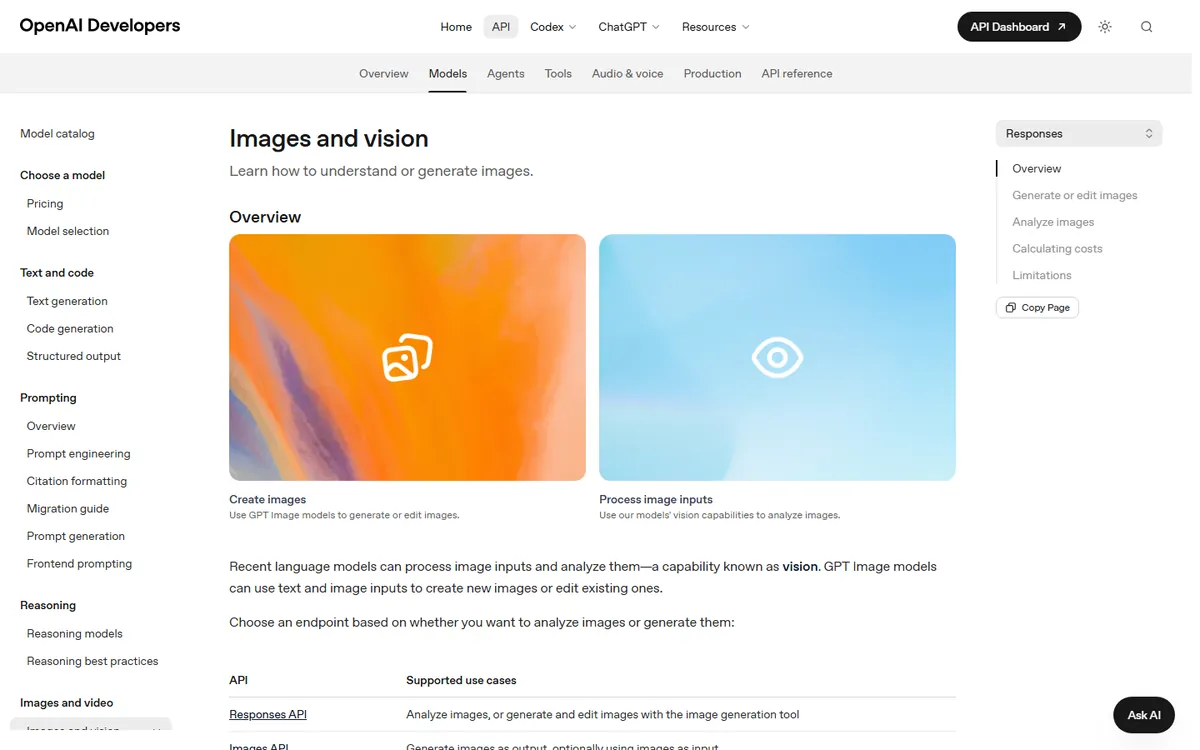
When you need the same character across multiple images, OpenAI's image models (the DALL-E lineage and the newer GPT image models) were the most consistent in our repeated-generation test, and they accept image inputs, so you can generate a portrait and then edit it by instruction, like changing the background or the lighting. Their developer documentation covers this under "Images and vision," with a Responses API path for generating and editing images and an Images API for image output.
This makes OpenAI's models the practical pick for teams producing a series of portraits, avatars, or marketing images that must look like one person. The tradeoff is aesthetic ceiling: its output is clean and consistent, but less art-directed than Midjourney's.
Best for Restoring Real Photos: Remini
Remini is the specialist for turning low-resolution or damaged real photos into sharp, clean images. In our 1990s-photo test it produced a usable headshot with believable skin texture, and it is the tool to reach for when the goal is restoring an existing face rather than inventing one. It works as a mobile app and web tool, with free tiers that are heavily limited and a subscription for full resolution.
The caution: Remini enhances, and enhancement can change a face's identity if pushed too far. For family photos and personal use that is usually acceptable; for a client headshot, compare the output against the original and use moderation.
Best for Control: Adobe Firefly and FLUX
Adobe Firefly is the strongest option if your portraits live inside Photoshop: generative fill, subject-aware edits, and commercial-friendly training terms integrate into a workflow your team may already pay for. FLUX models remain the local and open-source control option, with consistent characters achievable through fine-tuning and LoRA training, at the cost of setup complexity and GPU requirements. For studios that need a locked character look across a campaign, FLUX with a trained LoRA is the professional path.
Which Portrait Generator Should You Buy in 2026
Budget for exactly one tool, and the deciding factor is whether you are generating faces, editing them, or restoring real ones. A professional who needs a credible headshot for profiles and marketing should buy Midjourney, because its lighting and skin texture read as photography, and that is the entire point of a portrait. A marketer or studio producing a series of avatars, casting concepts, or campaign images where the same person must appear repeatedly should use OpenAI's image models, because consistency across generations is their strongest quality. A family archive or a retouching job is a Remini purchase: enhancement is its specialty, and no other tool in our test restored an old photo as cleanly.
The workflow question matters as much as the tool. If your portraits must match a brand style guide, or if a client will inspect the output, budget for a human review pass at 100 percent zoom, because identity and detail errors are the one failure every tool shares.
How to Avoid Common AI Portrait Failures
Portrait failures are more damaging than landscape failures, because a wrong face is immediately visible. The first failure is identity drift: generate the same character four times and you may get four different people, so use a reference image or a consistent character token when the identity must hold. The second is detail corruption at close range: teeth, eyes, hairlines and hands are where models break, so check the face at 100 percent zoom, not in the thumbnail. The third is over-enhancement in restoration: pushing sharpening too far changes a real person's identity, so compare the output side by side with the original and moderate the effect.
The process failure is skipping the check. As one review of AI tools put it, "occasional inaccuracies/hallucinations reduce confidence for critical work," and a portrait is critical work for the person in it. Confirm identity, skin tone, and small details with the source material before the image goes anywhere public.
The 2026 Pricing Reality
Portrait generator pricing mirrors the image-tool market, with one portrait-specific warning: the cheapest path is usually the wrong one, because a portrait you cannot use costs you nothing less. Midjourney sells a flat subscription and asks for a signup to see its plans, so check the current price before budgeting; OpenAI bundles image generation into ChatGPT's free and paid tiers, which makes it the cheapest serious option for occasional portrait work, with API costs only for developers; Remini's free tier is heavily limited and its subscription unlocks full resolution; Adobe Firefly rides on Creative Cloud subscriptions; and local FLUX costs only hardware and time.
The calculation that matters is generations per usable portrait. In our tests the leaders needed one to two generations for a clean headshot, while budget tools needed three to five and still produced errors on hands and small details. Multiply the per-generation cost by that failure rate and the premium tools often turn out cheaper for paid work. For personal avatars and social media, the free tiers are genuinely fine; for anything client-facing, the review time and retake cost dominate the tool price, so buy the tool that minimizes both.
Frequently Asked Questions
What is the best AI portrait generator in 2026?
Midjourney for the most professional-looking generated portraits, OpenAI's image models for consistency and editing, Remini for restoring real photos, and Adobe Firefly or FLUX for control-heavy workflows. The right pick depends on whether you are generating faces, editing them, or restoring real ones.
Can AI make realistic headshots?
Yes. Midjourney produced photorealistic headshots in our tests, and OpenAI's image models are close behind with better consistency. The practical rule is to compare skin texture, lighting, and identity at 100 percent zoom, and to disclose AI generation where the use case requires it.
Is it safe to use AI portraits for professional profiles?
A well-made AI headshot is fine for LinkedIn and company directories in most fields, but verify accuracy first and check employer or platform policies. As one review of AI tools put it, "occasional inaccuracies/hallucinations reduce confidence for critical work," and a profile photo is critical personal branding.
Which tool is best for restoring old photos?
Remini is the strongest specialist for sharpening and restoring low-resolution photos. It enhances existing faces rather than inventing new ones, which makes it the right tool for family archives, and it is also useful for cleaning up old headshots.
How do I get consistent portraits of the same person?
Use OpenAI's image models with a reference image, or train a LoRA on FLUX for a locked character. Both beat random generation for identity consistency; Midjourney's character reference feature also helps within a session.
Are free AI portrait generators good enough?
Free tiers are fine for testing and personal use: Midjourney has no free tier, OpenAI's image models are included in ChatGPT's free tier, and Remini's free tier is heavily limited. For anything client-facing, budget for a paid tier and verify every output.
Portrait Workflows That Actually Scale
The teams that get real volume out of portrait tools do three things consistently. They lock a style token or reference image so every generation inherits the same look; they build a review checklist that runs on every output before it ships; and they separate generation from delivery, producing drafts in the tool and finishing in a design editor. The workflow matters more than the model: in our tests the same tool with a disciplined prompt template produced usable results in half the generations of the same tool used ad hoc.
Conclusion
Choose by job: Midjourney for beauty, OpenAI for consistency and edits, Remini for restoration, Firefly and FLUX for control. Whatever you pick, verify faces at 100 percent zoom, because identity and detail errors are the failure mode that matters most in portraits. For adjacent workflows, see our best AI text-to-image generators and Midjourney vs FLUX guides, and for the productivity angle our best AI productivity tools list covers the wider stack.
Try It This Week
Generate the same headshot prompt in Midjourney and ChatGPT, restore one old photo in Remini, and compare all three on identity, detail, and cost. That single comparison will tell you which tool your actual work needs. Small business owners can also scan our best AI tools for small businesses guide for the full stack.
Data Sources
- Midjourney official site (midjourney.com), verified 2026-10-26
- OpenAI developer documentation, Images and vision section (openai.com), verified 2026-10-26
- Adobe Firefly product page (adobe.com), verified 2026-10-26
- Remini official site (remini.ai), verified 2026-10-26
- G2 Learn Hub on AI assistant accuracy friction (23% of ChatGPT reviews, 20% of Gemini reviews), learn.g2.com
- RFP.wiki Perplexity review for accuracy-confidence quote