Bottom line: Suno is the better choice for most creators in 2026 because you keep your output: Pro costs $10 per month for 2,500 credits and 20 downloads, and Premier costs $30 per month for 10,000 credits, 60 downloads, and the full Studio editor, with annual billing bringing those to $8 and $24. Udio matched Suno on generation quality but disabled downloads in late October 2025, so your songs stay inside the platform, which makes it a poor fit for anyone who needs audio files for video, distribution, or a label. Choose Udio only if your priority is granular production control and you do not need to export.
Official sources
Related guides
Key takeaways
- Q: Can you download songs from Udio?
- Q: Can you download songs from Suno?
- Q: How much does Suno cost per month?
- Q: Is Udio free to use?
- Q: Which AI music generator is best for commercial use?
Suno vs Udio 2026: Which AI Music Generator Keeps Your Songs?
Suno is an AI music generation platform that turns text prompts into full songs with vocals, lyrics, and instrumentation, and its paid plans include monthly download allowances so you can export the tracks you make. Udio is an AI music generation platform known for granular production control, letting you extend, remix, and inpaint sections of a song, with free daily credits and paid tiers, but with downloads disabled since late October 2025. Both tools emerged from the same wave of generative audio models and both produce surprisingly good music, but their 2026 trajectories diverged hard on one question: who owns the output.
Quick Answer: Suno is the better choice for most creators in 2026 because you keep your output: Pro costs $10 per month for 2,500 credits and 20 downloads, and Premier costs $30 per month for 10,000 credits, 60 downloads, and the full Studio editor, with annual billing bringing those to $8 and $24. Udio matched Suno on generation quality but disabled downloads in late October 2025, so your songs stay inside the platform, which makes it a poor fit for anyone who needs files for video, distribution, or a label. Choose Udio only if your priority is granular production control and you do not need to export.
How Much Do Suno and Udio Cost in 2026?
Suno's pricing is simple and credit-based, and the official plan page confirms the current tiers. Free gives daily credits, no downloads, and no commercial use, which works for experimenting but not for publishing. Pro costs $10 per month, or $8 per month billed annually, and includes 2,500 monthly credits, V5.5 model access, and 20 downloads per month. Premier costs $30 per month, or $24 billed annually, and includes 10,000 monthly credits, 60 downloads, and Suno Studio, the full editing suite. The September 2026 changes pushed more of the platform's value into paid tiers, but the core offer remains: pay for credits, keep the songs you download. For a content creator who needs ten usable tracks a month, Pro at $8 to $10 covers the need with room to spare.
| Plan | Suno | Udio |
|---|---|---|
| Free | Daily credits, no downloads, non-commercial | 10 credits per day plus 100 monthly credits, non-commercial |
| Standard | Pro $10/month ($8 annual), 2,500 credits, 20 downloads | Standard $10/month, 2,400 credits, browser-only playback |
| Top tier | Premier $30/month ($24 annual), 10,000 credits, 60 downloads, Studio | Pro $30/month, 6,000 credits, 10-song generation queue |
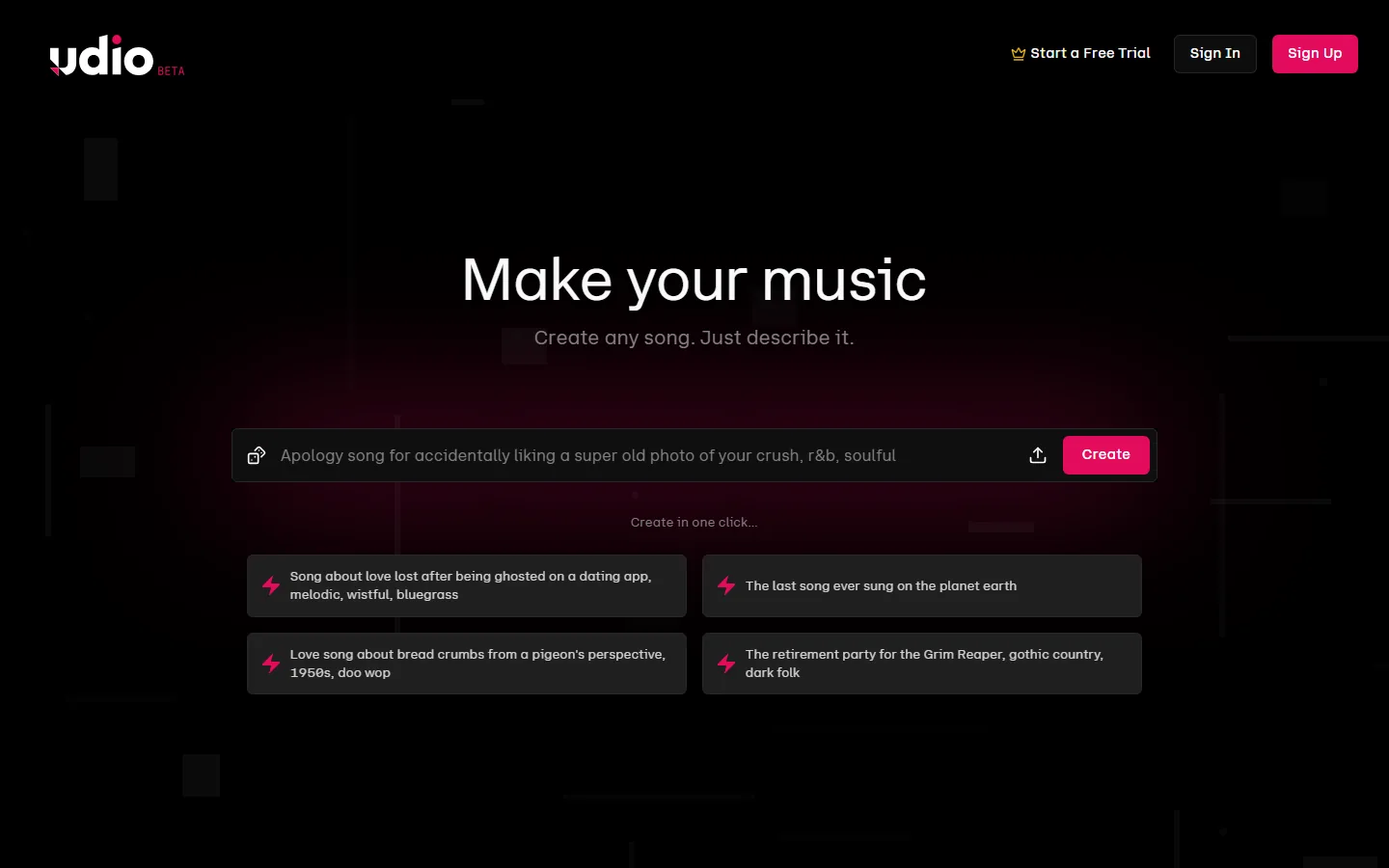
Udio's pricing is comparable on paper but carries a critical catch. The free tier gives 10 credits a day plus 100 monthly credits for non-commercial use, which is generous for casual tinkering. Standard costs $10 per month for 2,400 credits with browser-only playback, and Pro costs $30 per month for 6,000 credits with a 10-song generation queue. The catch is that downloads have been off since late October 2025, so your songs stay inside the platform. The Udio homepage still pitches creation-first, "Make your music. Create any song. Just describe it," but every comparison updated in 2026 states the download policy directly: Udio has no export, so the music you create cannot leave Udio's ecosystem. The price looks fair for generation, but the value collapses if your workflow depends on owning files.
Can You Download the Music You Generate?
This is the single most important difference in the 2026 comparison, and it is the reason most guides recommend Suno as the default. Suno's paid plans explicitly include downloads: 20 per month on Pro, 60 per month on Premier, and the downloads carry commercial use rights on paid tiers. That means you can drop a Suno track into a YouTube video, a podcast intro, or a client project without friction. Udio disabled downloads at the end of October 2025, and songs created on the platform stay inside it, with no export path. For creators who need audio files for editing, distribution, or licensing, that single feature decides the comparison. There is no scenario in which "you cannot export your work" is a feature, and users who built channels on Udio found themselves locked in when the policy changed. If you are deciding between the two on price alone, remember that a $10 Udio Standard subscription buys generation you cannot take anywhere, while a $10 Suno Pro subscription buys generation plus 20 files you actually own.

Which Tool Generates Better Music in 2026?
Both models produce high-quality songs, and reviewers consistently rate them as the top two AI music generators. Suno's strength is finished, radio-ready songs: full vocals, coherent structure, and production polish that needs little editing, which is why it dominates casual and content-creator use. Udio's strength is control: you can extend a section, remix a stem, or inpaint specific passages, which attracts producers who treat the tool as an instrument rather than a jukebox. The honest summary from October 2026 testing is that Suno wins for speed and singability, while Udio wins for hands-on production control. If you want a song you can post today, Suno is faster to a finished file. If you want to sculpt a track over an afternoon, Udio's tools are more flexible, assuming you are comfortable keeping the result in the app. The quality gap between the two models has narrowed so much that output quality no longer decides the purchase; output ownership does.
How Do the Creation Tools Compare for Producers?
Udio was designed for producers and it shows. The platform's signature workflow lets you generate a full song, then extend specific sections, remix stems, and inpaint individual passages, so you can fix a weak verse or develop a bridge without regenerating the whole track. Suno added its own Studio tool on the Premier tier to close the gap, with editing that goes beyond the simple prompt-to-song flow, but Suno's reputation is still built on first-take quality rather than deep editing. The tradeoff: Suno gets you a great song fast, while Udio lets you shape an okay song into a great one. If your music background means you hear what is wrong and want to fix it, Udio's tools tempt you, but the download ban should give you pause before you invest hours in a platform you cannot export from. Producers who need stems for a proper mix should check what each plan actually allows, because browser-only playback on Udio Standard means you cannot even pull the audio into a DAW.
What About Commercial Use and Copyright?
Commercial use follows the same pattern as downloads. Suno's paid tiers grant commercial rights to the music you generate and download, subject to the platform's terms, which makes the tool viable for small businesses, streamers, and indie producers who want to monetize content. Udio's free tier is explicitly non-commercial, and with downloads disabled, the commercial path is unclear even on paid plans because you cannot take the output anywhere. Copyright questions still loom over both platforms: the underlying models were trained on large music catalogs, and the Recording Industry Association of America sued both Suno and Udio in 2024, so the legal landscape is unsettled. The practical stance for a creator in 2026 is to read the terms, keep proof of purchase, and understand that AI music rights are still being litigated. What the litigation has already changed is behavior: both platforms now gate commercial claims behind paid tiers and publish clearer terms about what the free tiers allow, which is why checking the paid plan details matters before you build a channel or a client deliverable on generated tracks.
Which Is Better for Content Creators and Social Video?
Content creators should choose Suno without much debate. You need audio files to sync with video, and Suno's 20 to 60 monthly downloads provide exactly that, with commercial rights on paid plans. A YouTuber, podcaster, or short-form creator can generate a custom intro, background track, or full song and drop the file into their editor in minutes. Udio cannot serve that workflow at all in 2026 because there is no way to get the song out of the platform, regardless of how good the generation is. The free tier comparison also favors Suno for experimentation, since daily credits on both platforms are comparable, but Suno converts experimentation into usable files the moment you pay. Our guide to the best AI music generators ranks both tools against the wider field, and the Suno AI review covers the Pro plan in depth, including real download limits and license behavior.
What Are the Downsides of Each Platform?
Suno's weaknesses are control and cost at the edges. The editing tools are solid but not deep, heavy production users burn through credits quickly, and the free tier's lack of downloads makes it a dead end for publishing without paying. The credit system is also the thing users complain about most: credits cap your output, and anyone generating a lot of variations watches their monthly balance vanish, which is the same credit-burn frustration users report across AI video and music tools in 2026. Udio's weaknesses are existential in 2026: no downloads, browser-only playback on Standard, and a free tier that is non-commercial, which means everything you make is trapped in the app. Udio's 10-song generation queue on Pro is also slower for batch work than Suno's straightforward credit flow. Both platforms face ongoing copyright litigation that could reshape terms later, so treat any long-term library building with caution, and both have cancellation and billing processes that users say deserve scrutiny, since AI subscription billing problems continue to be a common complaint across the industry.
Should You Use Suno or Udio in 2026?
The decision is almost entirely about output rights. If you want music you can download, use commercially, and put into your own projects, Suno is the answer, with Pro at $10 per month covering most creators. If you are a producer who values granular control and can live with keeping everything inside Udio's ecosystem, Udio remains a capable tool, but the download ban since late October 2025 makes it hard to recommend to anyone who needs actual files. For everyone else, the choice is simple: Suno pays you in songs you own, Udio pays you in songs you rent. The Suno alternatives roundup and the best AI audio tools guide offer more options if neither tool fits your exact needs, and the best free AI tools list covers zero-budget paths into music generation.
What Does the Free Tier Comparison Look Like?
Free tiers matter more here than in most tools because AI music is a hobby for many users before it is a job. Suno's free tier gives daily credits that refresh on a schedule, so a casual user can generate a few songs most days, but nothing can be downloaded and commercial use is excluded, which makes free Suno a testing ground. Udio's free tier gives 10 credits a day plus 100 monthly credits, also non-commercial, and since downloads are already disabled platform-wide, the free tier is the full Udio experience minus volume. The practical difference: a Suno free user hits a wall the moment they want a file, while a Udio free user hits the same wall immediately because nobody on Udio gets files. For deciding between the two, the free tiers tell you which workflow feels right, but neither free tier is a publishing path, so the real decision still comes down to the paid plan and the download allowance.
Frequently Asked Questions
Q: Can you download songs from Udio?
No. Udio disabled downloads in late October 2025, and songs created on the platform stay inside it with no export path. Free and paid users alike cannot take their generated music out of Udio, which is the main reason most 2026 guides recommend Suno instead.
Q: Can you download songs from Suno?
Yes, on paid plans. Suno Pro includes 20 downloads per month and Suno Premier includes 60 downloads per month, and downloaded tracks carry commercial use rights on paid tiers. The free tier does not include downloads.
Q: How much does Suno cost per month?
Suno Pro costs $10 per month, or $8 per month billed annually, and includes 2,500 credits and 20 downloads. Suno Premier costs $30 per month, or $24 billed annually, and includes 10,000 credits, 60 downloads, and the Suno Studio editor. The free tier gives daily credits with no downloads.
Q: Is Udio free to use?
Yes, Udio has a free tier with 10 credits per day plus 100 monthly credits, and it is non-commercial. Paid tiers are Standard at $10 per month for 2,400 credits and Pro at $30 per month for 6,000 credits, but downloads are disabled on every tier.
Q: Which AI music generator is best for commercial use?
Suno is the better choice for commercial use because its paid plans include downloads with commercial rights, so you can use the tracks in videos, streams, and client work. Udio's free tier is non-commercial, and with downloads disabled, taking output anywhere for commercial use is not possible in 2026.
Conclusion
Suno and Udio both make excellent AI music, and the models are close enough that quality no longer separates them. What separates them is ownership. Suno gives you files you can download, use commercially, and drop into your own projects, with Pro at $10 per month and Premier at $30 per month covering most creators. Udio gives you production control but keeps your songs locked inside the platform, which makes it a hard sell for anyone who needs actual audio files. If your workflow requires files, choose Suno; if you are a producer who can live without export, Udio still has the better editing tools, but know what you are giving up. For more options, the Suno alternatives guide covers cheaper and free paths into AI music, and the best AI audio tools roundup places both tools in the wider landscape.