Quick Answer: Non-technical users in 2026 can build real software with five no-code AI tools: Bubble for full web apps, Glide for spreadsheet apps, Zapier for automation, ChatGPT for daily assistance, and Notion AI for organization. None require programming, all have working free tiers, and the realistic learning curve is an afternoon, not a bootcamp. The fastest path is to start with ChatGPT for instant wins, then add Zapier to connect your existing tools, and only move to Bubble or Glide when you need a custom app that does not exist yet.
AI tools for non-technical users are software products designed so that people without programming skills can build, automate, and create with AI, using plain language prompts and visual editors instead of code. The market has matured past the prototype stage in 2026: the leading no-code platforms now ship production-grade features such as compliance, audit logs, and role-based permissions, which removes the old objection that "no-code is only for demos." This guide focuses on tools where the core workflow stays visual or conversational from start to finish, and it separates the honest learning curve from marketing hype.
Why Non-Technical Users Need AI Tools in the First Place
The demand for no-code AI is driven by a concrete failure of the alternative. Small teams and operators cannot hire developers for every small problem, and off-the-shelf software never matches the exact workflow of a specific business. The pain shows up constantly in user reviews of AI tools: people buy a tool, then discover there is no one to answer their questions, or the usage limits break their momentum mid-task. No-code tools fix the first failure by putting the building directly in your hands, and they reduce the second by making limits visible before you commit.
The other driver is price. Most premium AI assistants cluster at $19.99 to $20 per month, and several communities report that paid tiers add hard usage caps instead of removing them. A non-technical user who needs three different AI products would spend $60 a month before building anything. The tools below all have free tiers or free starts, so the first automation and the first app can be built at zero cost, and paid plans only matter once the workflow is proven.
What Is the Best No-Code AI Tool for Building Web Apps?
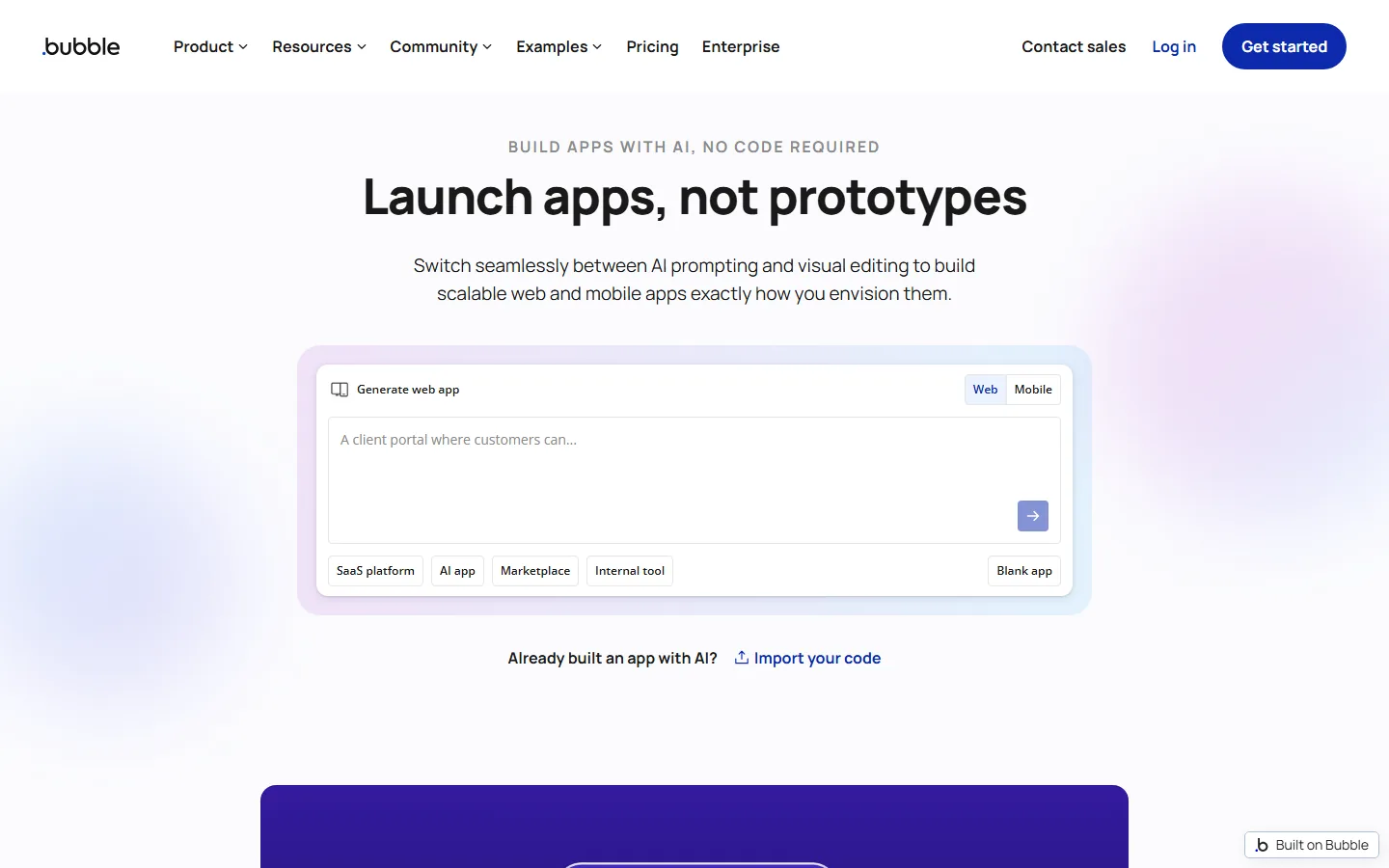
Bubble is the best no-code AI tool for non-technical users who need a real web app with data, users, and business logic, because it is the only platform that combines AI generation with full visual control of the result. Bubble's own comparison page states that you can generate an app with AI, build with the Bubble Agent, and then fine-tune design, data, and logic yourself without writing code. The company reports $16 billion in GMV running in its ecosystem, which is the strongest production-track record among the visual builders. For teams, Bubble positions itself for mixed groups where non-developers change logic and data as well as screens, which is exactly the non-technical user case.
Bubble's free plan lets you start building without a card, and the platform handles the full stack, database, authentication, and hosting, inside one visual editor. The honest tradeoff: Bubble is the most powerful and therefore the most complex of the no-code builders, and a complete custom app will take weeks of evenings, not one afternoon. That is still far faster than learning to code, and the visual editor means you can see exactly what you are building at every step.
How Do I Turn a Spreadsheet into an App Without Coding?
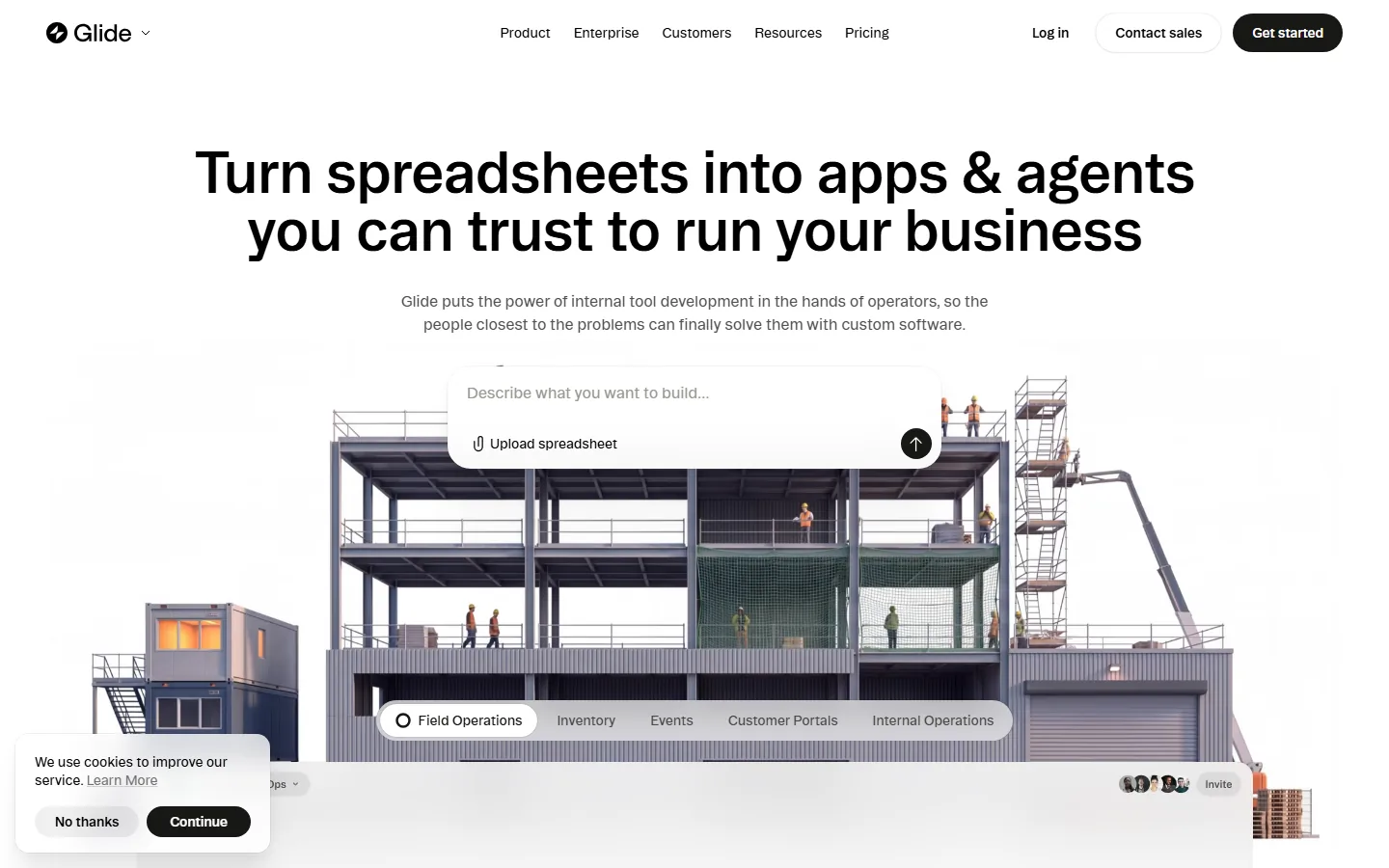
Glide is the fastest way for non-technical users to turn a spreadsheet into a working app, because the whole product is built around that single move. The live Glide site frames it directly: turn spreadsheets into apps and agents you can trust to run your business, with no code required. You upload or connect a Google Sheet or Airtable base, describe what you want in plain language, and Glide generates a mobile-friendly app from the data. Independent testing ranks Glide as having the strongest mobile-first output among the classic visual tools, which matters when your team works from phones.
Glide's sweet spot is internal tools: inventory, field operations, customer portals, and event management, which are exactly the spreadsheet-driven workflows that non-technical operators own today. The learning curve is the gentlest on this list, because you are essentially styling data you already manage, and the AI prompt box removes the need to learn Glide's component model before your first build. The limitation is that Glide apps follow the shape of the spreadsheet, so deeply custom logic belongs in Bubble instead.
What Is the Best AI Automation Tool for Non-Technical Users?
Zapier is the best AI automation tool for non-technical users, because its free plan includes the AI tools and the visual workflow builder together. Zapier's official pricing overview documents a free plan at zero dollars with 100 tasks per month, unlimited Zap workflows, and access to the core suite including Tables, Forms, and AI tools. The visual builder connects apps with a trigger-action model, and Copilot lets you describe the automation in plain language instead of wiring steps by hand. Paid plans start at $19.99 per month, and the Team plan covers up to 25 users at $69 per month.
For a non-technical user, Zapier replaces the most common technical task of all: moving data between tools that do not talk to each other. New customer to the CRM, form submission to the spreadsheet, invoice to the accounting tool, these are one-Zap automations that a person with zero programming background can build in minutes. The free tier's 100 monthly tasks is a real constraint for heavy workflows, but it is enough to automate the top five annoying manual tasks in a small business and prove the value before paying.
Can ChatGPT Replace Technical Skills for Non-Technical Users?
ChatGPT cannot replace every technical skill, but for non-technical users it eliminates the most common blockers: figuring out what to ask, what tool to use, and how to fix it when something breaks. The free tier of ChatGPT handles everyday questions, drafting, explanation, and step-by-step troubleshooting, and OpenAI documents the free tier's limits and behavior on its help pages. For someone with no technical background, the pattern is to describe the outcome in plain language, get a plan, and then paste errors back into ChatGPT when reality disagrees with the plan. The complete ChatGPT beginner guide covers this loop in detail.
The limitation is honesty about reliability. User reviews across the industry report that AI models still hallucinate, even on top models, and that occasional inaccuracies reduce confidence for critical work. Non-technical users should therefore use ChatGPT for drafts, plans, and explanations, but verify anything that touches money, contracts, or medical information against a human or an official source. That is not a reason to skip AI; it is the correct division of labor.
Which AI Tools Should a Non-Technical User Avoid in 2026?
A non-technical user should avoid developer-first AI tools that assume terminal access, self-hosting, or prompt engineering as a baseline. Coding agents like Cursor, Devin, and Windsurf are powerful, but they are built for people who already understand code review, git, and deployment, and the AI coding tools comparison documents how much context they assume. Self-hosted agents such as OpenClaw are free and open source, but the user pays for LLM API usage and hosting, and costs can be unpredictable, which is the opposite of the predictable free tiers above.
The other category to approach carefully is any tool that sells "AI for beginners" but requires a technical setup to reach the AI part. Check three things before committing: whether the core workflow is visual or conversational from start to finish, whether the free plan covers the actual task, and whether support exists at all. The customer-support pain in the AI market is real, and for non-technical users it is worse, because there is no developer on staff to work around a broken tool.
How Much Time Does a Non-Technical User Need to Learn These Tools?
The realistic learning curve is one afternoon for Zapier and Glide, a few evenings for Bubble, and minutes for ChatGPT. Independent no-code testing ranks the platforms by how much of the app a teammate can see and change: Bubble fits mixed teams where non-developers change logic and data as well as screens, while Glide and Softr fit portal and spreadsheet-based apps with the gentlest onboarding. The pattern is consistent: automation and spreadsheet apps are the entry point, and full web app building is the second step once you know what you actually need.
The strategic advice for a non-technical user is to sequence the learning. Week one, use ChatGPT for daily assistance and build two Zapier automations for your most annoying manual task. Week two, turn your main spreadsheet into a Glide app and test it with your team on phones. Only in month two, if a real business need keeps appearing, start Bubble with a small internal tool rather than your dream product. That sequence delivers working results at every stage and avoids the most common failure: spending a month building a prototype nobody asked for.
FAQ
Q: Do I need to know how to code to use these AI tools?
A: No. Bubble, Glide, Zapier, ChatGPT, and Notion AI all use visual editors or plain-language prompts. The comparison is not zero effort, but the learning curve is measured in hours for automation and spreadsheet apps, and weeks for full app building, instead of months for programming.
Q: What is the best AI tool for a non-technical person who wants to build an app?
A: Start with Glide if the app organizes data you already keep in a spreadsheet, and choose Bubble if you need users, custom logic, and a database. Glide delivers in a day; Bubble delivers more power in exchange for a longer learning curve.
Q: Are no-code AI builders reliable enough for real business use?
A: Yes, in 2026. Bubble reports $16 billion in GMV in its ecosystem and offers SOC 2 Type II compliance and audit logging, and Glide is used for internal tools like inventory and field operations. Reliability is a property of the specific tool and plan, so check the vendor's security page before building anything sensitive.
Q: How much does Zapier cost for a small business?
A: Zapier has a free plan with 100 tasks per month and access to the core suite including AI tools. Paid plans start at $19.99 per month, and the Team plan covers up to 25 users for $69 per month. Most small businesses can start free and pay only after the automation proves valuable.
Q: Can ChatGPT help me learn a technical tool by myself?
A: Yes, and it is the highest-leverage use for a non-technical user. Describe your goal in plain language, ask for the first three steps, then paste any error message back into ChatGPT when the result differs from the plan. Verify anything that affects money or safety against an official source.
Q: What should I avoid as a non-technical beginner?
A: Avoid developer-first tools that assume terminal access, self-hosting, or git, and avoid anything whose free tier cannot complete the actual task. Check whether the core workflow stays visual or conversational from start to finish, and confirm support exists before paying, because several AI tools are documented as having no one to answer after purchase.
Q: How do these tools compare with hiring a developer?
A: For small, well-defined tasks, no-code AI tools beat hiring a developer on cost and speed: an afternoon of Zapier or Glide work replaces a project that a developer would quote in days. For complex, long-lived systems, a developer remains necessary, and the no-code tools are better used to prototype the requirements before that hire.
Conclusion
Non-technical users in 2026 have a real, production-grade no-code stack: ChatGPT for daily assistance, Zapier for automation, Glide for spreadsheet apps, Bubble for full web apps, and Notion AI for organization. None require programming, all have free tiers or free starts, and the learning curve is measured in afternoons and evenings rather than bootcamps. The correct sequence is to automate your most annoying task first, turn your main spreadsheet into an app second, and only then consider a full custom build.
CTA
Start this week with the two free wins: create a ChatGPT account and use it to solve one real work problem, then build one Zapier automation for a task you do manually every day. For the full map of beginner options, read the AI tools for complete beginners guide, and if you decide to build an app, the no-code tools guide and the AI coding tools comparison will tell you which platform matches your comfort level, with the best AI agent tools 2026 roundup covering ready-made agents that need no building at all. For people new to AI entirely, the complete ChatGPT beginner guide covers the first week of setup.
[Related guides: AI tools for complete beginners · Best no-code AI tools 2026 · Best AI agent tools 2026 · AI coding tools comparison · ChatGPT beginner guide]