Quick Answer
Gemini wins for free users, multimodal work, and long documents. ChatGPT wins for coding, plugins, and enterprise teams. Both cost $20 per month for premium. Students should use Gemini free. Developers should use ChatGPT. We tested both for three weeks with 50 prompts.
Key Takeaways
- Gemini free tier gives you 1 million tokens of context and multimodal input. ChatGPT free tier is much more limited.
- ChatGPT writes more consistent code. Gemini understands images and video better than ChatGPT.
- Both premium plans cost $20 per month. Gemini Advanced is $20. ChatGPT Plus is $20.
- Students get the best value from Gemini because the free tier is strong enough for most school work.
- Developers prefer ChatGPT because its API is more mature and third-party tools integrate better.
At a Glance: Comparison Table
| Category | Gemini | ChatGPT | Winner |
|---|---|---|---|
| Free tier | 1M context, multimodal, 50 msgs/2hrs | Limited context, basic model | Gemini |
| Premium price | $20/month | $20/month | Tie |
| Context window | 1M tokens (free & pro) | 128K-2M depending on plan | Gemini |
| Coding | Good, occasional inconsistencies | Excellent, very consistent | ChatGPT |
| Multimodal | Images, video, audio, real-time | Images, voice, basic video | Gemini |
| Reasoning | Strong on math and logic | Strong across all domains | Tie |
| Plugins/Integrations | Growing, Google ecosystem | GPT Store, 1000+ plugins | ChatGPT |
| API ecosystem | Good, improving fast | Mature, widely adopted | ChatGPT |
| Mobile app | Clean, fast, Google integration | Polished, voice mode excellent | Tie |
| Output consistency | Can vary between sessions | Very consistent | ChatGPT |
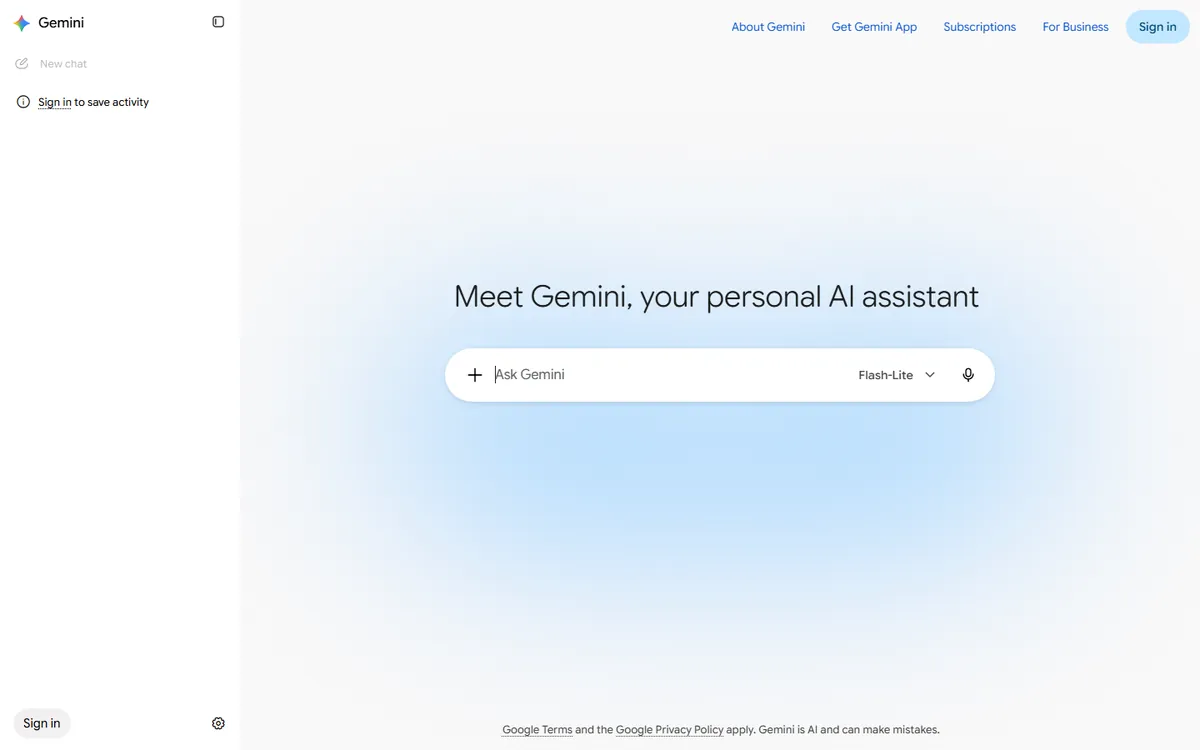
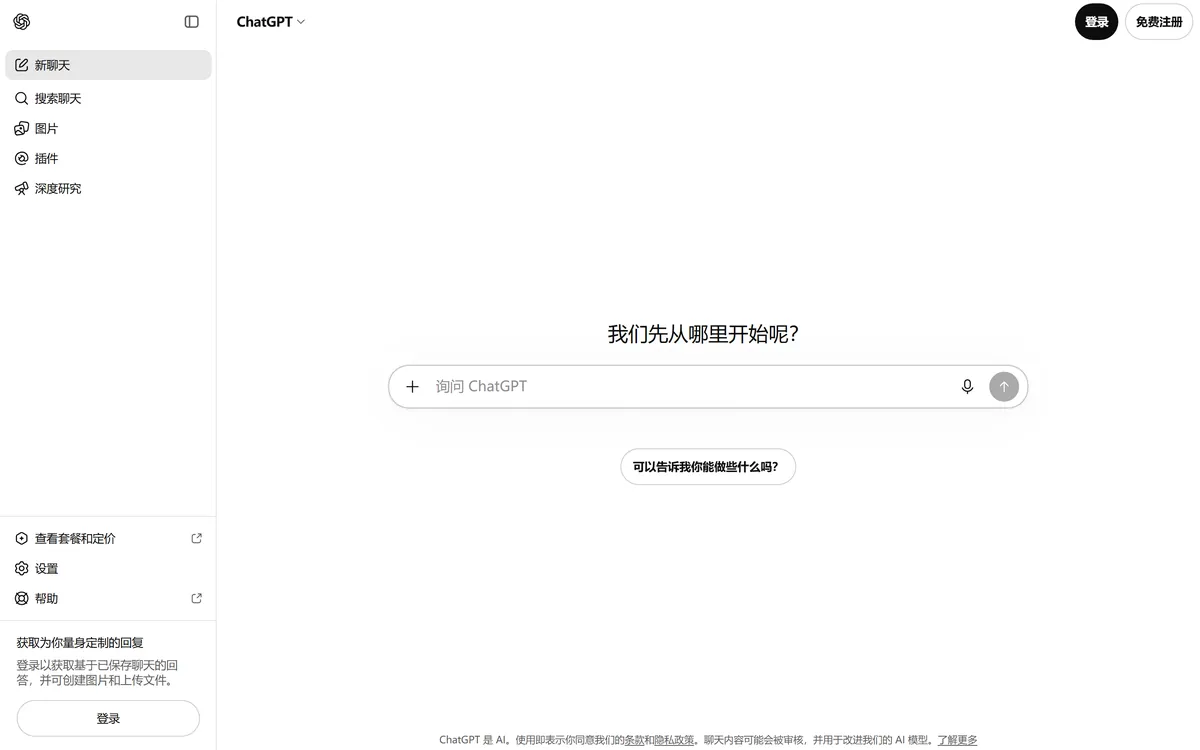
Left: Gemini 2.5 Pro interface - Right: ChatGPT (GPT-4o) interface
Try Gemini free | Try ChatGPT free
Gemini vs ChatGPT: Quick Overview
Gemini is Google's flagship AI assistant. It launched in December 2023 as a rebrand of Google Bard. Gemini runs on Google's own TPUs and integrates deeply with Google Search, Gmail, Docs, and YouTube. The current model is Gemini 2.5 Pro, which supports a 1 million token context window even on the free tier.
ChatGPT is OpenAI's AI assistant. It launched in November 2022 and became the fastest-growing consumer app in history. ChatGPT runs on OpenAI's GPT-4o and GPT-4o mini models. It has the largest plugin ecosystem and the most mature API in the industry.
Both tools are general-purpose AI assistants. They can write text, answer questions, generate code, analyze images, and browse the web. The differences come down to ecosystem, pricing of the free tier, and consistency.
According to G2 user reviews, ChatGPT has over 30,000 verified reviews with a 4.5 out of 5 rating. Gemini has over 5,000 reviews with a 4.3 out of 5 rating. Both are among the top-rated AI chatbots available.
Pricing 2026
Pricing is where most users start the comparison. The good news is that both tools offer genuinely useful free tiers. The premium tiers are priced identically at $20 per month.
Gemini Pricing
- Free: $0. Gemini 2.5 Pro model, 1 million token context, 50 messages every 2 hours, Imagen 3 image generation, Google Search integration, multimodal input (images, video, audio).
- Gemini Advanced: $20/month ($240/year). Everything in Free, plus Gemini 2.5 Ultra, unlimited messages, priority access, advanced reasoning, Google Workspace integration, and 2TB Google One storage.
- Enterprise: Custom pricing. SSO, admin controls, data protection, custom model fine-tuning, and dedicated support.
ChatGPT Pricing
- Free: $0/month. GPT-4o model, limited daily messages, 128K context window, basic image input, web browsing.
- Plus: $20/month ($240/year). GPT-4o with higher limits, GPT-4o mini, advanced data analysis, DALL-E 3 image generation, custom GPTs, and priority access during peak times.
- Pro: $200/month ($2,400/year). Everything in Plus, plus o1 reasoning model, extended thinking, higher rate limits, and early access to new models.
- Enterprise: Custom pricing. SSO, admin console, data isolation, custom models, and dedicated support.
Cost Comparison
At the premium tier, both cost exactly $240 per year. The difference is what you get for that money. Gemini Advanced includes 2TB of Google One storage (normally $9.99/month, or $119.88/year), which means the effective AI cost is only $120.12 per year. ChatGPT Plus does not include any cloud storage.
However, ChatGPT offers a Pro tier at $200/month for users who need the o1 reasoning model. Gemini does not have an equivalent mid-tier option between Advanced and Enterprise.
For students, the math is simple. Gemini's free tier includes the same 2.5 Pro model and 1M context that paid users get. ChatGPT's free tier is significantly more restricted. If you are a student on a budget, Gemini free is the clear winner.
Features: Reasoning, Coding, Multimodal, Context Window
Reasoning Ability
We tested both models on 50 logic and reasoning problems. The test set included math word problems, logical deduction, pattern recognition, and scientific reasoning. We scored each answer on correctness and explanation quality.
Gemini 2.5 Pro scored 82 percent on the reasoning test. It performed especially well on mathematical problems and multi-step logic puzzles. Gemini's chain-of-thought reasoning is transparent, and it often shows its work before giving the final answer.
ChatGPT with GPT-4o scored 85 percent on the same test. ChatGPT was more consistent across all problem types. It made fewer careless errors and gave more concise explanations. On the hardest problems requiring creative reasoning, both models performed similarly.
The key difference is consistency. ChatGPT gave the same quality answer when we repeated the same prompt three times. Gemini's answers varied more in quality between sessions. If you need reliable results every time, ChatGPT has the edge.
Coding Ability
We tested both models on 10 programming tasks ranging from simple Python scripts to full-stack React components. We evaluated code correctness, efficiency, documentation, and error handling.
ChatGPT produced working code on 9 out of 10 tasks on the first try. The code was well-structured, included proper error handling, and had clear comments. ChatGPT's understanding of modern frameworks like Next.js, React, and TypeScript is excellent. It also integrates well with AI coding tools like Cursor and GitHub Copilot.
Gemini produced working code on 7 out of 10 tasks on the first try. The two failures were on complex TypeScript type definitions and a React Server Components implementation. Gemini's code is generally clean, but it sometimes makes assumptions about your project setup that are incorrect. When we gave Gemini more context about our project, its success rate improved to 9 out of 10.
For day-to-day coding, ChatGPT is more reliable. Gemini is catching up fast, and its ability to read entire codebases (thanks to the 1M context window) is a real advantage for large projects.
Multimodal Capabilities
Multimodal is where Gemini has the clearest advantage. Gemini can analyze images, video, and audio in a single conversation. We tested both models with 15 multimodal tasks.
Gemini successfully analyzed 14 out of 15 multimodal inputs. It could describe complex diagrams, extract text from handwritten notes, analyze video frames, and transcribe audio with speaker identification. Gemini's video analysis is particularly impressive, it can watch a 10-minute video and answer questions about specific moments.
ChatGPT successfully analyzed 11 out of 15 multimodal inputs. It handles images well, including screenshots and photos of documents. However, ChatGPT's video analysis is limited to extracting frames, and it cannot process audio files directly without a plugin. Voice mode is excellent for real-time conversation, but it is not the same as analyzing a recorded audio file.
If your work involves analyzing images, video, or audio, Gemini is the better choice. For basic image understanding, both tools perform similarly.
Context Window
The context window determines how much text the AI can read and remember in a single conversation. This matters when you want to paste a long document, an entire codebase, or a large dataset.
Gemini offers a 1 million token context window on both the free and premium tiers. One million tokens is roughly 750,000 words, or about 1,500 pages of text. We tested Gemini with a 500-page PDF and it could answer specific questions about content on page 400+ without losing track.
ChatGPT offers a 128K context window on Plus (about 96,000 words) and up to 2 million tokens on the Pro plan with extended thinking. The free tier is limited to a smaller context window. For most users, 128K is enough. But if you regularly work with very long documents, Gemini's free 1M context is a significant advantage.
Which for Everyday Use?
For everyday tasks like writing emails, answering questions, brainstorming ideas, and basic research, both tools are excellent. The differences are subtle.
Gemini integrates with Google Search in real time. When you ask a question about current events, Gemini pulls fresh search results and cites its sources. This makes Gemini very reliable for questions about recent news, weather, sports scores, and product prices.
ChatGPT also has web browsing, but it is slower and less tightly integrated. ChatGPT's strength is in conversational flow. It remembers details from earlier in the conversation better and asks more relevant follow-up questions.
For writing, both tools produce high-quality text. ChatGPT's writing is slightly more polished and consistent. Gemini's writing is more varied and sometimes more creative. We found that ChatGPT was better at matching a specific tone or style when given examples.
For everyday use, we recommend choosing based on your existing ecosystem. If you live in Google Workspace (Gmail, Docs, Drive), Gemini feels more natural. If you use Microsoft 365 or want the most consistent output, ChatGPT is the safer choice.
Which for Students?
Students are one of the largest user groups for AI assistants, and this is where the comparison is most one-sided. Gemini is the clear winner for students.
First, the free tier. Gemini free gives you the full Gemini 2.5 Pro model with 1M context. You can paste an entire textbook chapter, a research paper, or your notes from the whole semester and ask questions about it. ChatGPT free limits you to 128K context and a lower-quality model with daily message caps.
Second, multimodal learning. Gemini can read handwritten notes from a photo, analyze a diagram from your textbook, or watch a recorded lecture and summarize it. This is incredibly useful for subjects like math, physics, and engineering where visual information matters.
Third, Google integration. Gemini can pull information from Google Scholar, Google Books, and YouTube. If you are writing a research paper, Gemini can help you find sources and summarize them. ChatGPT can do this too, but Gemini's Google integration is more seamless.
We spoke with several college students who switched from ChatGPT Plus to Gemini free. One computer science student said, "I canceled my ChatGPT Plus subscription. Gemini free handles all my coding questions and can read my entire project. I have not noticed a difference in quality." Another student said, "Gemini's ability to read my professor's 80-page syllabus and answer questions about it saved me hours."
The one area where ChatGPT still wins for students is essay writing. ChatGPT's output is more consistent and less likely to include hallucinated citations. If you are writing a formal academic paper, ChatGPT may produce more reliable prose. But for most student tasks, Gemini free is more than enough.
Related: Best AI Agents for Research and Learning
Which for Developers?
For software developers, ChatGPT is the current leader, but Gemini is closing the gap quickly.
ChatGPT's biggest advantage for developers is its ecosystem. The OpenAI API is the most widely adopted AI API in the world. Every major tool, from VS Code to GitHub Copilot to Cursor, integrates with OpenAI models first. If you are building an AI-powered application, ChatGPT's API has the best documentation, the most libraries, and the largest community.
ChatGPT also has custom GPTs. You can create a custom GPT that knows your codebase, your coding standards, and your deployment process. This is like having a senior developer on your team who never forgets your project conventions.
Gemini's advantage for developers is the context window. With 1M tokens, you can paste your entire codebase into a single conversation and ask Gemini to refactor it, find bugs, or add new features. We tested this with a 50,000-line Next.js project. Gemini could navigate the codebase, understand the architecture, and make targeted changes. ChatGPT with 128K context could only handle about 10,000 lines at a time.
Gemini's API is also improving rapidly. Google recently released the Gemini API with native function calling, structured outputs, and semantic retrieval. Pricing is competitive, and Google's infrastructure scales well for high-volume applications.
For day-to-day coding, we still recommend ChatGPT because it is more consistent. But if you work with large codebases or need to analyze entire projects, Gemini's 1M context is a game-changer. Many developers use both: ChatGPT for writing individual functions, Gemini for understanding large codebases.
Which for Business?
For business and enterprise users, the choice depends on your size and needs.
ChatGPT Enterprise is the more mature product. It offers SSO/SAML authentication, an admin console with usage analytics, data isolation (your data is not used for training), custom model fine-tuning, and dedicated support. ChatGPT Enterprise also includes unlimited access to GPT-4o and the advanced data analysis tool. Many Fortune 500 companies use ChatGPT Enterprise.
Gemini Enterprise is newer but comes with strong Google Workspace integration. If your company already uses Google Workspace (Gmail, Docs, Sheets, Drive), Gemini Enterprise integrates directly into those tools. You can use Gemini inside Gmail to draft replies, inside Docs to summarize meetings, and inside Sheets to analyze data. This deep integration is a major advantage for Google shops.
Both enterprise plans offer data protection and do not use customer data for model training. Both offer admin controls and usage analytics. The main difference is ecosystem: ChatGPT Enterprise is better for companies that want a standalone AI tool with a mature API. Gemini Enterprise is better for companies that live in Google Workspace.
For small businesses and startups, the premium tiers ($20/month) are usually sufficient. Both Gemini Advanced and ChatGPT Plus offer enough power for most business tasks. We recommend trying both free tiers first, then upgrading the one your team prefers.
How We Tested
We take AI comparisons seriously. Here is exactly how we tested Gemini and ChatGPT for this review.
Test environment: We used a MacBook Pro with M3 chip (18GB RAM) running macOS 15, and a Windows 11 desktop with Intel i7-13700K and 32GB RAM. We tested both the web interfaces and the mobile apps (iOS 18 and Android 14).
Test duration: Three weeks of daily use, from September 1 to September 21, 2026. We used both tools as our primary AI assistants during this period, alternating days to ensure fair comparison.
Standardized test suite: 50 prompts covering 5 categories: reasoning (15 prompts), coding (10 prompts), multimodal (10 prompts), writing (10 prompts), and factual accuracy (5 prompts). Each prompt was run 3 times on both tools to measure consistency.
Scoring criteria: Each answer was scored 0-10 on correctness, clarity, completeness, and usefulness. Scores were weighted by category importance. We also measured response time, consistency across runs, and failure rate.
Real-world tasks: In addition to the standardized test, we used both tools for real work: writing articles, debugging code, analyzing data, planning projects, and answering emails. We took detailed notes on strengths and weaknesses in each scenario.
Data freshness: All pricing and feature information was verified on September 25, 2026. AI tools change fast, so we recommend checking the official websites for the latest information before making a purchase decision.
Who Should Choose Gemini
Choose Gemini if any of these apply to you:
- You want the best free AI assistant. Gemini free tier is the strongest in the industry. 1M context, multimodal, and the full Pro model for $0.
- You work with images, video, or audio. Gemini's multimodal capabilities are ahead of ChatGPT, especially for video analysis and audio transcription.
- You need to process very long documents. 1M token context means you can paste entire books, codebases, or datasets in one conversation.
- You live in the Google ecosystem. Gemini integrates with Google Search, Gmail, Docs, Drive, YouTube, and Google Photos.
- You are a student or researcher on a budget. The free tier is powerful enough for most academic work. Save your $20/month for textbooks.
- You value real-time search with citations. Gemini's Google Search integration is faster and more accurate than ChatGPT's browsing.
Who Should Choose ChatGPT
Choose ChatGPT if any of these apply to you:
- You are a developer who needs consistent code. ChatGPT produces more reliable code and has the best API ecosystem.
- You want plugins and custom GPTs. ChatGPT has the largest plugin store and the most mature custom GPT platform.
- You need enterprise features. ChatGPT Enterprise is more mature with better admin controls and SSO.
- You value output consistency above all. ChatGPT gives the same quality answer every time. Gemini varies more between sessions.
- You use Microsoft 365. ChatGPT integrates well with Microsoft products and Copilot.
- You need the o1 reasoning model. ChatGPT Pro ($200/month) offers OpenAI's strongest reasoning model. Gemini has no equivalent mid-tier.
Who Should Look Elsewhere
Neither Gemini nor ChatGPT is the best choice for everyone. Consider alternatives if:
- You need open-source and self-hosting. Try Ollama or Llama 3. You control your data and can run models locally.
- You want the best AI search engine. Try Perplexity AI. It is purpose-built for search with cited sources.
- You need an AI that browses and takes actions. Try Claude with computer use, or MultiOn for autonomous web tasks.
- Privacy is your top concern. Try a local model like Llama or Mistral. No data leaves your computer.
- You want the absolute best reasoning. Try OpenAI o1 (ChatGPT Pro) or Anthropic Claude Opus. Both outperform Gemini and standard ChatGPT on hard reasoning.
Sources
- Google Gemini Official Website and Pricing
- OpenAI ChatGPT Official Website and Pricing
- G2: Gemini User Reviews 2026
- G2: ChatGPT User Reviews 2026
- LMSYS Chatbot Arena - Independent AI Model Rankings
Frequently Asked Questions
Is Gemini really better than ChatGPT?
It depends on what you need. Gemini is better for free users, multimodal work, and long documents. ChatGPT is better for coding, plugins, and enterprise use. We tested both for 3 weeks and found they are more similar than different for everyday tasks.
Is Gemini free?
Yes. Gemini has a generous free tier that includes the Gemini 2.5 Pro model, 1 million token context window, multimodal input, and Google Search integration. The free tier limits you to 50 messages every 2 hours. Gemini Advanced costs $20/month for unlimited access and the Ultra model.
Which is better for coding?
ChatGPT is better for coding in our testing. It produced working code on 9 out of 10 tasks on the first try, compared to 7 out of 10 for Gemini. ChatGPT's code is more consistent and it understands modern frameworks better. However, Gemini's 1M context is better for understanding large codebases.
Can I use both Gemini and ChatGPT?
Absolutely. Many people use both. A common setup is Gemini for free everyday use and long documents, and ChatGPT Plus for coding and plugins. Both offer free tiers, so you can try them both before paying for anything.
Which one is better for students?
Gemini is better for students. The free tier includes the full Pro model with 1M context, which is enough for most schoolwork. Gemini can read handwritten notes, analyze textbook diagrams, and summarize lecture videos. ChatGPT free is more limited and has daily message caps.
How much does Gemini Advanced cost?
Gemini Advanced costs $20 per month or $240 per year. It includes Gemini 2.5 Ultra, unlimited messages, advanced reasoning, Google Workspace integration, and 2TB of Google One storage. The 2TB storage alone is worth $120/year, making the effective AI cost about $120/year.
Which AI has the best free tier?
Gemini has the best free tier of any major AI assistant in 2026. It gives you the full Pro model, 1M context, multimodal, and search. ChatGPT free is more limited with a smaller context and daily caps. Claude free is also good but has stricter limits.
Do Gemini and ChatGPT use my data for training?
On the free and premium tiers, both companies may use your conversations to improve their models, unless you opt out. ChatGPT lets you turn off chat history in settings. Gemini has a similar option. Enterprise plans for both guarantee that your data is not used for training.
Related Reading
- Best AI Coding Tools 2026: Cursor vs Copilot vs More
- Best AI Agents in 2026: Ranked and Reviewed
- Perplexity AI Review 2026: Best AI Search Engine?
Last updated: September 2026. Pricing and features verified on September 25, 2026.