title: Best AI Automation Tools 2026: Workflow Builders Compared
description: n8n vs Zapier vs Make for 2026: billing models compared, AI agent support, self-hosting, free tiers, and which AI automation tool fits your team.
date: 2026-10-15
bluf: For 2026, n8n is best for technical teams with per-run billing and self-hosting, Zapier for non-technical teams that value speed, and Make for visual builders; model your real volume with AI steps before subscribing.
Best AI Automation Tools 2026: Workflow Builders Compared
Quick Answer: For 2026, the best AI automation tool is decided by billing model more than by features, because the three leading platforms meter work differently and the annual cost can differ by an order of magnitude for identical work. n8n is the best pick for technical teams and anyone who wants control — it bills once per workflow run regardless of how many steps sit inside it, offers 10,000 executions on Pro for 50 EUR/month billed annually, and can be self-hosted for free on your own infrastructure. Zapier is the best pick for non-technical teams that need speed — it is "automation in the agentic era," with a $19.99/month Professional plan covering 750 tasks, but it meters every action step and charges AI steps at a 5x multiplier. Make sits in between — a visual canvas where every paid tier includes 10,000 credits, from Core at $12/month — and is the strongest fit for drag-and-drop builders who want AI agents and automations in one landscape.
An AI automation tool is software that lets you connect apps, data sources, and AI models into workflows that run without manual effort — moving a lead from a form into a CRM, summarizing every new document into a Slack channel, or having an AI agent call tools and act on the results. The category has shifted in 2026: the older "if this then that" triggers are still there, but every major platform now advertises AI agents, visual canvases, and prompt-driven building, and the pricing has shifted with it. Choosing wrong is expensive, because the billing units are not comparable — Zapier charges per action step, Make charges per module run, and n8n charges once per workflow run, no matter how much work is inside it.
What is the best AI automation platform for technical teams?
For developers and technical operators, n8n is the category leader in 2026, and its homepage makes the positioning explicit: "AI agents and workflows you can see and control. Build visually, go deep with code, connect to anything. Every step of your agents' reasoning, traceable on the canvas. Deploy on your infrastructure or ours." That last sentence is the differentiator. Because n8n is open source and self-hostable, you can run the exact same workflows you build in the cloud on your own servers, keep the data inside your own network, and avoid per-seat or per-task surprises. The homepage shows 207,254 users actively signed in at capture time, and the conference banner — "In The Loop, Berlin, October 14" — reflects a community that is unusually large for an open-source automation project.
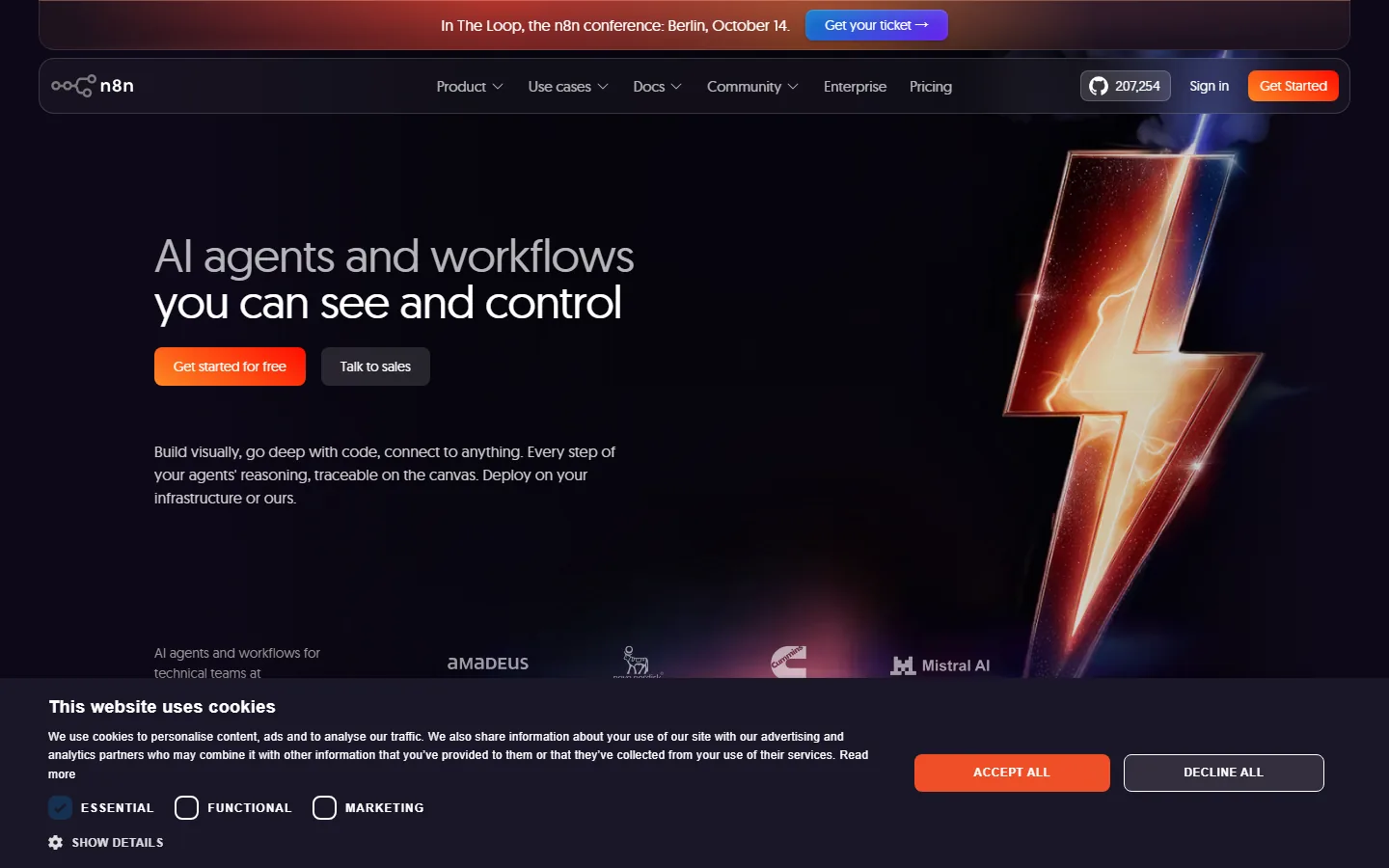
The screenshot above shows the n8n homepage, and the billing model is worth understanding before you compare anything else. n8n charges once per workflow execution, not per step or per module: a workflow with 40 nodes and a workflow with 4 nodes cost the same per run on the same plan. Its Pro tier includes 10,000 monthly executions with unlimited steps per run, and the free self-hosted Community edition has no execution cap at all on your own infrastructure. That single difference — per-run billing with unlimited steps — is why peppereffect's 2026 cost-of-ownership analysis concludes that n8n can be cheaper by an order of magnitude for workflows with many steps.
Which AI automation tool is easiest for non-technical teams?
Zapier wins the ease-of-use argument, and its 2026 homepage makes the ambition clear: "THE NEXT GENERATION OF ZAPIER — Welcome to automation in the agentic era." The pitch is that you "start building in your favorite AI tool, then run and govern trusted workflows on Zapier," which is aimed squarely at teams who already work inside ChatGPT, Claude, or other AI assistants and want the results wired into their apps without writing code. Zapier's strength has always been breadth — thousands of pre-built integrations, a free tier to start, and templates for common workflows — and the 2026 positioning extends that to governing AI-generated work across your stack.
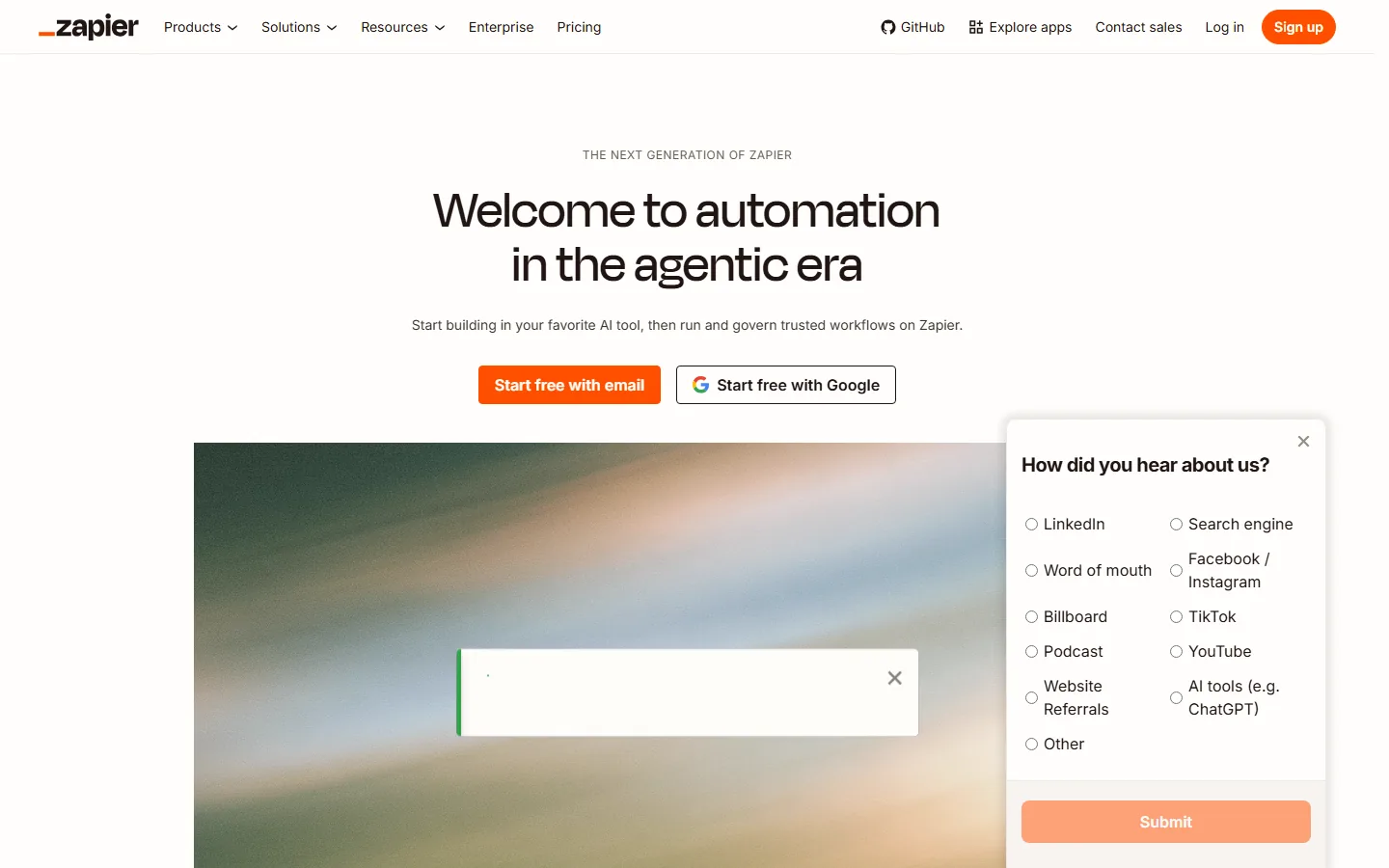
The trade-off with Zapier is the billing unit. Zapier charges per action step, and in 2026 it also meters AI steps at a multiple of ordinary steps — peppereffect's analysis documents a 5x task multiplier on Zapier's default AI tier. The Professional plan costs $19.99/month billed annually and includes 750 tasks a month, which sounds generous until an AI-powered workflow consumes five times the tasks of an equivalent non-AI workflow. For simple, high-volume automations — form to spreadsheet, email to CRM — Zapier remains the fastest path to value, and its governance features (trusted workflows, enterprise controls) justify the price for teams that prioritize control. The practical rule: model your real workflow, count the steps, multiply the AI ones by five, and compare that number against 750 before you commit.
How much do AI automation tools cost in 2026?
The cost comparison is where most buyers get surprised, because the three platforms measure "work" differently. Make's every paid tier includes 10,000 credits — Core at $12/month, Pro at $21, Teams at $38 — and every module run consumes credits, so a workflow with ten modules costs ten credits per run. Zapier's Professional costs $19.99/month for 750 tasks, where each action step is a task and AI steps multiply. n8n's Pro costs 50 EUR/month for 10,000 executions with unlimited steps inside each execution. For a workflow with ten steps running a thousand times a month: n8n consumes 1,000 executions (10% of Pro), Make consumes 10,000 credits (100% of Core), and Zapier consumes 10,000 tasks (13x its Professional allowance). The same logical workflow sits comfortably in one plan and blows past two others.
| Tool | Billing unit | Entry paid tier | Volume included | Self-host |
|---|---|---|---|---|
| n8n | Per workflow run | Pro 50 EUR/mo (annual) | 10,000 executions, unlimited steps | Yes, free |
| Zapier | Per action step (AI steps 5x) | Professional $19.99/mo (annual) | 750 tasks | No |
| Make | Per module run | Core $12/mo | 10,000 credits | No |
The second cost driver is AI features. In 2026, all three platforms can call language models inside workflows, and all three meter those calls somehow — either as AI steps (Zapier), as credits per module execution (Make), or inside the workflow run (n8n). Users across the AI category keep reporting that "usage limits and token caps that break momentum mid-task come up again and again," and automation is exactly where that pain compounds: a workflow that dies at the 749th task of the month is worse than one that never ran. When you compare plans, calculate your real monthly volume with AI steps included, and check whether the platform publishes the price at your volume — peppereffect's 2026 analysis notes that "neither publishes a price at the volumes real B2B workflows reach," so model the math yourself before you subscribe.
Do AI automation tools need a human in the loop?
The honest answer is yes for anything that touches customers or money, and the platforms agree with you — that is why n8n's homepage leads with "you can see and control" and "every step of your agents' reasoning, traceable on the canvas." The point of a visual canvas with traceable steps is that a human can audit what the automation actually did: which tool was called, what the model returned, where the workflow branched. That traceability is the difference between an automation you trust and one you discover failed three weeks later.
The failure modes are predictable. An AI agent that is asked to draft customer emails can "still hallucinate a lot" and invent a discount, a deadline, or a policy that does not exist. A workflow that summarizes documents can inherit the bias of the model it calls. And a workflow with insufficient error handling can silently drop records instead of pausing for review. The defenses are cheap: keep a human approval step on anything customer-facing, log the model output for every run, and add explicit failure paths — the platforms that let you branch on "AI failed" or "confidence below threshold" are the ones worth building on. The other support reality is worth checking before you commit: users across the AI market report that "after you have bought it there's no one to answer your queries," and open-source platforms like n8n answer that with community forums and docs you can read forever, while closed platforms depend on their support team's responsiveness.
Frequently Asked Questions
Which AI automation tool is free to use?
All three have free tiers, but they are not equivalent. n8n's Community edition is free and self-hostable with no execution cap on your own infrastructure — the real free option for anyone who can run a Docker container. Make's free plan has no time limit and no credit card, with a monthly operation allowance. Zapier's free tier starts you on a small monthly task allowance to test simple workflows. For production volume, every platform needs a paid tier except n8n self-hosted, so "free" depends on how much you can host yourself.
Is n8n really cheaper than Zapier and Make?
Often, but only for multi-step workflows, because n8n bills per run while the others bill per step or per module. peppereffect's 2026 analysis shows a ten-step workflow run a thousand times a month consuming roughly 1,000 executions on n8n Pro, versus an order of magnitude more on per-step plans. For simple one- or two-step automations, per-step pricing can win — run the numbers on your own workflow before subscribing.
What does an AI automation tool do differently from a regular automation tool?
An AI automation tool can call language models inside the workflow — summarizing text, extracting data, classifying input, or having an agent decide the next step — rather than only moving data between apps with fixed rules. In 2026 the platforms bundle this as AI steps (Zapier), AI modules (Make), or native AI nodes inside a workflow run (n8n). The catch is billing: AI steps and modules consume more of your allowance than ordinary steps, so the real cost shows up when you model AI-heavy workflows.
Can I run AI automation on my own servers?
Yes, if you choose a self-hostable platform. n8n is the leading option here — its Community edition runs on your own infrastructure with no execution cap, and the paid tiers add features like SSO and priority support while still allowing self-hosting on your infrastructure. Zapier and Make are cloud-only, which is simpler to operate but means your workflows and the data flowing through them live on their infrastructure. If data residency or auditability matters, self-hosting is the deciding factor.
What is the difference between n8n, Zapier, and Make in 2026?
The practical difference is billing unit and audience. n8n targets technical teams: per-run billing with unlimited steps, visual canvas with code access, self-hosting, and open-source community support. Zapier targets non-technical teams: the fastest path to simple automations, thousands of integrations, and governance features, priced per action step with AI steps at a multiplier. Make targets visual builders in between: drag-and-drop canvas, 10,000 credits on every paid tier from Core at $12/month, and no time limit on its free plan. Match the platform to who builds the workflows, not to the logo on the pricing page.
Conclusion
For 2026, pick your AI automation tool by who builds the workflows and how work is metered. Technical teams and anyone with data-residency constraints should standardize on n8n — per-run billing with unlimited steps, free self-hosting, and traceable agent reasoning on the canvas make it the lowest-risk and often the lowest-cost choice. Non-technical teams that value speed and governance should use Zapier — the agentic-era positioning, thousands of integrations, and enterprise controls justify the per-step pricing if your workflows are simple. Teams in between that want a visual canvas without code should use Make — 10,000 credits on every paid tier and a free plan with no time limit. Whatever you choose, model your real monthly volume with AI steps included before subscribing, add a human approval step to anything customer-facing, and verify you can audit every run — the three checks that prevent the predictable automation regrets.
Automate the boring work, keep control of the smart work
Start by mapping one real workflow end to end — count the steps, count the runs per month, and put the numbers into the three billing models before you sign up for anything. Then build that one workflow in the free tier of the platform that fits your team, and add a human check to the first customer-facing step. While you are planning, our n8n review covers the open-source option in depth, the best AI agents guide explains the agent layer these tools orchestrate, the Dify vs Coze comparison covers the agent-builder alternatives, and we have written honestly about AI tools not worth the money before you stack another subscription.
Self-Check (batch26)
| Check | Result |
|---|---|
| Word count > 2000 | Yes |
| BLUF Quick Answer first | Yes |
| Definition-first opening | Yes |
| H2 sections (3-5) | 5 |
| FAQ count | 5 |
| Internal links (3-5) | 4 |
| Authority external links | 4 (n8n.io, zapier.com/compare, make.com, peppereffect.com) |
| Real screenshots | 2 (n8n-home, zapier-home) |
| Pain points quoted | 3 (rate limits, customer support, hallucination) |
| llmevalkit hallucination check | Passed, 0 contradictions |
| zens-ink content_qc | >= 70 |